Integrations
Chrome extension
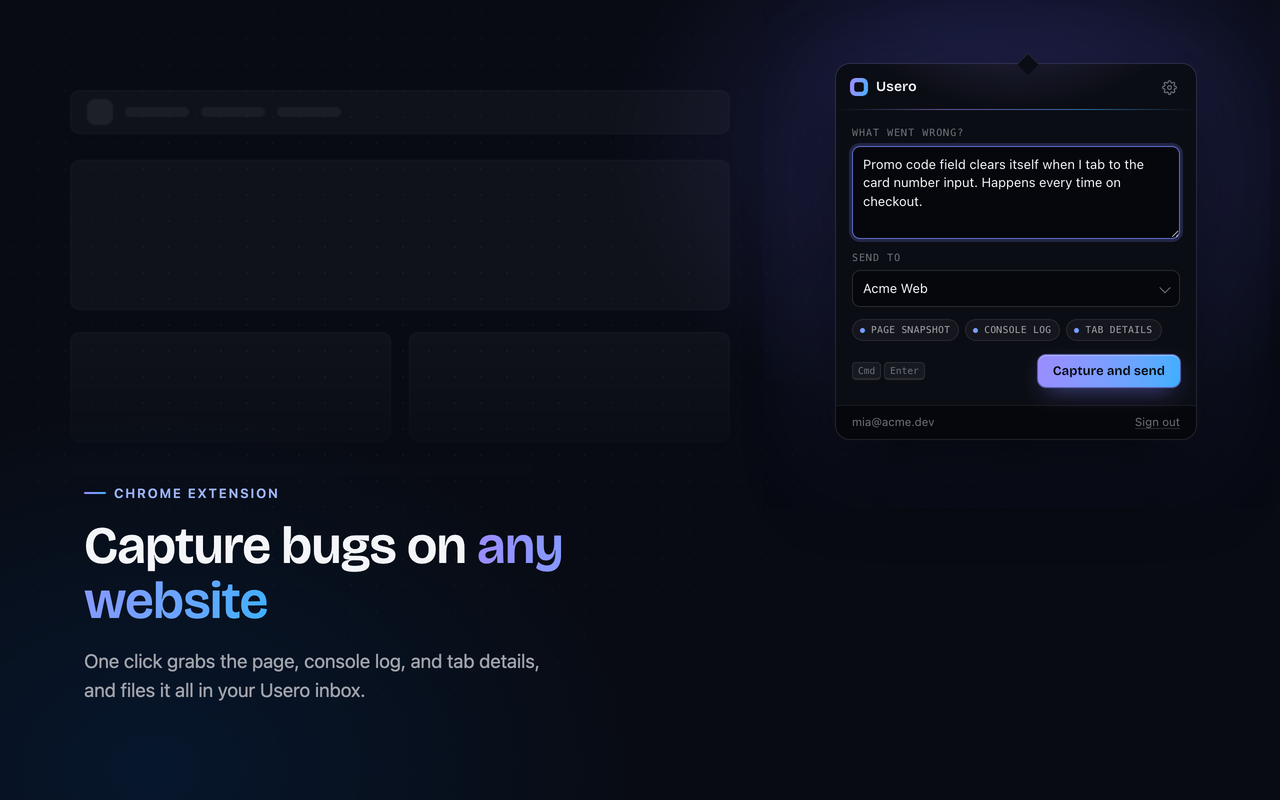
Report a bug on any website, even one Usero is not installed on. Click the Usero icon, describe what broke, hit send. The report lands in your inbox with a screenshot, the recent console output, and a snapshot of the page. With a repo connected, that report becomes an AI-authored pull request you review and merge.
The extension works on staging URLs, internal tools, and client preview sites where no widget is embedded. No script tag on the target site, no code changes.
Two ways to capture
Popup bug capture. Click the Usero icon in your toolbar, write what went wrong, and hit Capture. The extension grabs a screenshot of the visible page, the last 50 console entries, the page URL, and a sanitized HTML snapshot (scripts and inline event handlers stripped). All four travel with your report, so the fix targets the page the user actually saw.
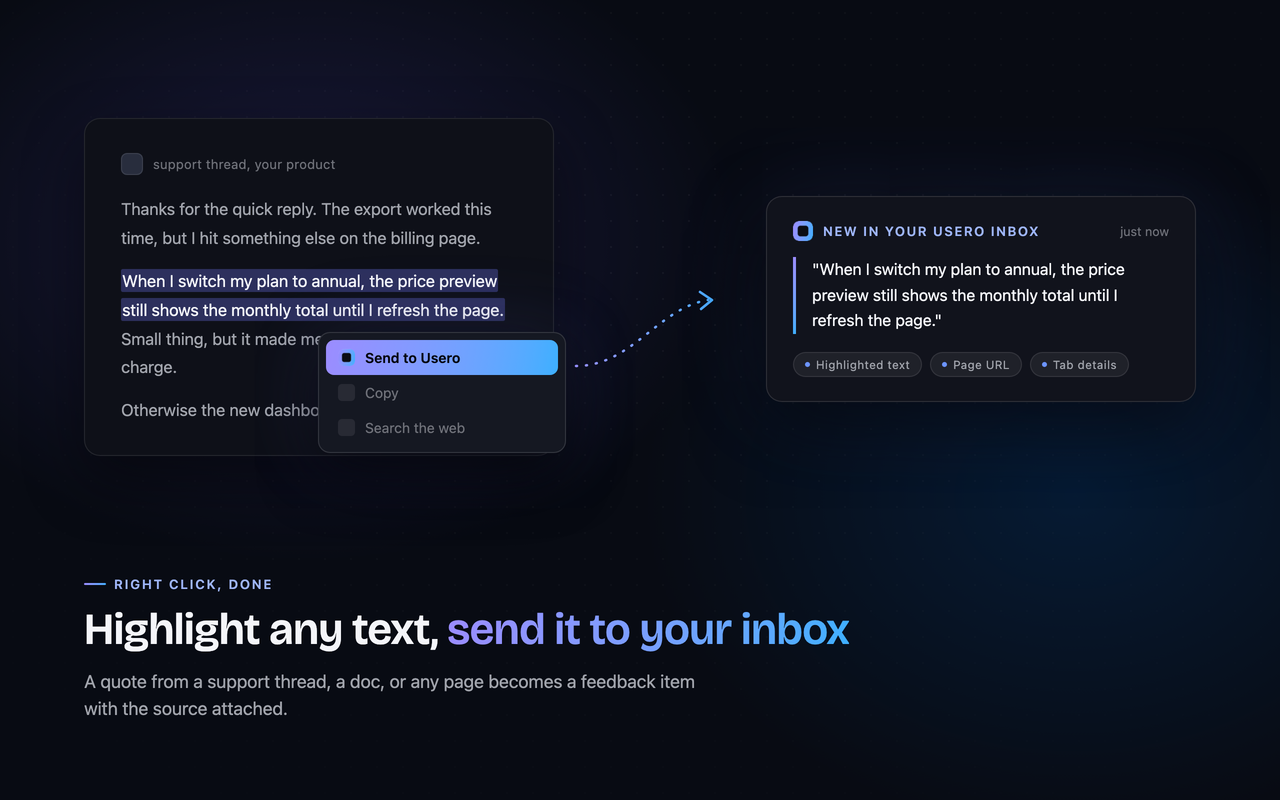
Highlight to send. Select text on any page, right-click, and choose "Send to Usero". The selection, the page URL, and the title land in your inbox. Use it to forward what people say about your product on Reddit, support threads, and review sites straight into the same feedback queue as your bug reports.
Signing in
Sign-in is a magic link, no password. If you are already signed in to usero.io in the same browser, the extension picks up that session and you are ready on the first capture. If not, enter your email in the popup and click the link we send. That is the whole setup.
Where reports land
Every capture arrives in your workspace inbox next to feedback from your widget, Slack, and email. A Chrome capture shows the screenshot inline, the console tail, and a downloadable bundle with the full DOM snapshot.
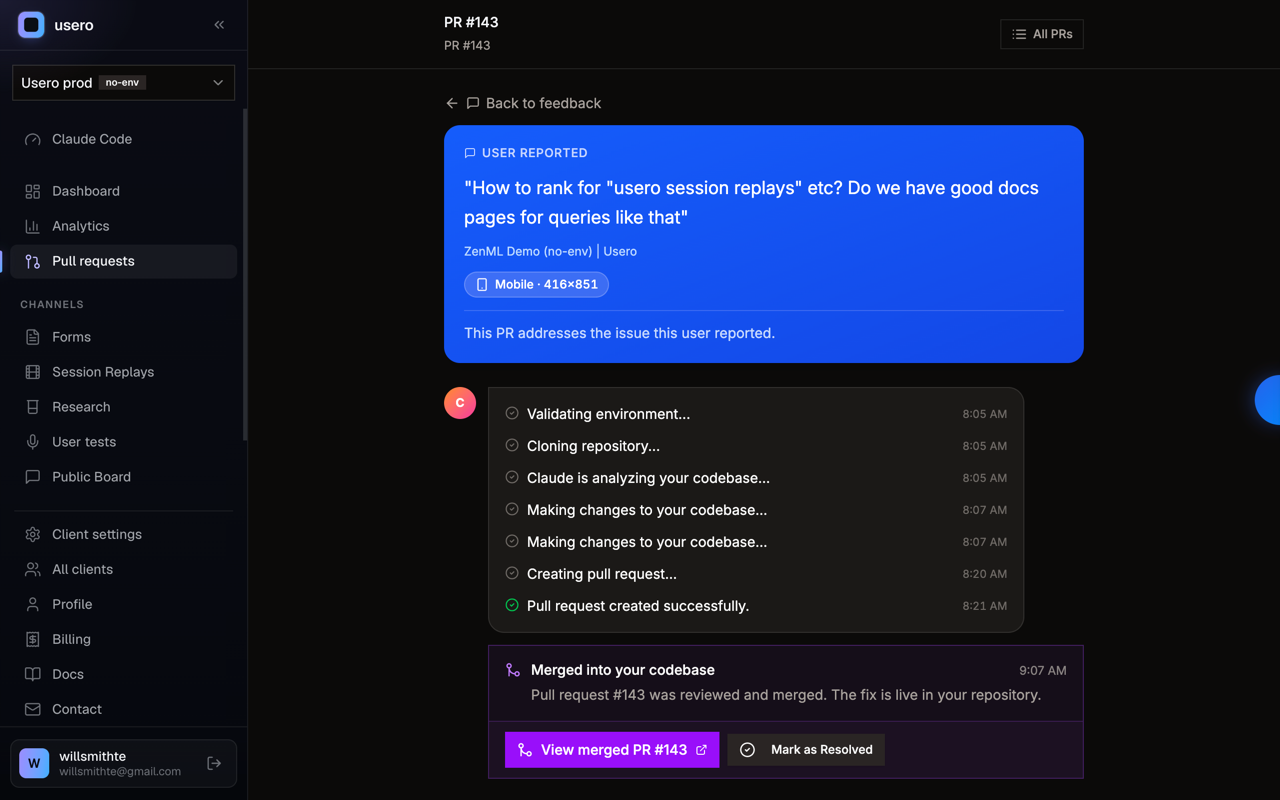
If the workspace has a GitHub repo connected, one click turns the report into a pull request. Usero reads the console errors and DOM state, opens a PR with a first pass at the fix, and you review the diff before merging.
What it captures, and when
The extension reads a page in exactly two cases, both started by you. Nothing runs in the background.
- You click the icon and hit Capture. Usero reads the screenshot, URL, console tail, and sanitized HTML from that tab, at that moment.
- You select text and choose "Send to Usero". Usero sends the selected text plus the page URL and title.
It cannot read any other tab, and it cannot read the active tab until you click. Full details are in the Chrome extension section of the privacy policy.
Importing your Chrome Web Store reviews
This is a separate feature from the capture extension above. If you publish your own extension on the Chrome Web Store, Usero can import its public reviews into the same inbox, so a recurring one-star bug clusters with the rest of your feedback and can become a pull request.
Setup needs nothing but your extension ID. Open your listing on the Chrome Web Store; the URL ends in /detail/<name>/<id>, where
the id is a 32-character string of letters. Paste that id into the Chrome Web Store section of your project settings. No developer
account, no OAuth, and no API key, because public reviews are public.
After you connect, Usero pulls the public reviews into your inbox and rechecks the listing hourly, so new reviews land on their own. There is a Sync now button for an immediate pull. Each review is deduped by a stable per-review key, so a re-sync updates rather than duplicates. Imported reviews are classified and clustered by meaning alongside your widget, Slack, app-store, and GitHub feedback, and a clustered review bug can open a GitHub PR you review and merge.
Set up the rest of your inbox
The extension feeds the same inbox as every other source. See the integrations overview to connect GitHub for one-click PRs, or wire up Slack and email ingest.