Notion integration
Push a feedback cluster into your Notion database as a row your team can plan from.
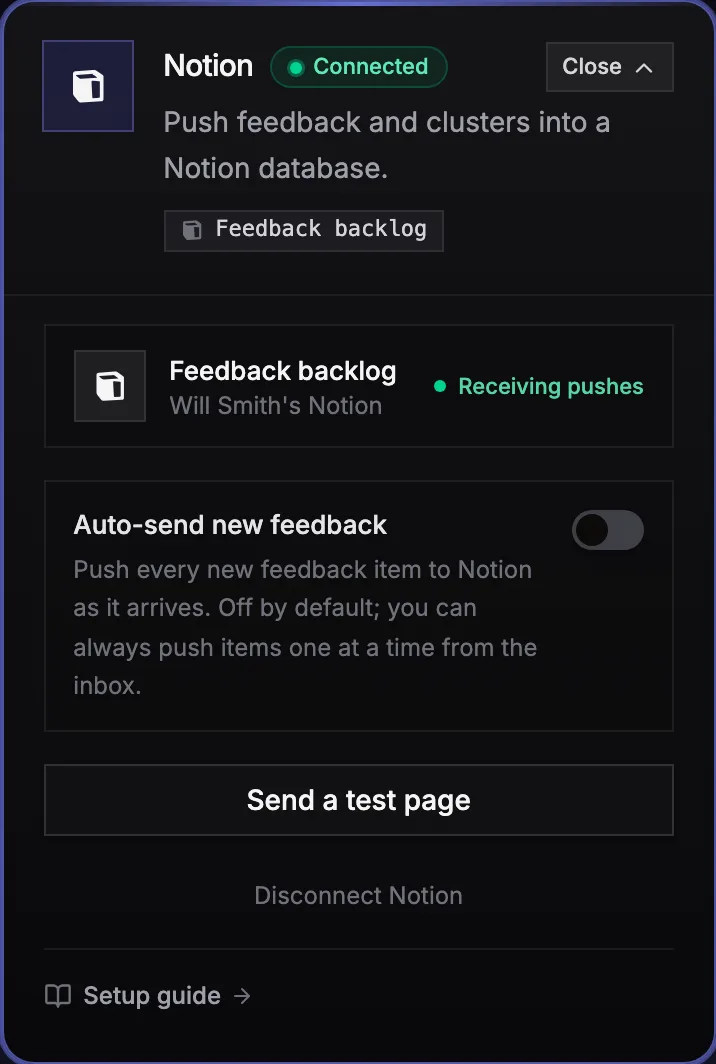
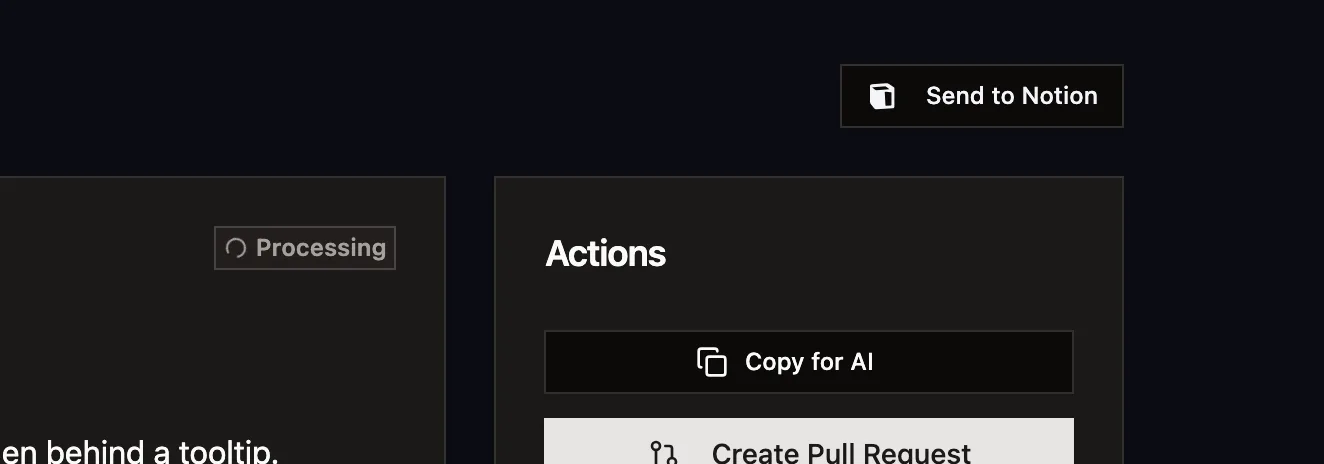
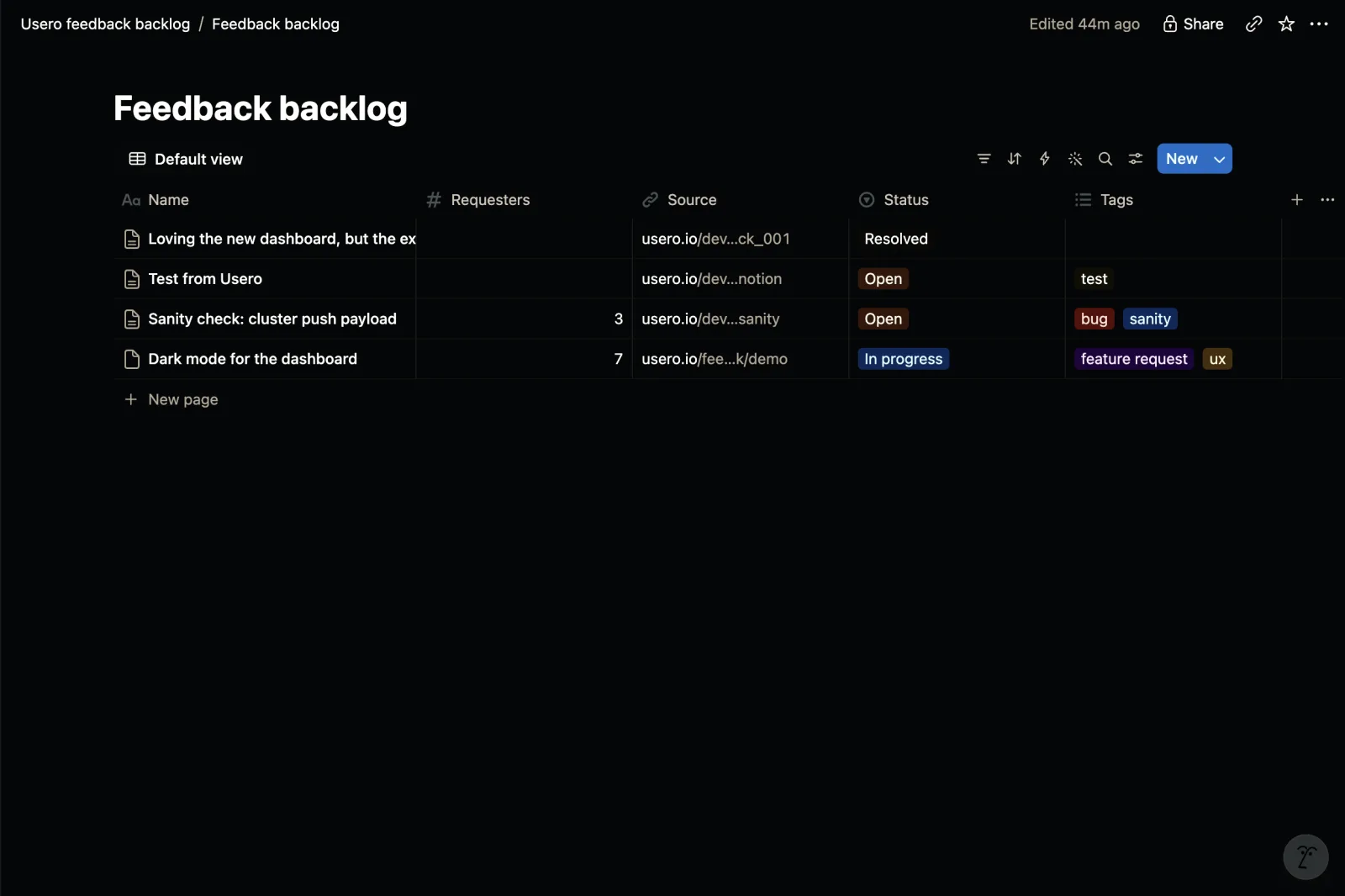
Paste an internal integration secret, pick a database you have shared with it, and every feedback item or cluster gets a Send to Notion button. The row carries the requester count, status, tags, and a link back, with the verbatim user quotes in the page body. Free on every plan.
Notion is the most requested integration on the feedback boards of Canny, Featurebase, and Sleekplan, and as of August 2026 none of them ship it. The Canny request has 249 votes and has sat on Under Review since August 2019.
If your team plans in Notion, feedback that lives in a separate tool is feedback the planning meeting never sees. Someone has to copy the request over by hand, and the copy loses the part that made it persuasive: how many people asked and what they said. The public threads asking for this integration are precise about the fix. They want database rows, not pages, in a database they choose, with title, description, and status mapped to their own properties. The vendors point them at Zapier, and Zapier makes you build and maintain that property mapping yourself. So the roadmap database and the feedback inbox drift apart, and the request with seven paying customers behind it competes for attention with the request that has one loud one.
How it works
Notion integration in Usero.
Disclosure: I build Usero, so weigh that. Setup uses a Notion internal integration rather than an OAuth app: you create the integration in your own workspace, share the target database with it, and paste the secret into Usero, where it is stored encrypted. From then on every feedback item and cluster in the dashboard has a Send to Notion button, and pushing a cluster creates one new row in your database. The mapping is schema-aware. Usero reads your database properties and writes only the ones that exist, Status, Requesters, Source, and Tags where your schema has them, and always the title, so a send never fails because your database lacks a field we assumed. The verbatim member quotes go in the page body. An auto-send toggle pushes new feedback as it arrives; it ships off, and bulk imports are never auto-sent. The same cluster is one click from an AI-drafted pull request, so Notion gets the plan and GitHub gets the code.
Rows, not pages, in a database you choose
The requesters on Canny and Featurebase spent years correcting the 2019 framing: they do not want documents in a wiki, they want rows in the roadmap database they already run. A push targets the database you picked at setup, and each item lands as a row your existing views, filters, and sorts apply to.
The mapping follows your schema
Usero reads your database properties before writing. A Status property gets the item status, a Requesters number gets the cluster count, Source gets a deep link back, Tags gets the AI category and topics. A property you do not have is skipped without error, and the full content still lands in the page body. There is no template database to adopt.
The row carries the evidence
A cluster push includes the requester count and up to five verbatim member quotes in the page body. When the planning discussion happens in Notion, "how many people asked, in their own words" is already on the page instead of a claim someone has to go verify in another tool.
No OAuth app between you and your workspace
The connection is a Notion internal integration you create yourself: the secret is minted inside your workspace, Usero stores it encrypted, and the integration can only see databases you explicitly share with it. Revoke it any time from Notion, or disconnect in Usero.
The limits
What this does not do yet
Half the story of this integration is other vendors leaving multi-year promises on public boards, so here are our own limits stated plainly.
The push is one-way
Usero writes to Notion. Changing a row in Notion does not update the item in Usero. Two-way status sync, where the Notion database drives the feedback tool, is the documented follow-up, and nobody in the category ships it natively for Notion today either.
Re-sending creates a new page
Sending an item that was already pushed creates a fresh row rather than updating the old one. The button relabels itself "Send again (new page)" so this is never a surprise, and the fix is deleting the older row in Notion. Update-in-place rides on the same follow-up as two-way sync.
Notion caps what one block can hold
Notion limits text to 2,000 characters per block, so very long comments are truncated with an ellipsis, and cluster pages include at most five member verbatims. The Source link always leads back to the complete item in Usero.
Rapid-fire sends can briefly hit Notion rate limits
Notion allows roughly three requests per second per integration and a push costs two. Manual sends and normal auto-send volume never notice; a burst of back-to-back sends can, and the answer is to wait a few seconds and retry.
The honest objection
I can already wire my feedback tool to Notion with Zapier. Why does a native integration matter?
For a single "new post creates a page" trigger, Zapier is fine, and it is what all four competitors we studied recommend. The gap shows up in the details the request threads keep repeating. A Zapier zap writes to fixed fields you configure once, so when your database schema changes, the zap silently drops or errors on the mismatch, and mapping cluster-level data like requester counts and member quotes means building multi-step zaps you now maintain. The native push reads your schema on every send and adapts, carries the quotes and the count in the page body, and costs nothing extra. If you already have a working zap you are happy with, keep it. The native version earns its place the first time you rename a column and nothing breaks.
FAQ
Quick answers about notion integration.
Do I need to create an OAuth app or get my Notion admin involved?
No. You create an internal integration in your own Notion workspace (Settings, Connections, Develop or manage integrations), copy its secret, and paste it into Usero. If you can create integrations and share a database in your workspace, you can connect it end to end in about two minutes.
What does Usero write into my database?
A new page per pushed item. The title property always gets the cluster title or feedback summary. Where your schema has them, Status gets the item status, a Requesters or Votes number gets the cluster count, Source gets a deep link back to Usero, Tags gets the AI category and topic keywords. The page body carries the description or AI summary, up to five verbatim member quotes, and a View in Usero link.
What can the integration see in my Notion workspace?
Only the databases you explicitly share with it. Notion internal integrations have no access by default; you grant access per database from the database page. Usero stores the secret encrypted and uses it only to list your shared databases and create pages in the one you picked.
Will auto-send flood my database if I import a big CSV?
No. Auto-send is off by default, and even when it is on, bulk imports (CSV, GitHub backfill, app review syncs) are never auto-sent. Auto-send only fires for individual new feedback items as they arrive.
Does a status change in Notion update the item in Usero?
Not yet. The push is one-way today, and re-sending an item creates a new page rather than updating the old one. Two-way status sync is the documented follow-up.
Is this on a paid plan?
No, it is free on every plan. Every competitor analogue we studied places tracker integrations inside a paid tier; a Notion push is two API calls and we see no reason to gate it.
Turn that feedback into a pull request.
Free tier. No credit card. Two-minute install. The AI opens the PR, you merge it.
Keep reading
- Connect Notion (setup docs)->
- Best user feedback tools (2026)->
- Demand threshold auto PR->
- Session Replay->
- Traffic source capture->
- AI-authored GitHub PRs->
- Slack feedback capture->
- Forms->
- Feedback clustering->
- App store review import->
- Chrome extension->
- Discord feedback capture->
- Email forwarding->
- GitHub issues sync->
- Feedback API->
- User testing->
- Public roadmap and feedback board->
- Chrome Web Store review import->
- Unified feedback inbox->
- Changelog->
- Revenue-weighted prioritization->
- Evidence quotes on clusters->
- Survey Score Over Time->