How Productboard Insights Work: The Snippet, the Score, and the Manual Loop
Productboard decided years ago that the unit of customer evidence is a sentence. You read a feedback note, highlight the sentence that carries the signal, and link that snippet to a feature. Half the industry copied the idea. We spent an evening inside a live Productboard trial to study how the original works, then built our own version the same night.
This is a Field Notes piece: an evening inside the product, the parts we came away admiring, the rough edges we hit, and the version we shipped for Usero before the night was over. All screenshots come from a hands-on trial workspace on July 28, 2026. We ran the full loop ourselves: created a note, highlighted two snippets, linked each to a different feature, rated importance, marked the note processed, and checked the aggregation on the feature side.
A note, and an instant AI summary
Feedback lands in Productboard as a note: a support email, a call transcript, a Slack message. The note opens in a drawer with a customer field, tags, links, and a MARK PROCESSED button. The detail that surprised us was the AI summary. Our test note had a two-sentence summary within seconds of typing the body, before we had attached a customer, and it quietly regenerated when we edited the text. Third-party reviews had us braced for hours of latency. We saw seconds.
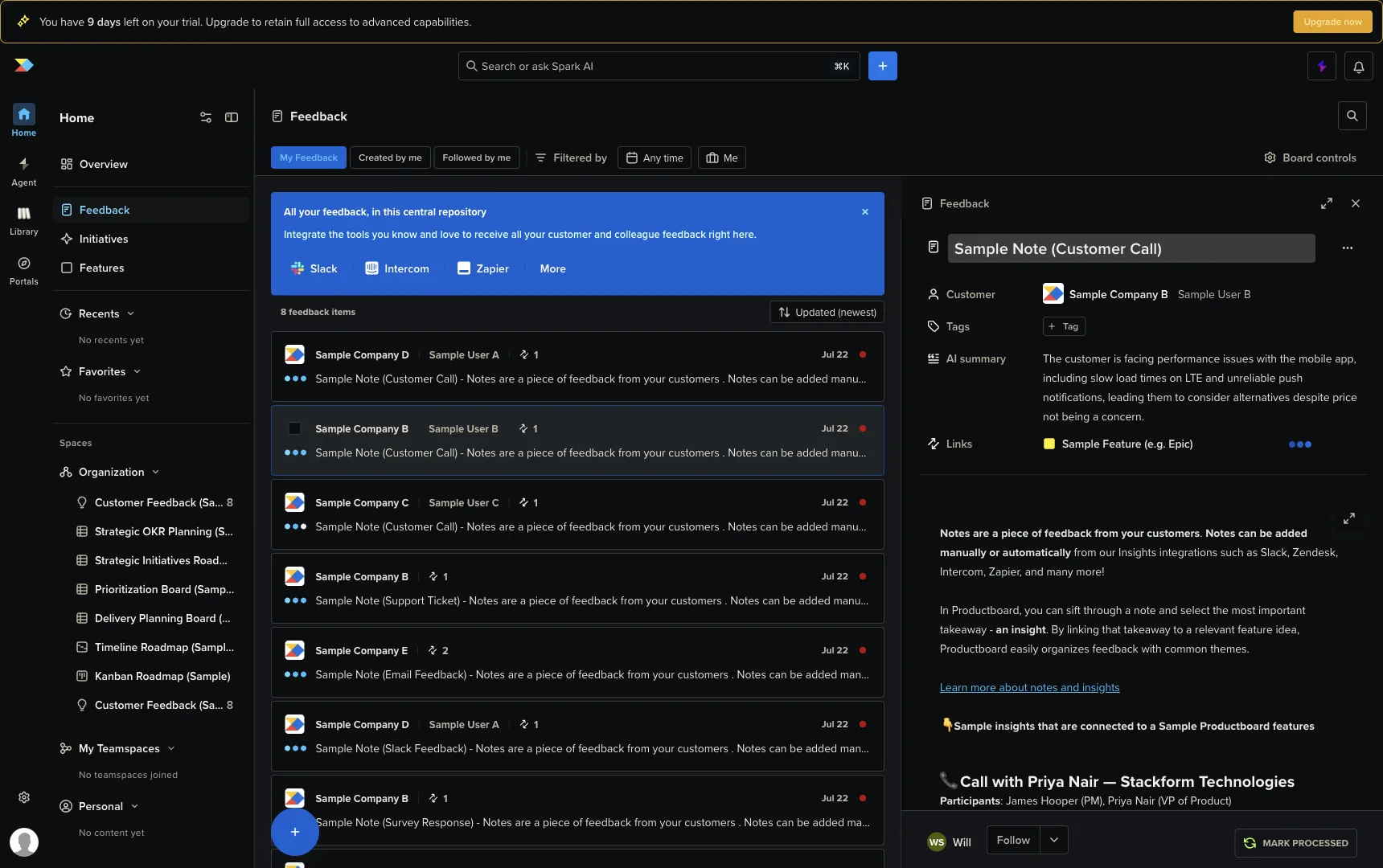
That summary is where the AI stops, though. Everything that happens next, the triage itself, is handwork. That contrast shaped the whole evening.
The linking loop, click by click
Select a sentence in the note body and a small circular link icon floats next to the selection. Click it and a popup opens over the product hierarchy: a search box, an expandable feature tree, a SHOW HIDDEN toggle. You find the feature this sentence is evidence for, or you type a name that does not exist and an inline “(new feature)” row lets you create it without leaving the popup. That inline create is a lovely touch. The worst version of this flow would send you off to author a feature mid-triage, and they clearly knew it.
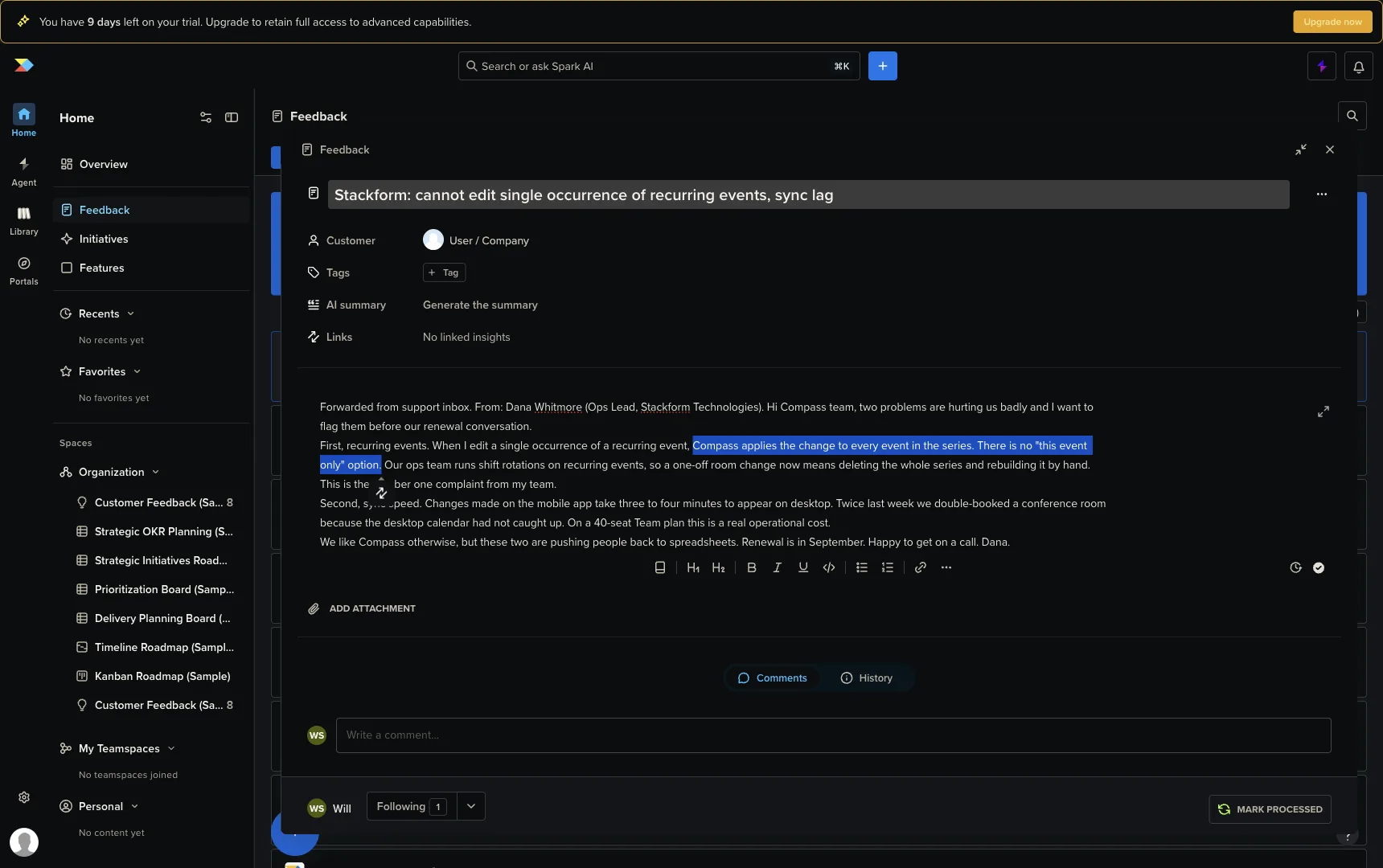
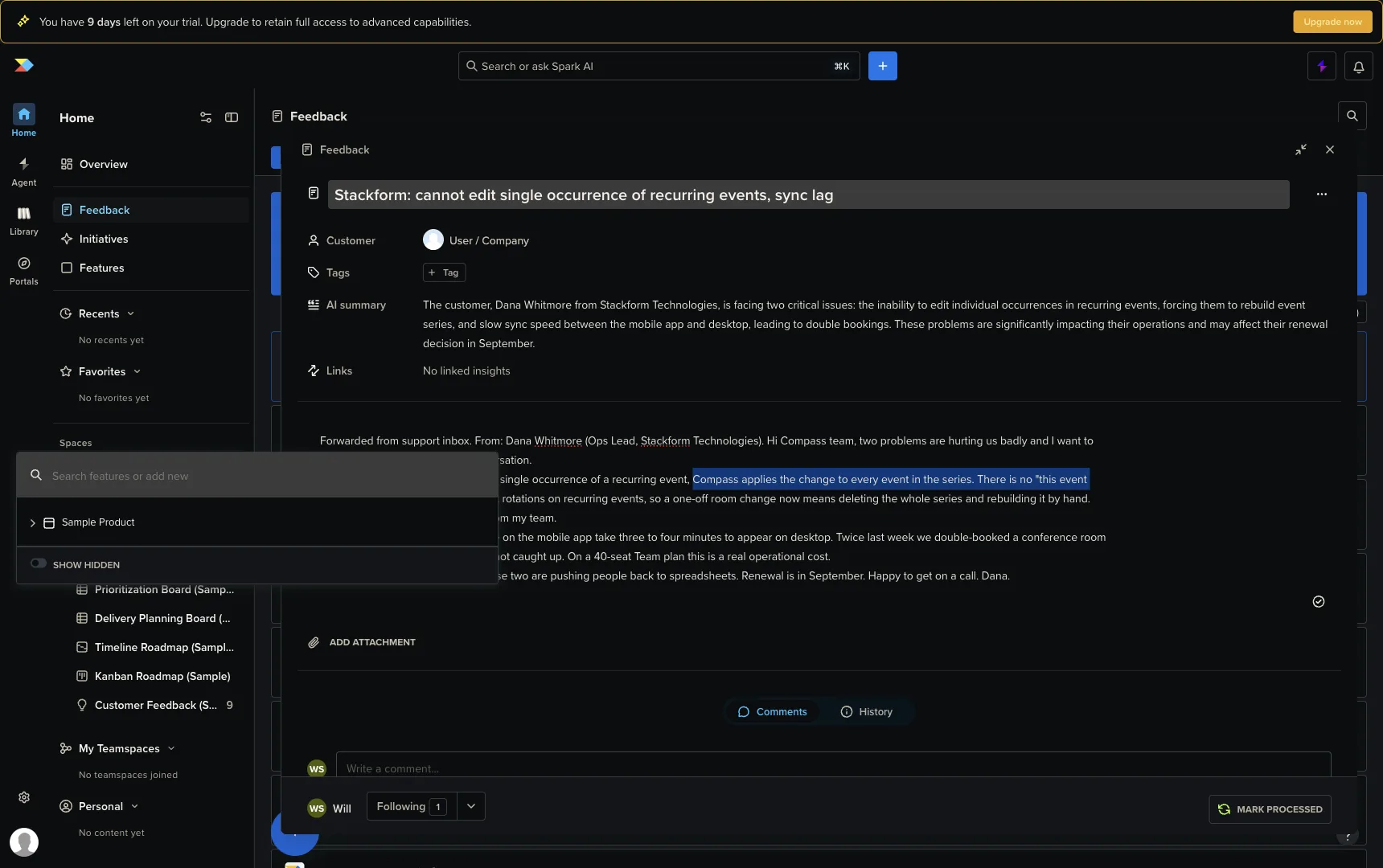
Then comes the gate we did not expect. After linking, the popup asks you to rate how important this request is, and it refuses until the note has a User or Company attached. Our note was a pasted support email with no customer record, which is what forwarded feedback usually is. So we stopped, created a user from the customer field, and Productboard auto-created the company from the email domain. dana.whitmore@stackform.io produced a Stackform company record without another form. Small thing, felt great.
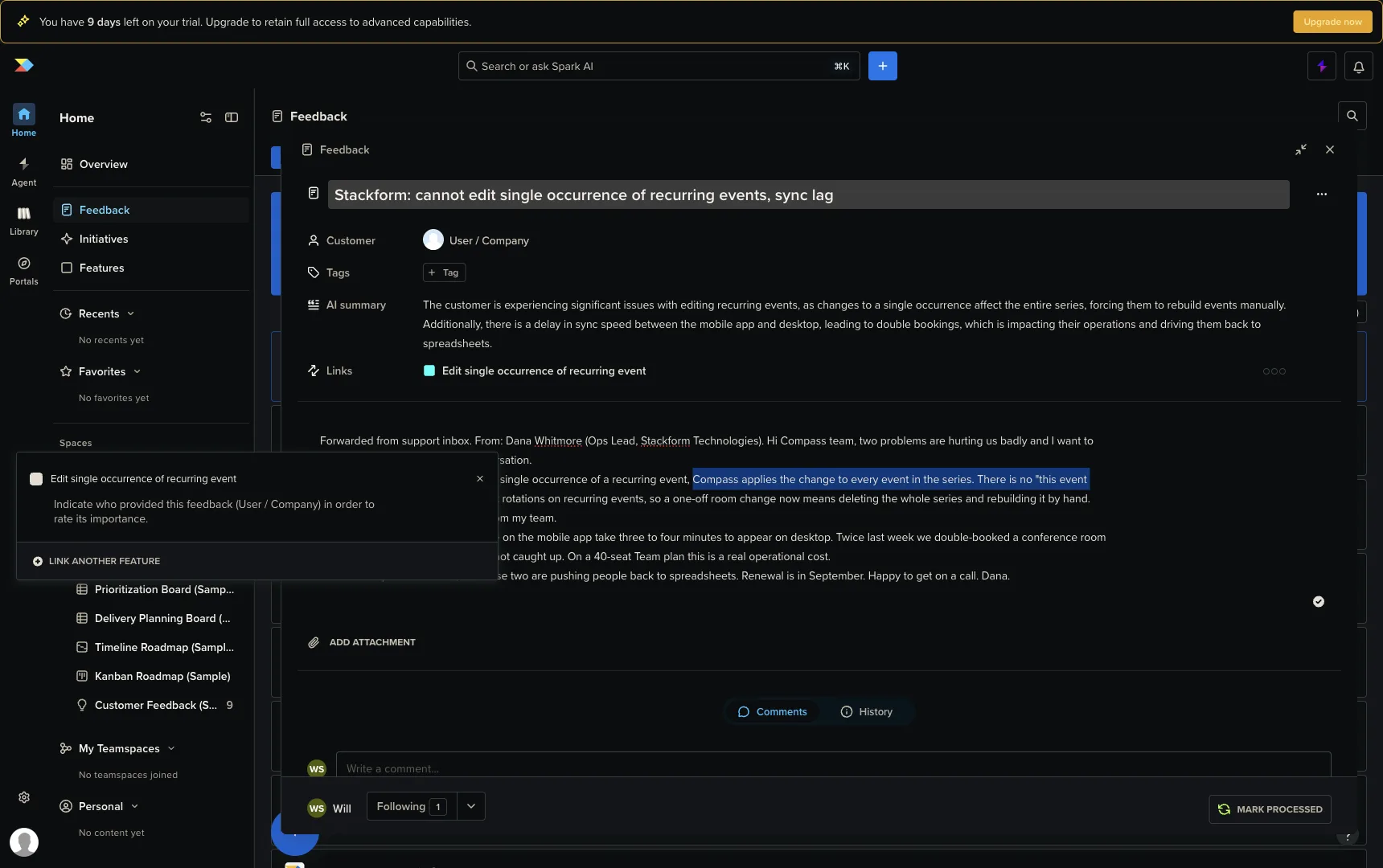
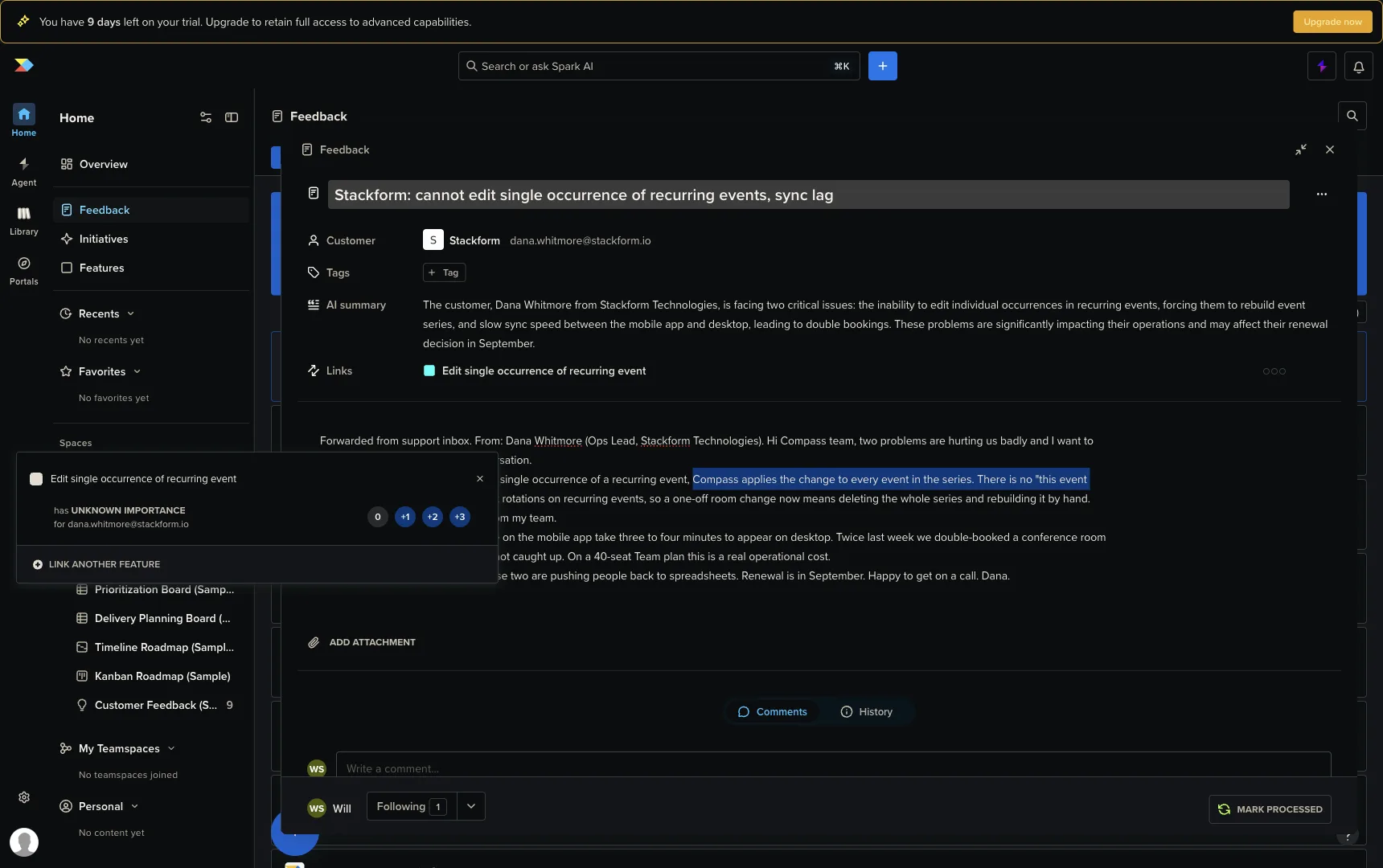
The importance UI itself is four chips: 0, +1, +2, +3. The docs give these labels (Not important, Nice-to-have, Important, Critical), but the popup shows only the numbers. Two PMs reading the same sentence will not reliably click the same chip, and that chip feeds the Customer Importance Score that sorts feature boards. The score is honest arithmetic over subjective clicks.
Add it up: read the note, select the text, click the icon, search the tree, pick or create the feature, attach a customer if the note lacks one, rate importance, repeat for the next snippet, mark the note processed. Our two-snippet note took a dozen deliberate interactions from someone who knew exactly what to do. The craft in each step is real. Now multiply it by every note that lands in the inbox.
The payoff: a feature backed by sentences
The reason all that labour exists shows up on the feature side. Open a feature, click its Insights tab, and you get a Customer Importance Score chip and a card per snippet: company, user email, source note, timestamp, and the exact sentence the PM selected. Reading it feels different from reading a vote count. A number says 14 people want this. Their sentences show the operational pain in their own words, like a customer saying they double-booked a conference room twice last week. That is harder to wave off than a 14.
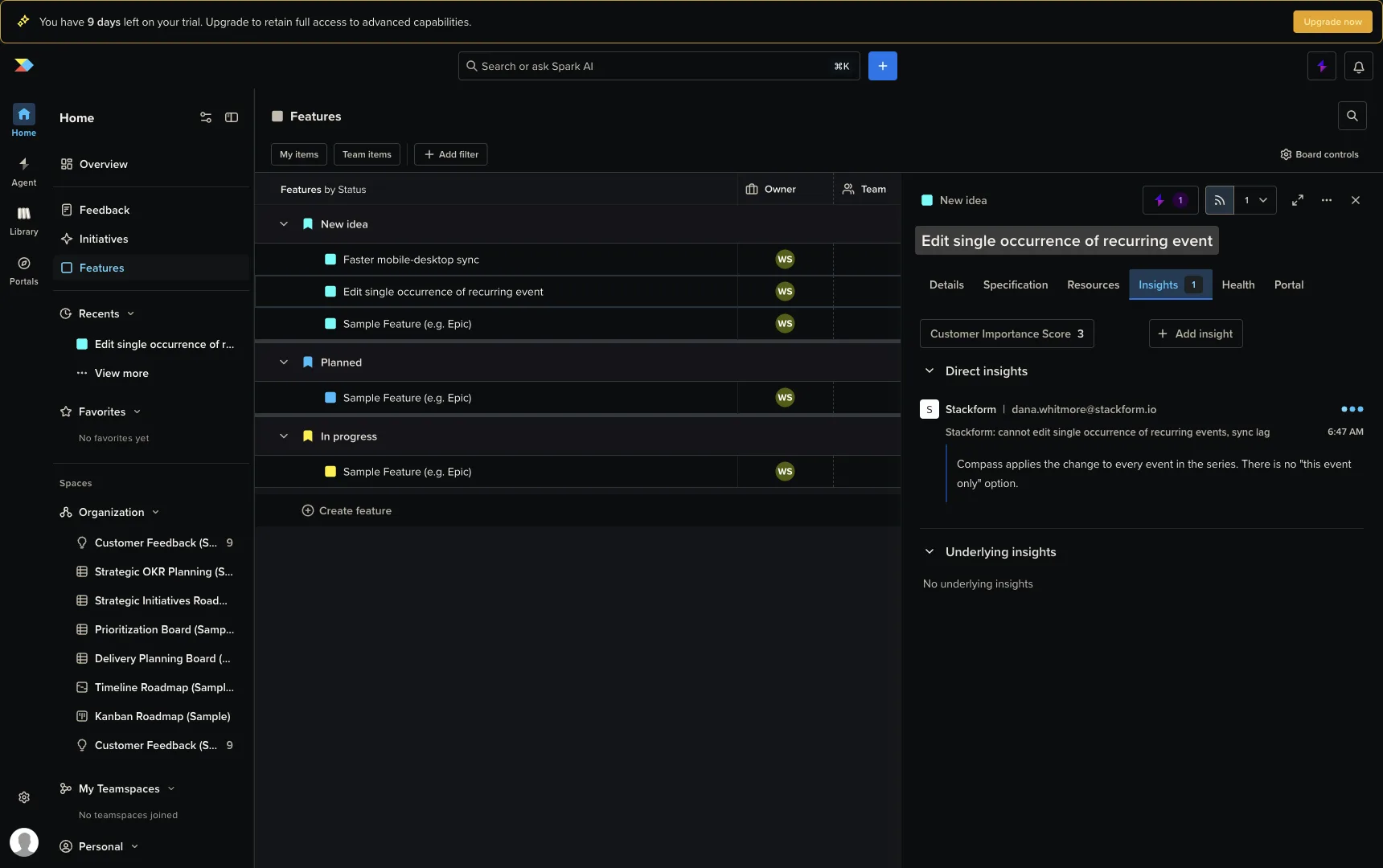
This is the idea we think Productboard got right, and the one worth studying: the atom of evidence is a verbatim customer sentence with a name attached. Everything else in the flow is machinery for manufacturing those atoms.
The rough edges we hit
Offered kindly, from a team with plenty of rough edges of its own. These are all things we observed directly in the trial, on trial-sized data.
- The AI never touches the linking step. Spark branding is everywhere, the summary is instant, and there is a Beta card on the home screen that clusters feedback into opportunities. Yet nothing suggested a feature for our snippets and nothing auto-linked. The most expensive step in the product, deciding where a sentence belongs, is the one step with zero AI in it.
- Undo can delete evidence. The insight anchors into the note’s rich-text body. We edited the body, pressed cmd+Z, and an existing insight link vanished along with the text change. No warning, no error. Evidence anchored to editable text is deletable by editing, and undo is the edit nobody reviews.
- The score has no revenue in it. The Customer Importance Score treats a hobbyist and a $200k-a-year account identically unless a human remembers to rate them differently every time. The chips are the only weighting, and the chips are unlabeled.
- The loop ends at a sorted list. Insight, feature, score, roadmap column. Nothing carries the evidence toward code, and nothing tells the customer who wrote the sentence that their thing shipped.
What we built the same night
Usero already clusters feedback with AI, so the question Productboard spends eleven clicks answering per note, which feature does this sentence belong to, is answered before a human arrives. What our clusters lacked was Productboard’s atom: the verbatim sentence, visible as evidence. So we added it, with the linking direction inverted.
At classification time, the AI pass that already sorts each incoming feedback item now also extracts up to two verbatim quotes from it, the sentences a PM would have highlighted. The server then checks each quote against the stored comment and keeps it only if it is an exact substring. An LLM will paraphrase when you ask it to copy, and a paraphrase presented in quote marks is a fabricated customer quote, so anything that fails the substring check is dropped. What survives is stored as its own immutable row referencing the source feedback. We watched an undo destroy an insight link in Productboard a few hours earlier; our quotes are copies by design, and no edit to anything can delete one.
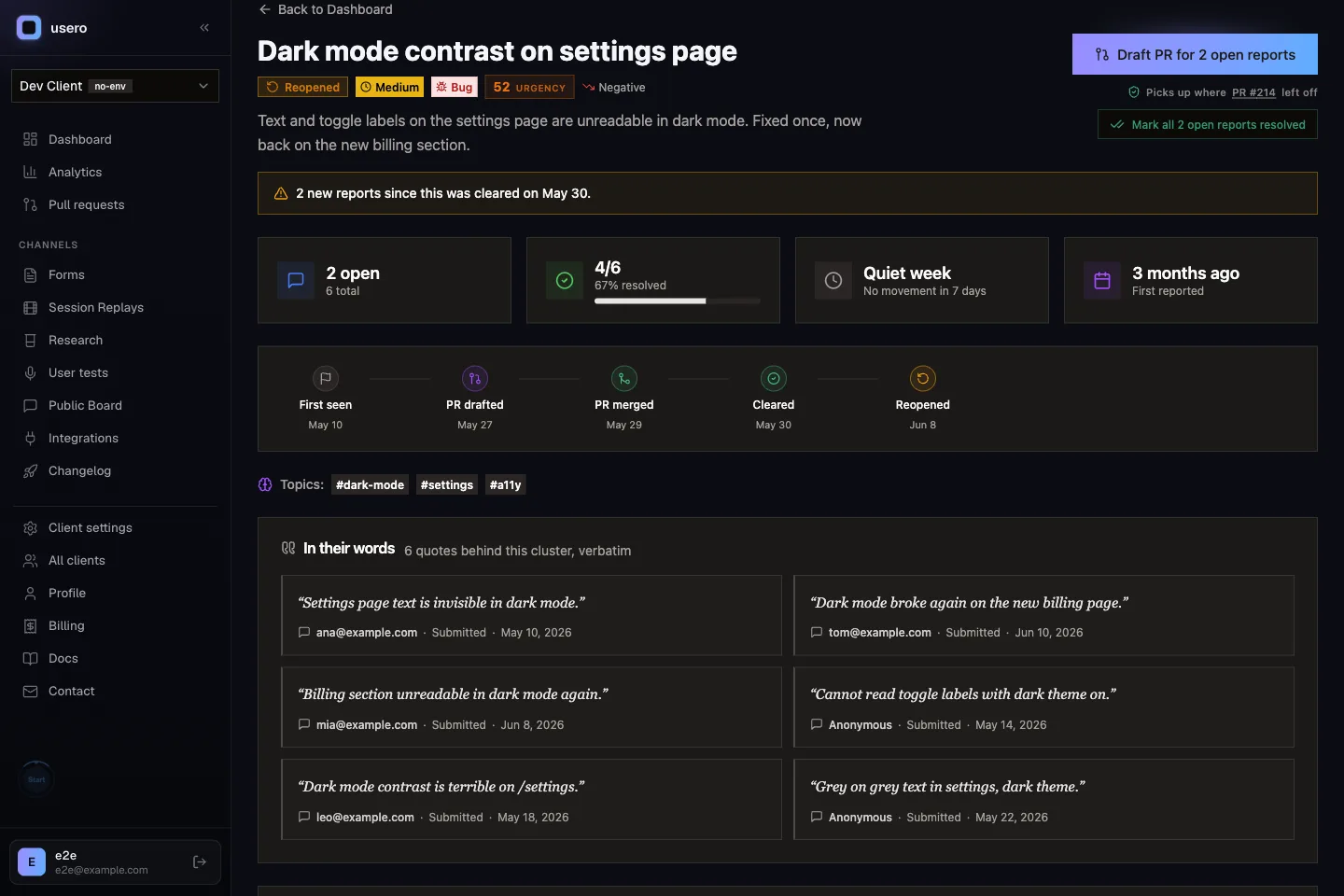
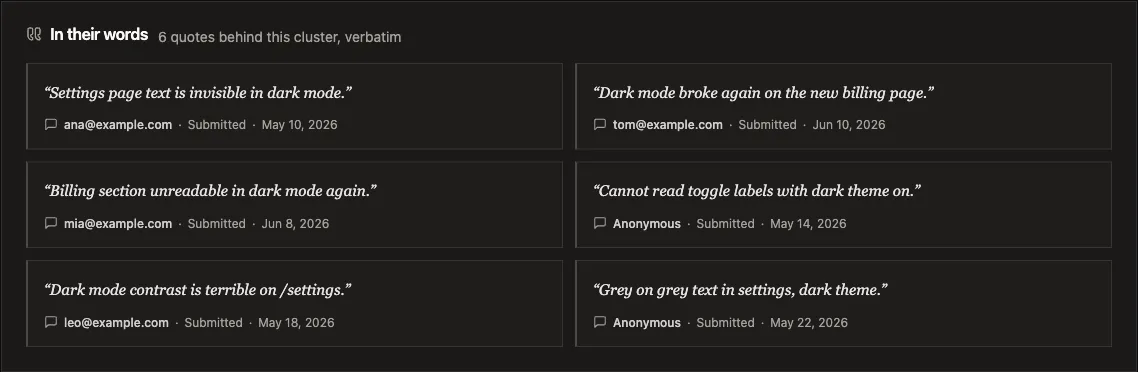
The cluster detail page renders them as an “In their words” section: the quote in serif, the person, the source channel, the date, and a click-through to the full feedback item. The human never searches a feature tree, never creates a customer record mid-triage, never rates a chip. Clustering already decided where the quote belongs, and the identify() call already knows who said it.
Scope honesty: this shipped in one night and it shows the seams. There is no manual highlight-to-link UI, on purpose, since that is the hand-crank we are trying to remove. There are no importance chips, also on purpose. Quotes only exist for feedback classified after the change, and backfilling old feedback is not built. The piece is in review on a branch as we publish.
The takeaway
Productboard’s deepest idea is that evidence for a feature is a customer’s verbatim sentence, and the feature’s Insights tab proves the idea daily. The cost of their version is that a human manufactures every link by hand, a dozen interactions per note, with the product’s AI watching from the sidelines. We kept their atom, handed the linking to the clustering that already runs, and added a substring check so the quotes stay honest. Their loop ends at a sorted board. Ours ends at a pull request, with the customers’ sentences sitting right above the button.
If teardowns like this are your thing, the first Field Notes piece walked through how Canny Autopilot works. Or you can try Usero free and see what quotes the clustering pulls out of your own feedback.
Frequently Asked Questions
What is an insight in Productboard?
A highlighted snippet of a feedback note, linked to a feature idea in the product hierarchy. A PM selects the sentence that carries signal, clicks a floating link icon, searches the feature tree, and picks or creates a feature. Each linked insight contributes to that feature’s Customer Importance Score, and the feature’s Insights tab shows the verbatim selected sentence with the customer’s name and company.
How does Productboard’s Customer Importance Score work?
Each insight can be rated per user with numeric chips: 0, +1, +2, or +3. In the popup those numbers appear without labels; the friendly names (Not important through Critical) only exist in the docs. Ratings are deduplicated per user, and per the docs each company is capped at 3 points per feature. The score shows as a sortable column on feature boards next to Business Value and Effort. Revenue is not part of the score.
Does Productboard use AI to link feedback to features?
Not in the linking step, as of our July 2026 trial. Every note gets an automatic AI summary within seconds, and a Beta card on the home screen clusters some feedback into opportunities, but nothing suggests a feature for a highlighted snippet and nothing auto-links. The select, search, and rate loop is entirely manual.
How does Usero attach quotes to feedback clusters?
At classification time, the AI pass that already sorts each feedback item extracts up to two verbatim sentences from it. The server verifies each quote is an exact substring of the original comment and drops anything that is not, then stores the quotes as their own rows referencing the source feedback. The cluster detail page shows them in an evidence section with the person, the source channel, and a click-through to the full report. Nobody searches a feature tree; clustering already decided where the quote belongs.
Why store quotes as copies instead of highlights in the original text?
Because anchors into editable text are fragile. In our Productboard trial, undoing an edit to a note’s body silently deleted an insight link along with the text change. Usero stores each quote as an immutable row that references the source feedback item, so no later edit, undo, or reformat can destroy the evidence.
Continue reading
How to Sync User Feedback With Linear Issues, Both Ways
A one-way push to Linear creates an issue and stops watching it. Here is what two-way sync between a feedback inbox and Linear should do (create, import, status back, a direction switch), the setup steps, and the two-minute test that tells you whether it is real.
5 min read
Meta's AI Crawler Crashing My DB, and What I Did About It
Sentry said one user caused 80% of my errors in two weeks. It was Meta's AI crawler, and my code was doing five database queries to tell it 404. I don't want to block it, so I fixed the code instead.
5 min read
How to Connect User Feedback to Claude Code and Cursor With a Feedback MCP Server
Six feedback tools now ship MCP servers. Here is what a feedback MCP server gives an agent, how to wire one into Claude Code, Cursor, Claude Desktop, OpenCode or Codex over OAuth, and a worked example that ends with the agent asking the tool to open the pull request.
9 min read
Build a feedback loop your team actually uses
Usero collects, clusters, and turns user feedback into shipped fixes.
Get started free