How Canny Autopilot Works: What It Automates, and What It Paywalls
Canny put all of its AI behind one nav item, Autopilot, and the settings page describes it in seven words: “AI-powered features that replace manual work.” We spent an evening inside a live Canny workspace to see what it replaces.
Here is what works, and where we do it differently.
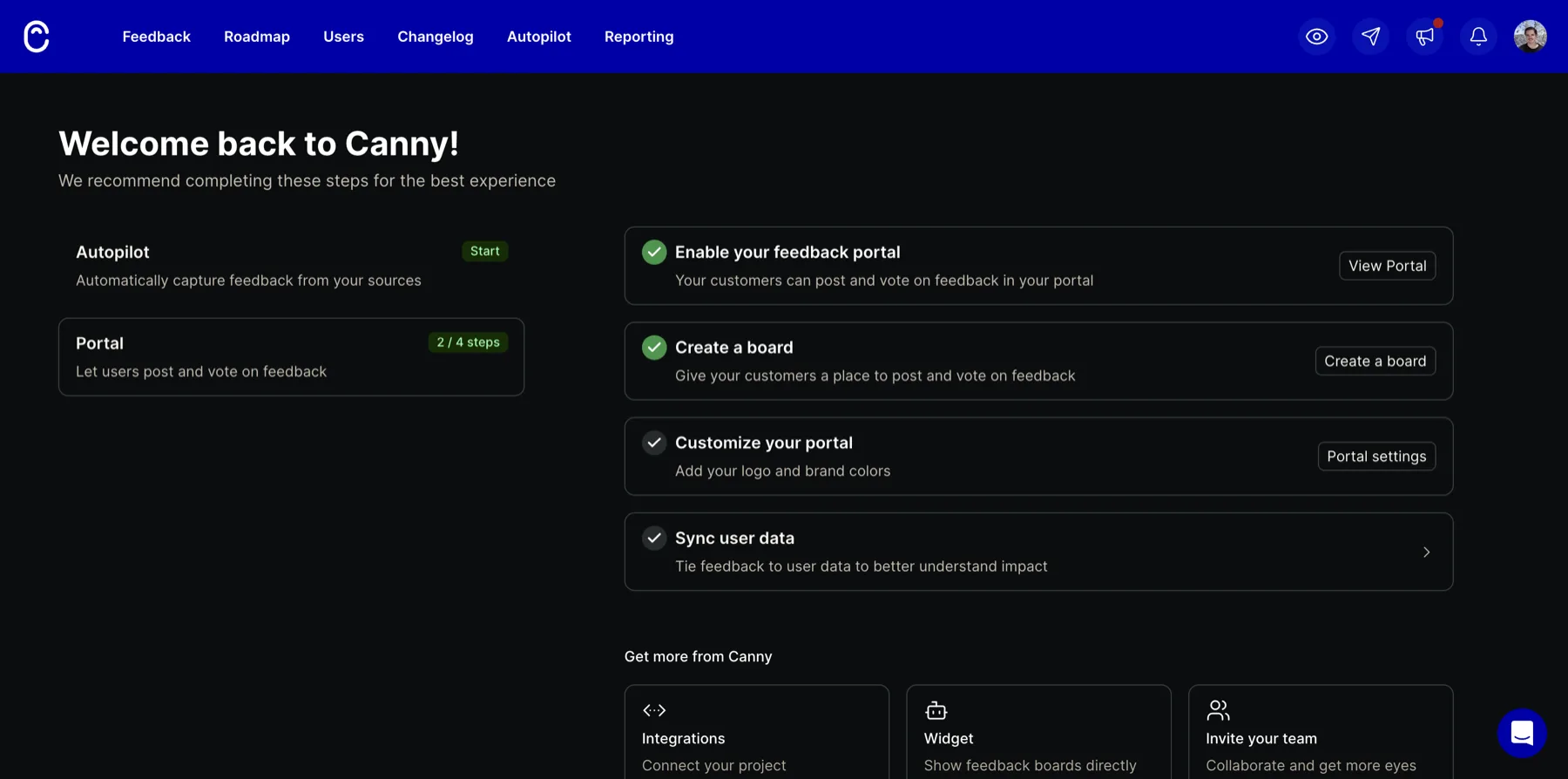
What Autopilot is
Autopilot is a bundle, not a single feature. Five things sit under it:
- Feedback Discovery. Connect a source (Intercom, Zendesk, Help Scout, the App Store, G2, and fifteen more) and Autopilot reads what comes through and files the feature requests for you. You pick Manual, where it proposes and you approve, or Automated, where it just does it and you can reverse it.
- Post Deduplication. One toggle: when a new post lands in the portal, Autopilot checks the existing posts for a duplicate.
- Smart Replies and Comment Summarization. Drafted replies to voters, and a one-line summary of a long comment thread. Both are on the Pro plan.
- Spam detection, which the docs say runs for free.
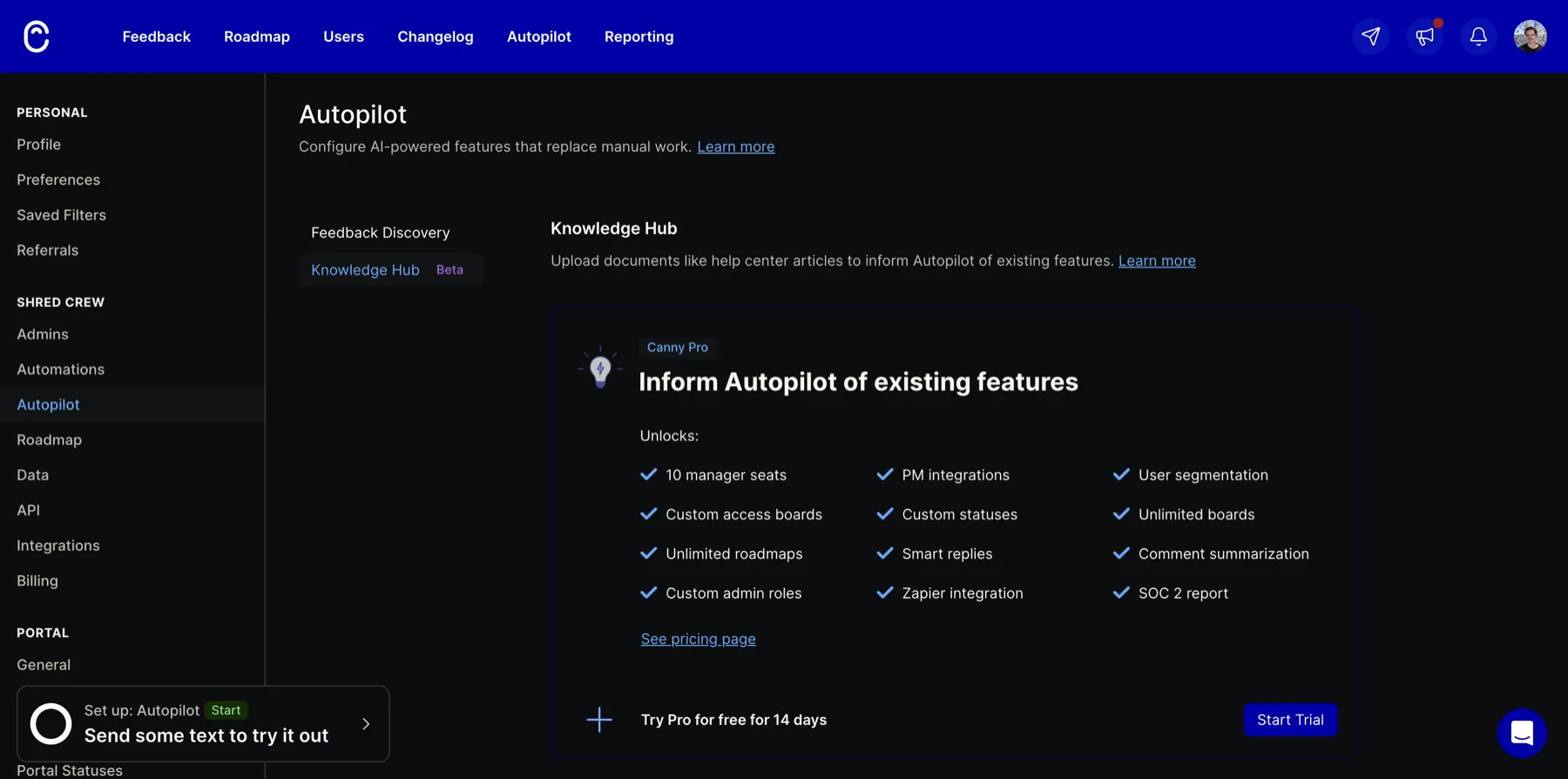
- Knowledge Hub, a beta where you upload your help docs so the AI knows what already ships before it files or answers. Also Pro.
The framing is good. Manual versus Automated with a reversible promise is the right way to introduce AI actions to a team that does not trust the model yet. Nobody wants a bot silently merging their roadmap on day one.
The catch we hit in thirty seconds
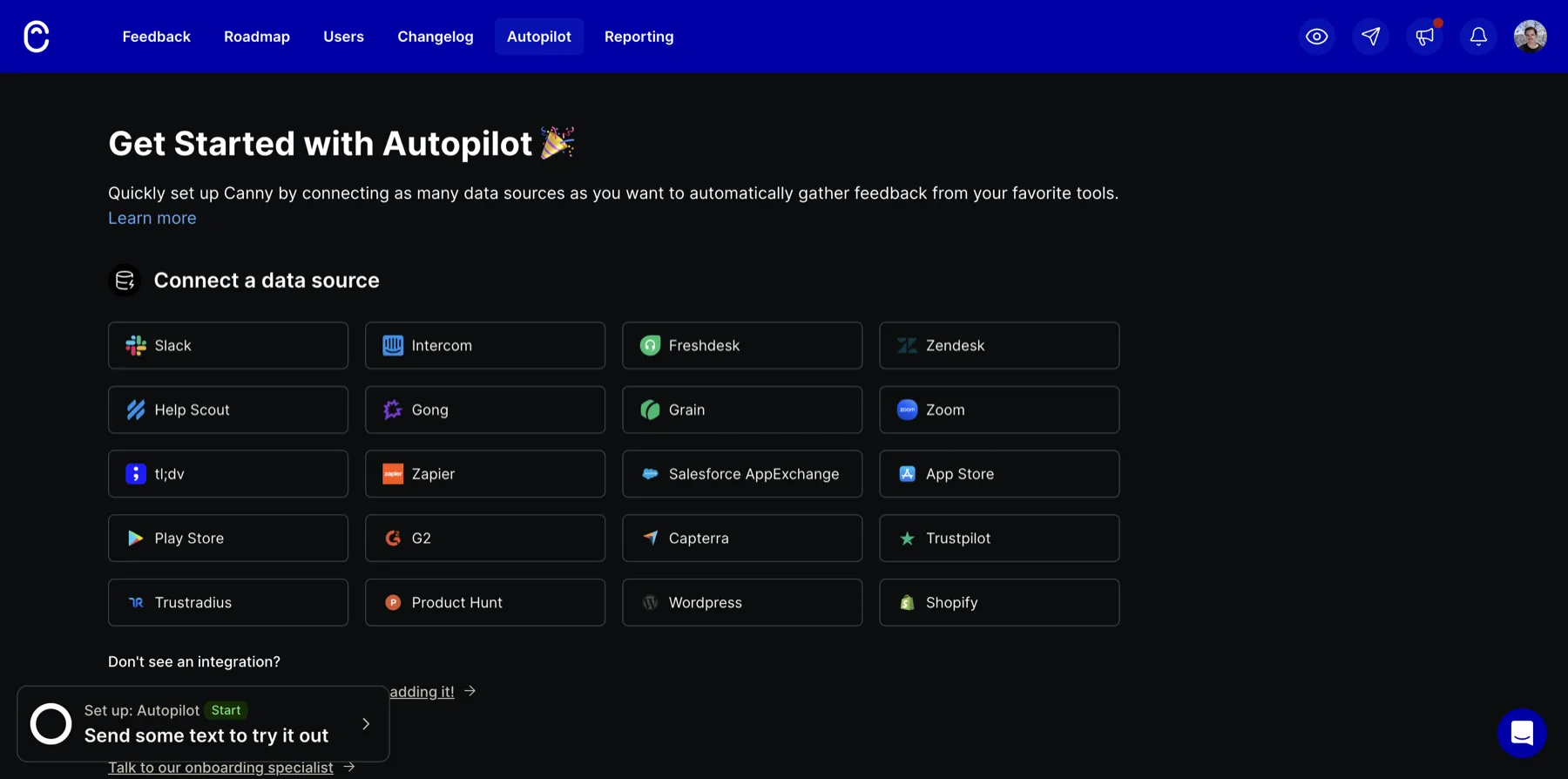
Open Autopilot on a fresh account and you do not get Autopilot. You get a wall of integration logos and the sentence “connect as many data sources as you want.” With nothing connected, there is nothing to discover, so the whole feature sits inert. There is no sample, no “here is what we would have caught in your last ten tickets.” You have to do integration work before you feel anything.
Then the parts that look most useful, smart replies and the Knowledge Hub, are behind the Pro plan. On the free tier, Autopilot comes down to “connect a source, and maybe let it dedup your portal.” Even the dedup toggle ships off.
And it runs on credits. One credit per text or review it processes, five per audio call, one per smart reply or summary. That is a second meter running on top of your seat price.
This does not make Autopilot bad. It makes it a feature you switch on after you have already committed to Canny and wired up your stack, not something a new user can try in the first five minutes.
The part worth copying
Strip away the bundle and the interesting control is Post Deduplication: “when new posts are created in the Canny Portal, allow Autopilot to review existing posts to find duplicates.” That is the AI doing the one job every feedback board buries you under. The same request shows up nine times in eight wordings, and somebody has to notice and merge them.
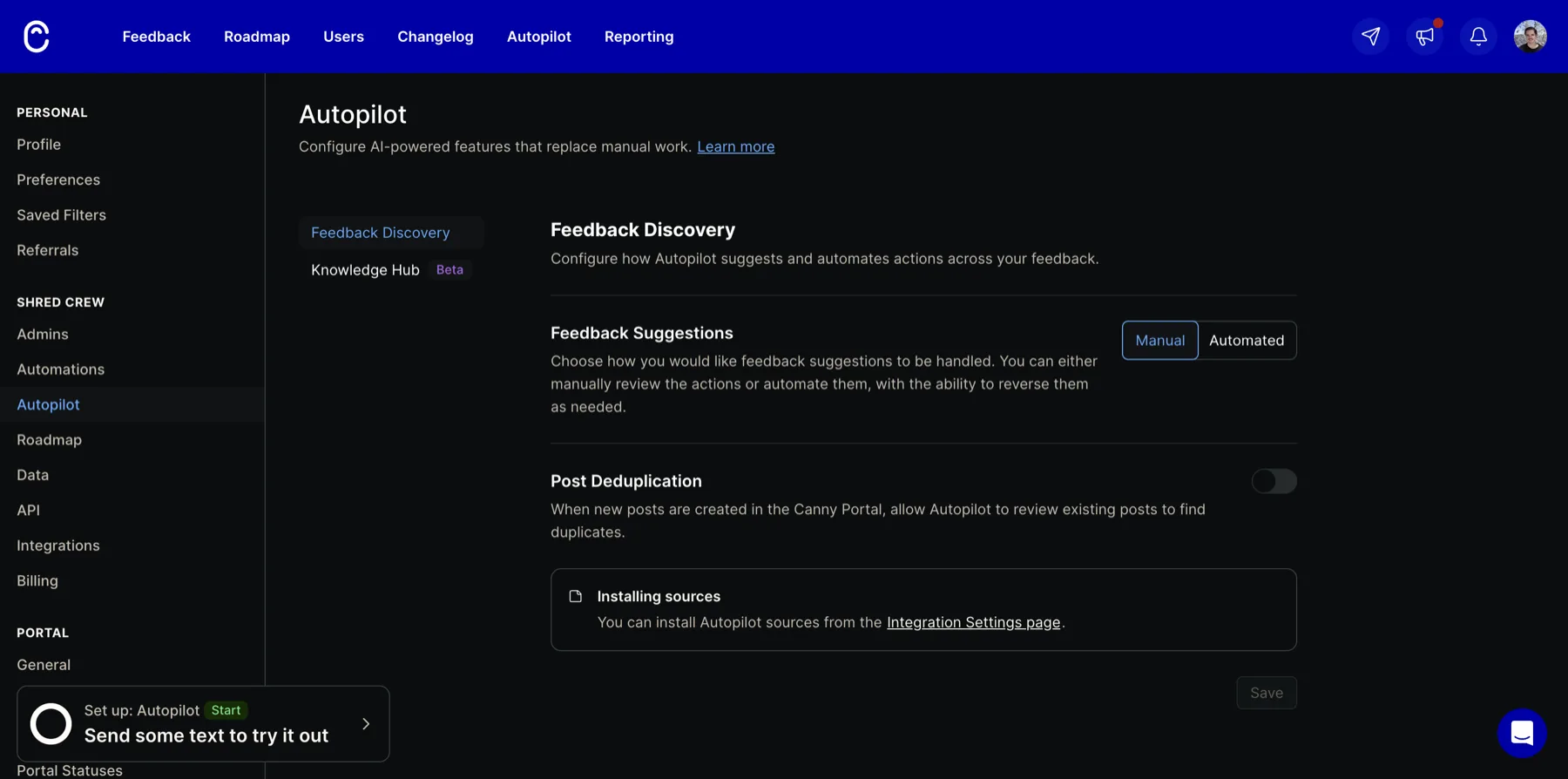
Two things stood out. First, it is portal-only. It dedups posts against posts inside Canny’s own portal. A request that arrives through Intercom and the same request typed into the portal are not obviously collapsed by this toggle. Second, it is a merge: two posts, one is the same as the other, fold them together. That is narrower than grouping a theme.
How we handle the same job
We built Usero’s version of this before we knew Canny called theirs Autopilot, and we went at it from the other end.
Every piece of feedback that enters Usero, from any source, the widget, Slack, Discord, email, a GitHub issue, an App Store review, a CSV import, gets an embedding and is clustered by meaning the moment it lands. There is no connect-a-source wall and no toggle to find in settings. It is on, and it works across every channel at once rather than inside one portal. The forty-seven reports of the same missing export button collapse into one cluster with a count, whether they came from a support email or a one-star review.
We think the count is what a PM wants. Forty-seven people are asking for this, here is the one theme, rather than “these two posts match.” From that cluster, Usero can open a GitHub pull request with a first pass at the fix, which is the part Canny does not do at all.
So on the harder half, grouping feedback by meaning automatically and across sources, we are ahead. Canny’s dedup runs on demand, only inside the portal, and stays off until you turn it on. Ours runs on every item as it lands, across every source, without a switch.
Where Canny is ahead, and what we are considering
Canny has a surface we do not: an explicit, per-item “this new post looks like a duplicate of that one, merge them?” prompt that a human approves. We cluster by theme, but we never point at two individual items and say “these are exactly the same request, link them.” That is a real gap for the case where you want to collapse duplicates one at a time rather than trust the theme.
We can add it cheaply. The embeddings and the similarity math already run on every item, so surfacing a suggested merge in the inbox costs almost nothing. The reason we have not shipped it yet is a design question, not an engineering one: we do not want two overlapping “these are similar” ideas in the product, themed clusters and item-level merges, confusing each other. We would rather get that distinction right than ship a second concept that fights the first.
The takeaway
Autopilot is a well-framed bundle that asks for a lot of setup and paywalls its best parts. Its dedup toggle is the piece worth studying, and it is a narrower tool than it first looks. If you want feedback grouped automatically, across every channel, from the first minute, without connecting five integrations or watching a credit meter, that is the bet we made with clustering. And when a cluster is worth acting on, we open the pull request.
If you are weighing Canny against the cheaper end of the market, we also wrote up the Canny alternatives for indie hackers. Or you can try Usero free and import a few existing requests to see how the clustering reads against your real data.
Frequently Asked Questions
What is Canny Autopilot?
Autopilot is the name Canny puts on its AI features. It is a bundle of five things: Feedback Discovery (reads connected sources like Intercom or the App Store and files feature requests), Post Deduplication (checks a new portal post against existing ones), Smart Replies and Comment Summarization (drafts replies and summarizes threads), Spam detection, and Knowledge Hub (uploads your help docs so the AI knows what already ships). Smart Replies, Comment Summarization, and Knowledge Hub are Pro-only.
Is Canny Autopilot free?
Partly. On the free plan you can use Feedback Discovery and Post Deduplication, though dedup ships off by default. Smart Replies, Comment Summarization, and the Knowledge Hub are behind Canny Pro. Autopilot also runs on credits on every plan: one credit per text or review it processes, five per audio call, and one per smart reply or summary.
Does Canny Autopilot detect duplicate feedback?
Yes, through the Post Deduplication toggle: when a new post is created in the Canny portal, Autopilot reviews existing posts for a duplicate and can suggest a merge. It is portal-only. It dedups posts against posts inside Canny, so a request that arrives through a connected source like Intercom and the same request typed into the portal are not obviously collapsed by this control. The toggle is off by default.
What sources does Canny Autopilot connect to?
The getting-started screen lists twenty connectors, weighted toward support tools and review sites: Slack, Intercom, Freshdesk, Zendesk, Help Scout, Gong, Grain, Zoom, tl;dv, Zapier, Salesforce, App Store, Play Store, G2, Capterra, Trustpilot, TrustRadius, Product Hunt, WordPress, and Shopify. With nothing connected, Feedback Discovery has nothing to read, so a fresh account sees a wall of logos rather than any output.
How is Usero clustering different from Canny Autopilot dedup?
Canny dedups on demand, inside the portal, and off by default: it looks at two posts and asks whether they are the same. Usero embeds every feedback item from every source (widget, Slack, Discord, email, GitHub, App Store reviews, CSV) the moment it lands and groups it by meaning into themed clusters with a count, always on and across all channels. Where Canny answers "are these two the same," Usero answers "how many people are asking for this, and what is the theme." From a cluster, Usero can open a GitHub pull request with a first pass at the fix.
Continue reading
Meta's AI Crawler Crashing My DB, and What I Did About It
Sentry said one user caused 80% of my errors in two weeks. It was Meta's AI crawler, and my code was doing five database queries to tell it 404. I don't want to block it, so I fixed the code instead.
5 min read
How to Connect User Feedback to Claude Code and Cursor With a Feedback MCP Server
Six feedback tools now ship MCP servers. Here is what a feedback MCP server gives an agent, how to wire one into Claude Code, Cursor, Claude Desktop, Windsurf or VS Code, and a worked example that ends with the agent asking the tool to open the pull request.
7 min read
How Frill’s Widget Editor Works: The Preview Is the Production Widget
Inside Frill’s widget editor: a preview that boots the production widget with the real key, sub-550ms on every control, and no mobile preview.
8 min read
Build a feedback loop your team actually uses
Usero collects, clusters, and turns user feedback into shipped fixes.
Get started free