Savio’s case for their support-tool integrations is one line in their docs: ask a support rep to switch tools to log feedback and you add friction, and friction means some of it never gets logged. So they let the rep file a feature request without leaving Intercom, Zendesk, or Help Scout.
We spent an evening inside a live Savio trial to see how the piping works. It changed something on our side, and not the part we went in looking at.
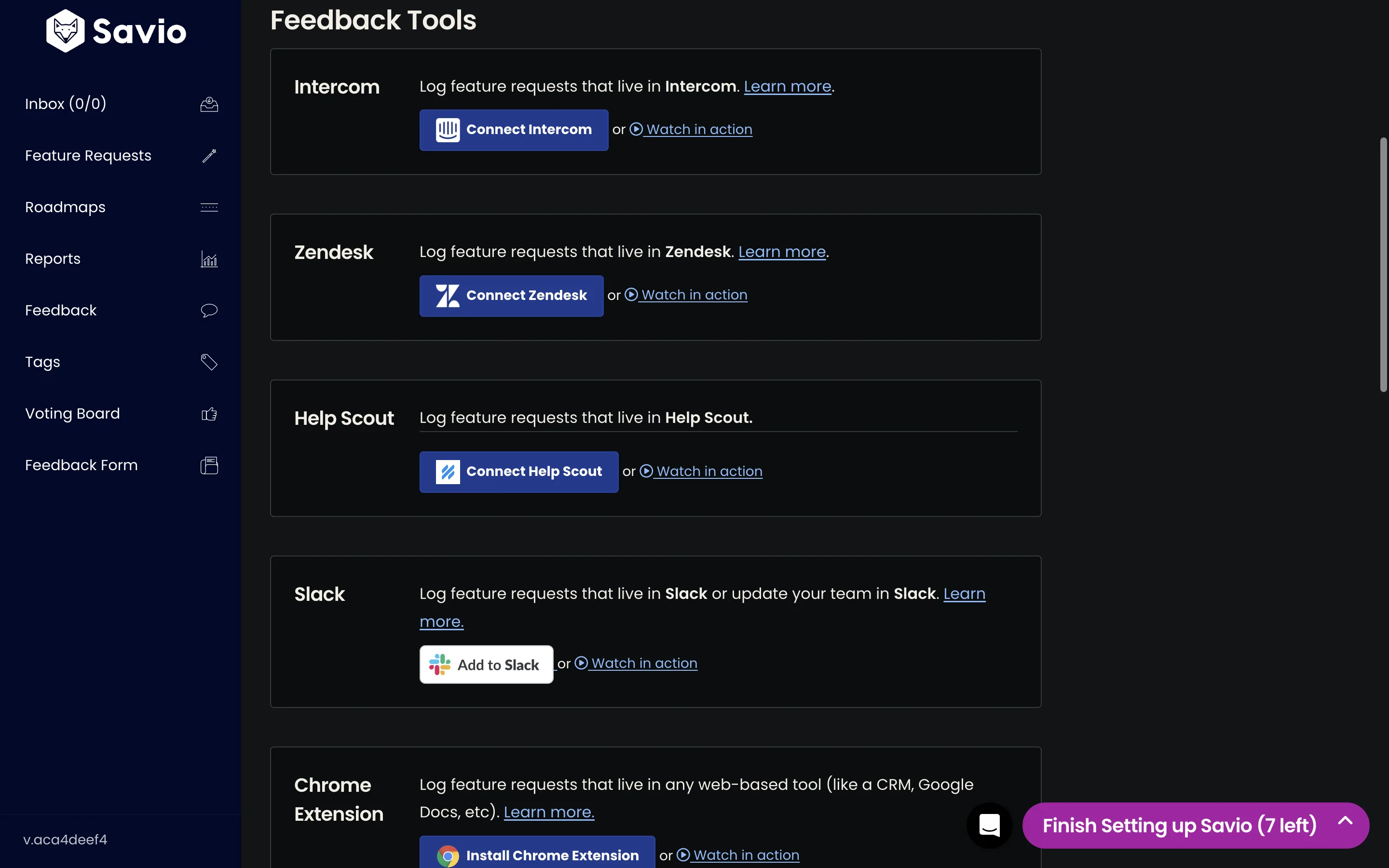
All three integrations are the same integration. Connect over OAuth, pick one tag, tag a conversation. Learn it in Intercom and you already know Help Scout. That sounds obvious until you count how many products ship three connectors that each work a different way.
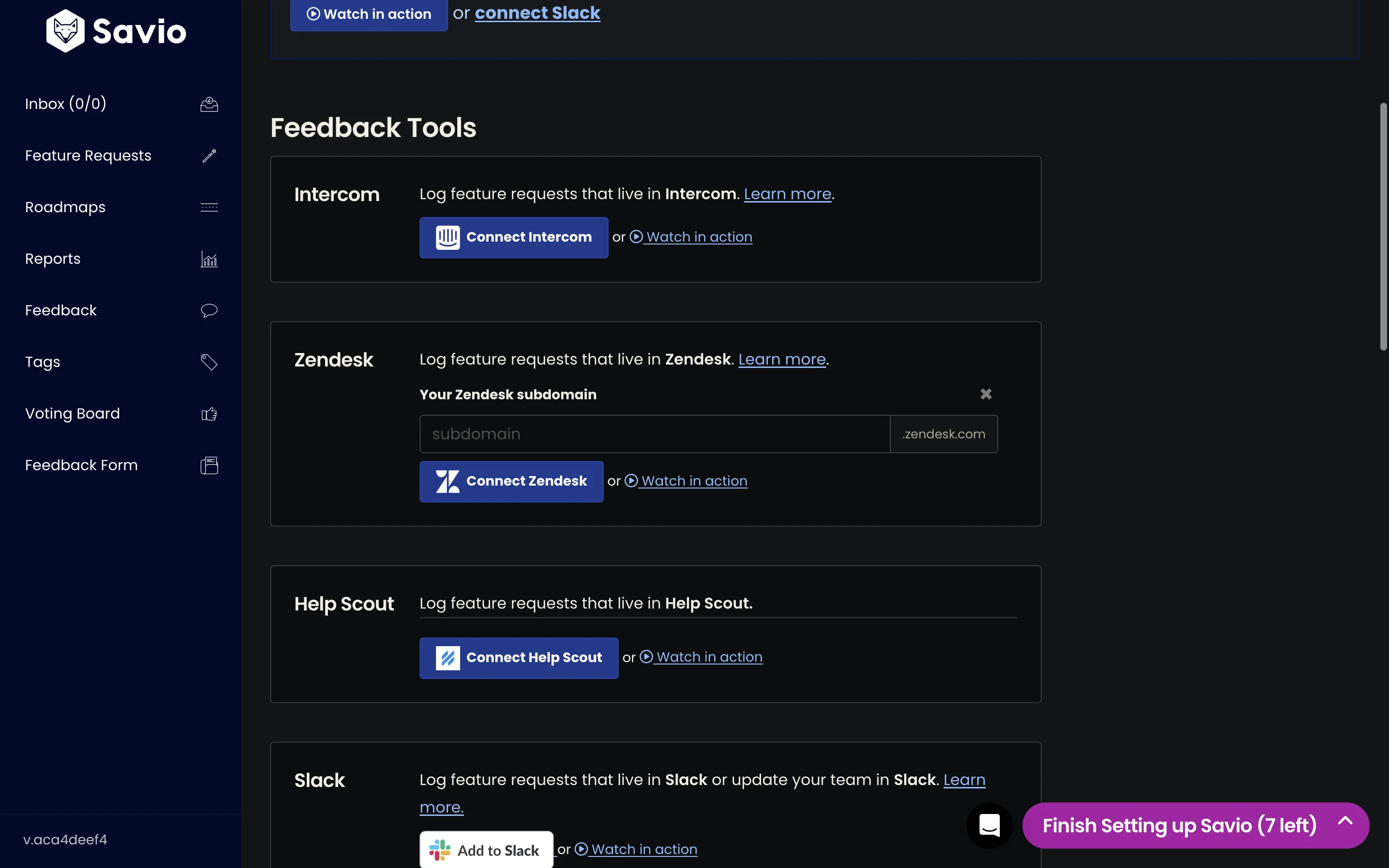
Only Zendesk breaks the pattern, and not by Savio’s choice. Intercom and Help Scout both authorize against one global host, so those buttons are plain links that bounce straight into an OAuth screen. Zendesk gives every customer their own host, so Savio has to ask which one you’re on first. Clicking Connect Zendesk reveals an inline subdomain field, with the instruction to find “the text between https:// and .zendesk.com”.
Then you pick a feedback tag. This is the part we keep thinking about. Savio populates that dropdown from the tags that already exist in the connected tool, and their docs are firm that you cannot type a new one: if you want a tag called feature-request, you go create it in Zendesk, come back, refresh, and pick it from the list.
It reads like a limitation. It’s the best decision in the whole feature.
The list comes from the source tool, so a filter that matches nothing isn’t something you can save. There is no typo to make. Savio didn’t validate the misconfiguration or write a help article about it. They made it unsayable.
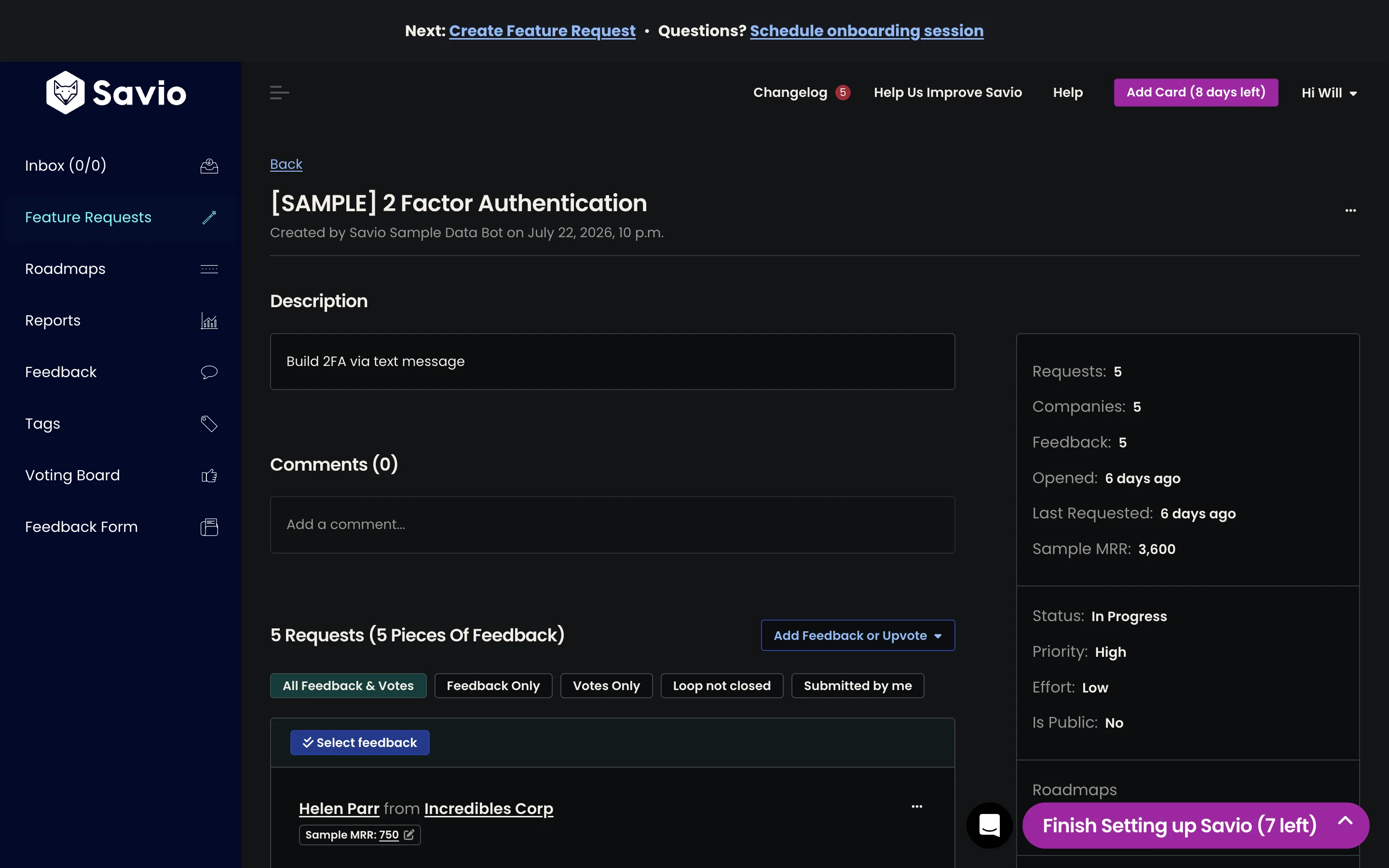
After that it’s straightforward. An agent tags a conversation, it lands in the Savio inbox as untriaged, and it brings the customer, their company, and their attributes with it. Zendesk User Fields and Organization Fields come across too. That’s what feeds the MRR column we looked at on an earlier dive. From the feedback item, a “View in source app” link jumps back to the original conversation so a PM reading a one-line summary can recover the context.
There’s one more move in the docs that we liked a lot. Savio admits that a real support conversation is messy, and that the feature request is often spread across a dozen messages. So they let the agent write an internal note summarising what the customer wants, drop the feedback tag into the note as a hashtag, and Savio ingests the note instead of the raw thread. That’s why they tell you to pick a tag with no spaces in it.
The agent who sat through the thread knows what the customer was asking for better than the thread does, and Savio gave that judgement somewhere to go. Our Slack capture has the same problem and no escape hatch.
Savio also writes a note back into the support tool confirming the capture worked, so the agent never has to open Savio to find out whether their tag did anything.
Where it stops
Nothing arrives unless a human tags it. That’s the whole ballgame. Coverage comes down to how disciplined your support team is on a Thursday afternoon, and there is no backfill: the onboarding checklist item for importing old feature requests is a link to their support team, not a tool. The filter is also a single tag rather than an expression, so you can’t route bug reports and feature requests differently, or exclude anything.
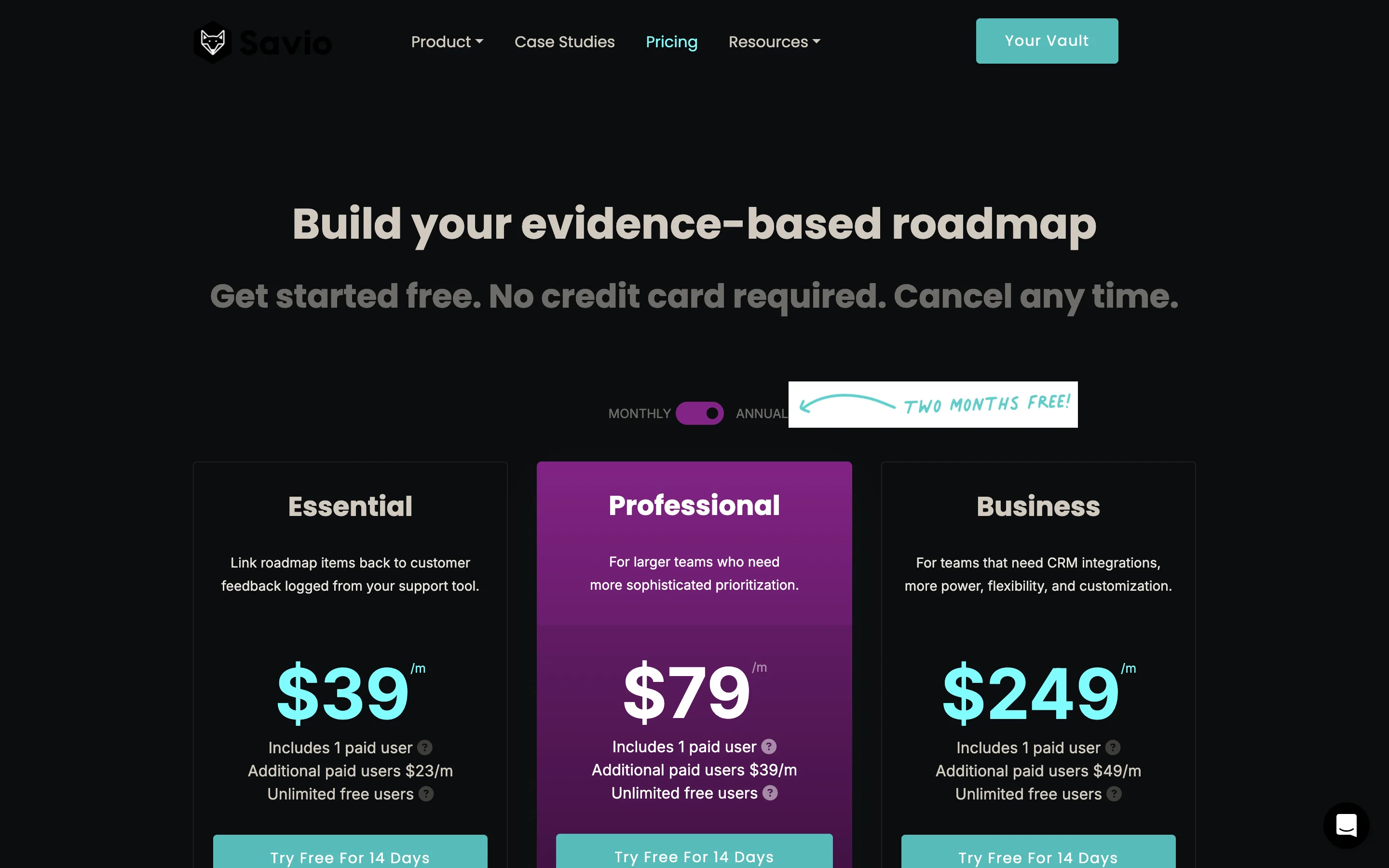
And Zendesk costs twice what Intercom costs. Intercom, Help Scout, Slack, and email logging are all on Essential at $39 a month. Zendesk is on Professional at $79, next to the Chrome extension, Zapier, and the API. Nothing about the Zendesk integration is twice the product. It’s the same paragraph in the docs with a different logo. A Zendesk shop just pays double.
What it taught us about our own thing
Usero works the other way around. We have a shared polling abstraction that every ingestion source plugs into, and a complete Intercom driver sitting on it. A cron job walks the connected sources on a cursor, pulls what matches the filter, dedupes, and files it. Nobody has to remember anything. On automation, we’re ahead, and Savio can’t do this at all.
Which is what makes the tag dropdown sting. Our filter config is a free-text list of tag names. So feature-requst is a perfectly valid configuration. It saves without complaint. The cron then runs every hour, forever, fetching conversations and matching none of them, and no screen in the app would ever tell you.
That’s the honest finding. Savio’s weaker, more manual design bought them something our stronger design threw away: you can tell whether it’s working. A human triggers each capture and gets a note back, so silence means nothing was tagged. In ours, an expired token, a typo’d filter and a quiet week all look the same. They look like an empty inbox.
Feedback that never arrives never becomes a pull request. So we spent the week on it.
Every polling run now writes down what it did: how many items it fetched, how many matched the filter, how many were new, how many we’d already seen. That history sits on the integration settings panel, and above it there’s a line in plain English about the most recent run.
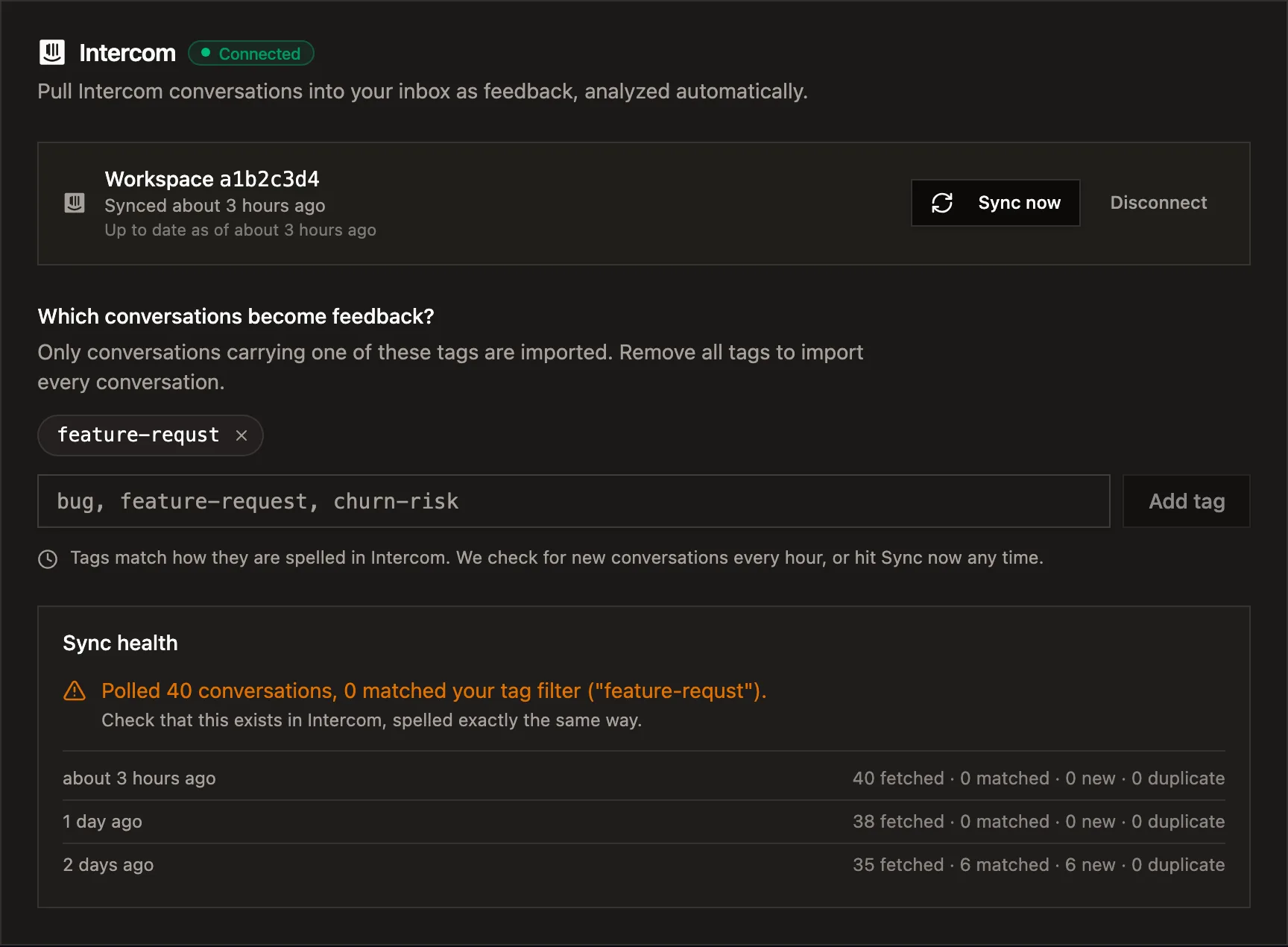
The run history underneath is doing more work than we expected when we started. It gives you a date. Two days ago that filter matched six conversations. Since then, nothing. If you can see that line, you know somebody edited the tag on Tuesday and you know what to put back.
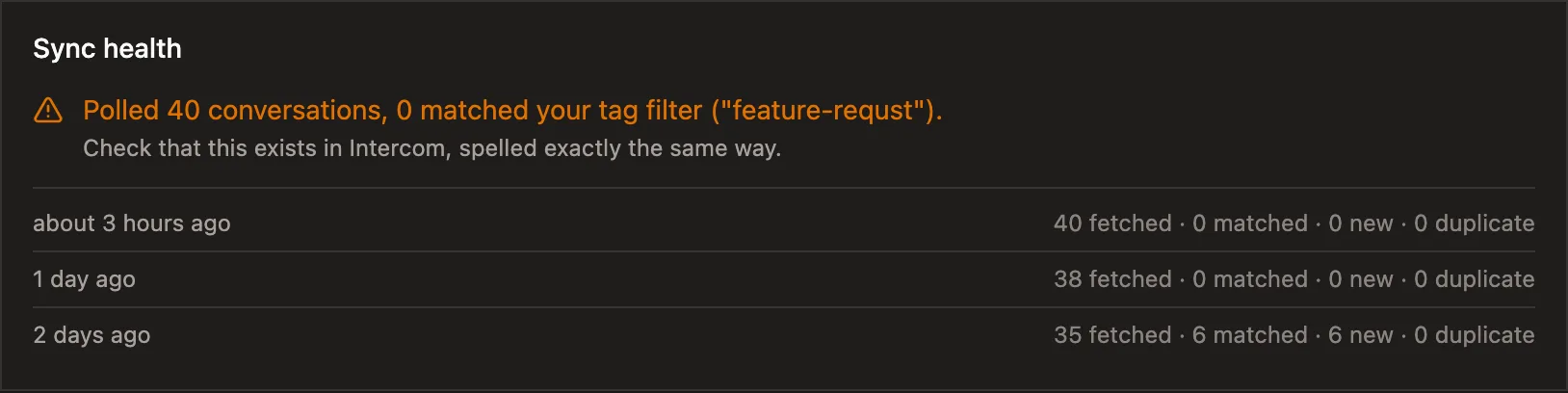
It applies to every polling source, not just Intercom, so App Store, Play Store and Chrome Web Store review syncs all got the same treatment for free. That’s the payoff for having put the shared abstraction in first. It also catches the failures we used to swallow: a rate limit from the Chrome Web Store used to be a silent no-op, and now it’s a red line with a date on it.
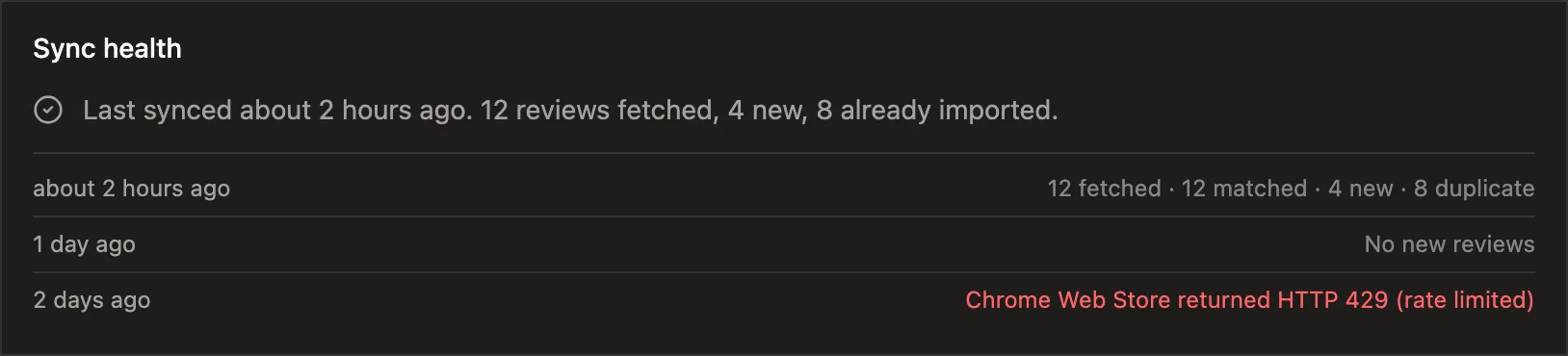
We didn’t copy the tag dropdown, though we should, and it’s written down. Fetching the real tag list from Intercom and making the typo unsayable is the structural fix; what we shipped this week catches the symptom. Zendesk and Help Scout drivers are maybe three hooks each against the abstraction we already have, so the code isn’t the hard part. Registering an OAuth app with each vendor and getting a live tenant to test against is, and we’d rather not ship an ingestion path we’ve never watched pull a real conversation.
Thanks to the Savio team, who have clearly thought about this longer than we have. The tag picker reads like a constraint in a changelog, and it turned out to be the whole design.
Continue reading
How to Sync User Feedback With Linear Issues, Both Ways
A one-way push to Linear creates an issue and stops watching it. Here is what two-way sync between a feedback inbox and Linear should do (create, import, status back, a direction switch), the setup steps, and the two-minute test that tells you whether it is real.
5 min read
Meta's AI Crawler Crashing My DB, and What I Did About It
Sentry said one user caused 80% of my errors in two weeks. It was Meta's AI crawler, and my code was doing five database queries to tell it 404. I don't want to block it, so I fixed the code instead.
5 min read
How to Connect User Feedback to Claude Code and Cursor With a Feedback MCP Server
Six feedback tools now ship MCP servers. Here is what a feedback MCP server gives an agent, how to wire one into Claude Code, Cursor, Claude Desktop, OpenCode or Codex over OAuth, and a worked example that ends with the agent asking the tool to open the pull request.
9 min read
Build a feedback loop your team actually uses
Usero collects, clusters, and turns user feedback into shipped fixes.
Get started free