How Featurebase In-App Surveys Work: The Screen We Copied, and the One We Did Not
Featurebase has had in-app surveys for a while and people rate them. We were about to build our own, so we spent an evening inside a live workspace on the Free plan clicking every survey screen we could reach.
I wanted to see what they had already worked out. One of their screens turned out to be better than anything else we have opened in this category, and we copied it the same night.
First surprise: there are two of them
Featurebase has a standalone survey builder at /dashboard/surveys. It also has Outbound, a campaign surface with four message types, Chat, Banner, Email and Survey, where the Survey one is described as “ask targeted, multi-step questions in the messenger and collect structured responses.” Two builders, two entry points, and the same job on both.
Outbound is behind the Growth plan, so we only got to operate the standalone one and cannot say how far the two have drifted apart. What a new admin sees is two places in the sidebar that both look like where you go to ask users a question. That is the bit we took a warning from. When we came to build ours, it is the reason we refused to add a second model.
The template gallery, which we copied
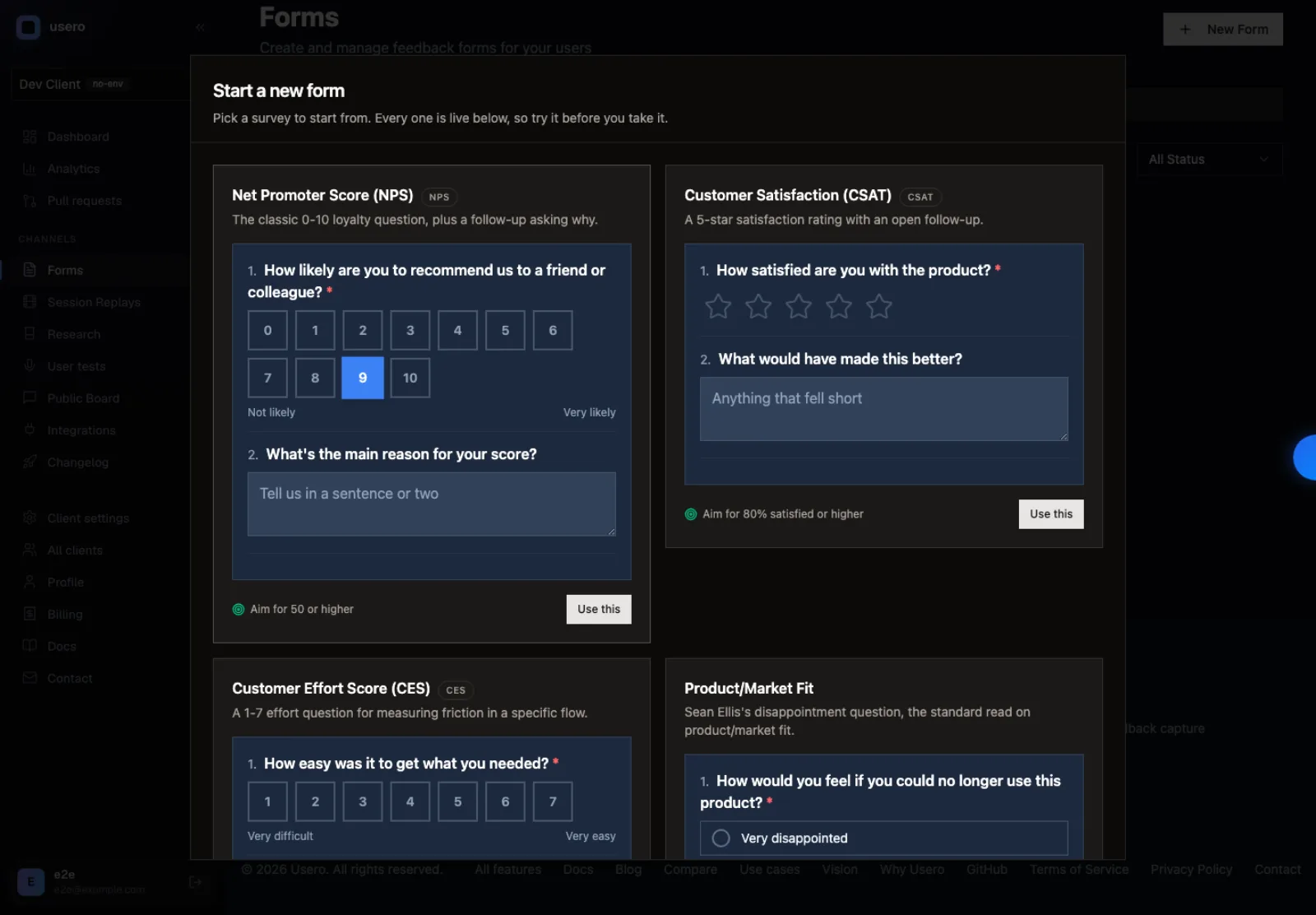
Click New Survey and you do not land in an empty builder. You get eight cards, and each card is a working render of the survey itself. The actual 0-10 NPS row. The actual five-emoji CSAT scale. You are looking at the thing you are about to send while you choose it.
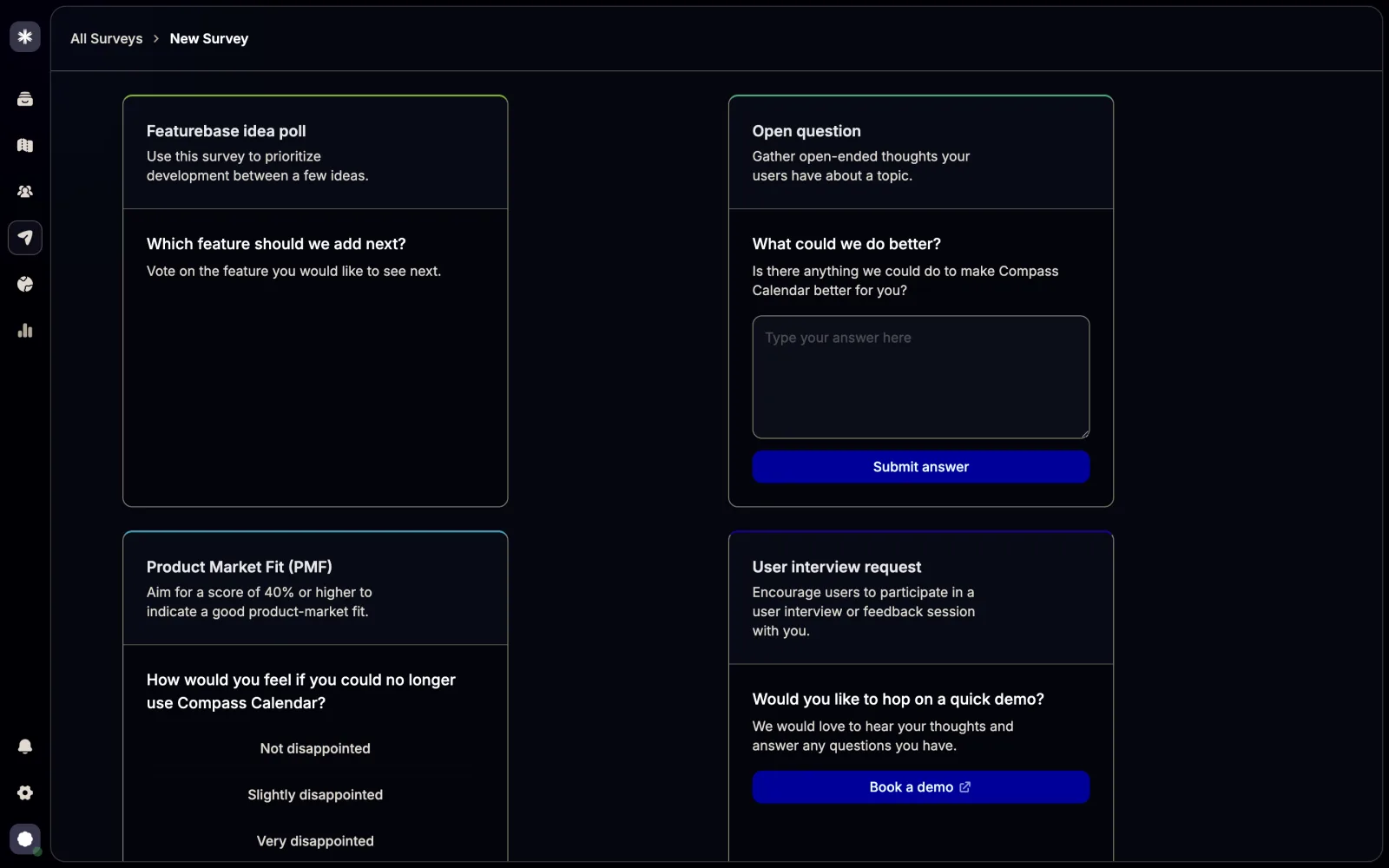
This is the best idea in the feature and it is cheap to build. Every other survey tool we have opened shows a static card and makes you commit before you see anything, so you build the survey, preview it, and go back to change your mind. Featurebase cut that loop out.
The second good idea is one line of text per card. The PMF template says “aim for a score of 40% or higher to indicate a good product-market fit.” CSAT says target 70% or higher. NPS says 50. A founder running their first NPS has no idea whether 31 is good, and that sentence answers it in the picker, before they have collected a single response. Somebody sat down and wrote eight of those.
We took both. Here is ours, built the same evening.
The one question type that is wired in
Multi-choice questions have a sub-type called Featurebase Posts. Pick it and the options editor turns into a search box over your real roadmap posts. Your poll options are board items, with a status and a comment thread already on them.
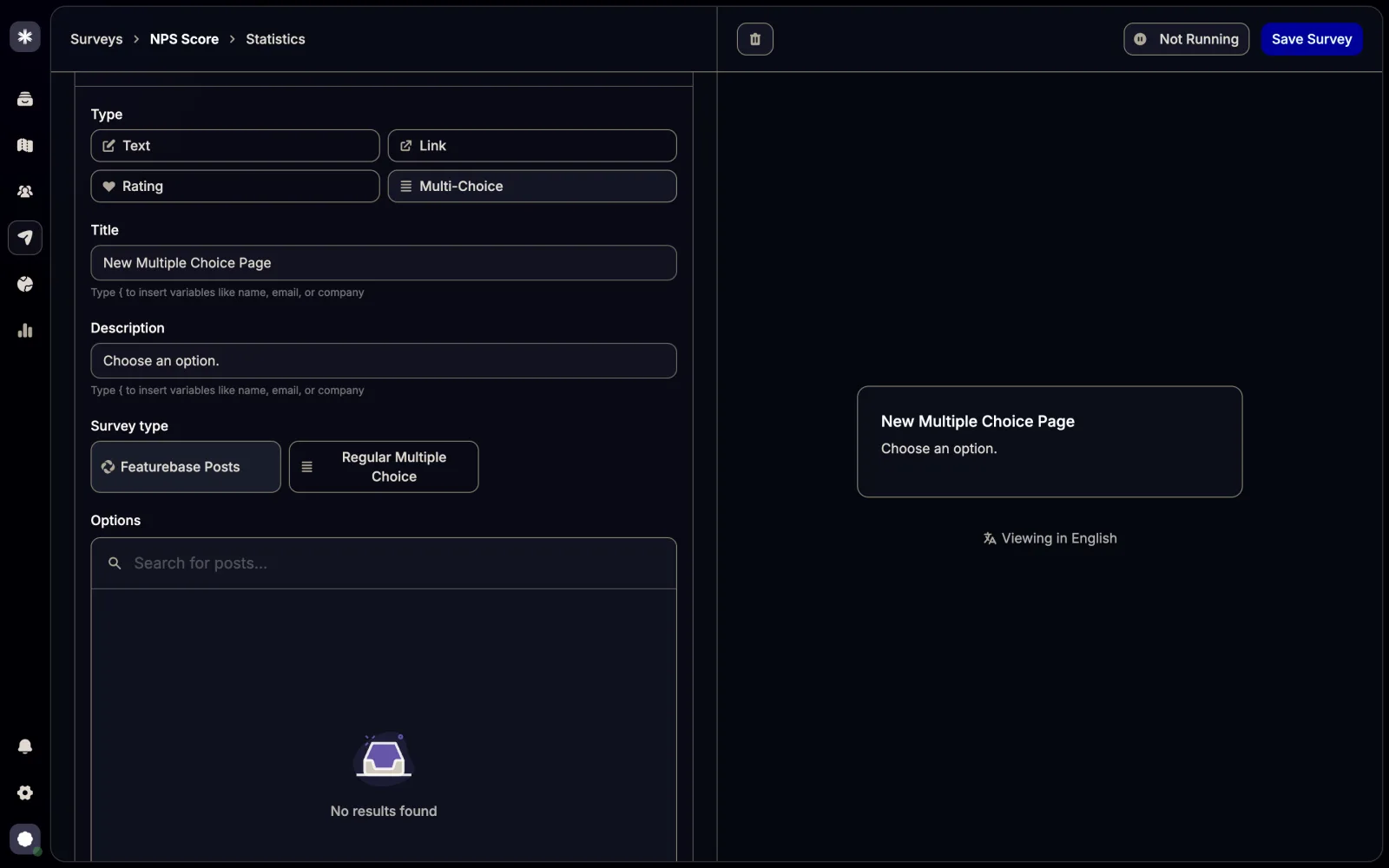
Anywhere else you retype the options as strings and then hand-match the results back to your backlog on a Friday afternoon. This is the one place in the whole feature where the surveys and the roadmap are joined up. We wanted more of it.
Where the Free plan stops
Four of our first ten clicks in the builder opened the same upgrade modal. Clicking the targeting dropdown, clicking the URL and CSS-selector button, clicking Add conditional logic, clicking Add new page. So the Free tier of surveys comes to: one page, one question, everyone sees it, no branching.
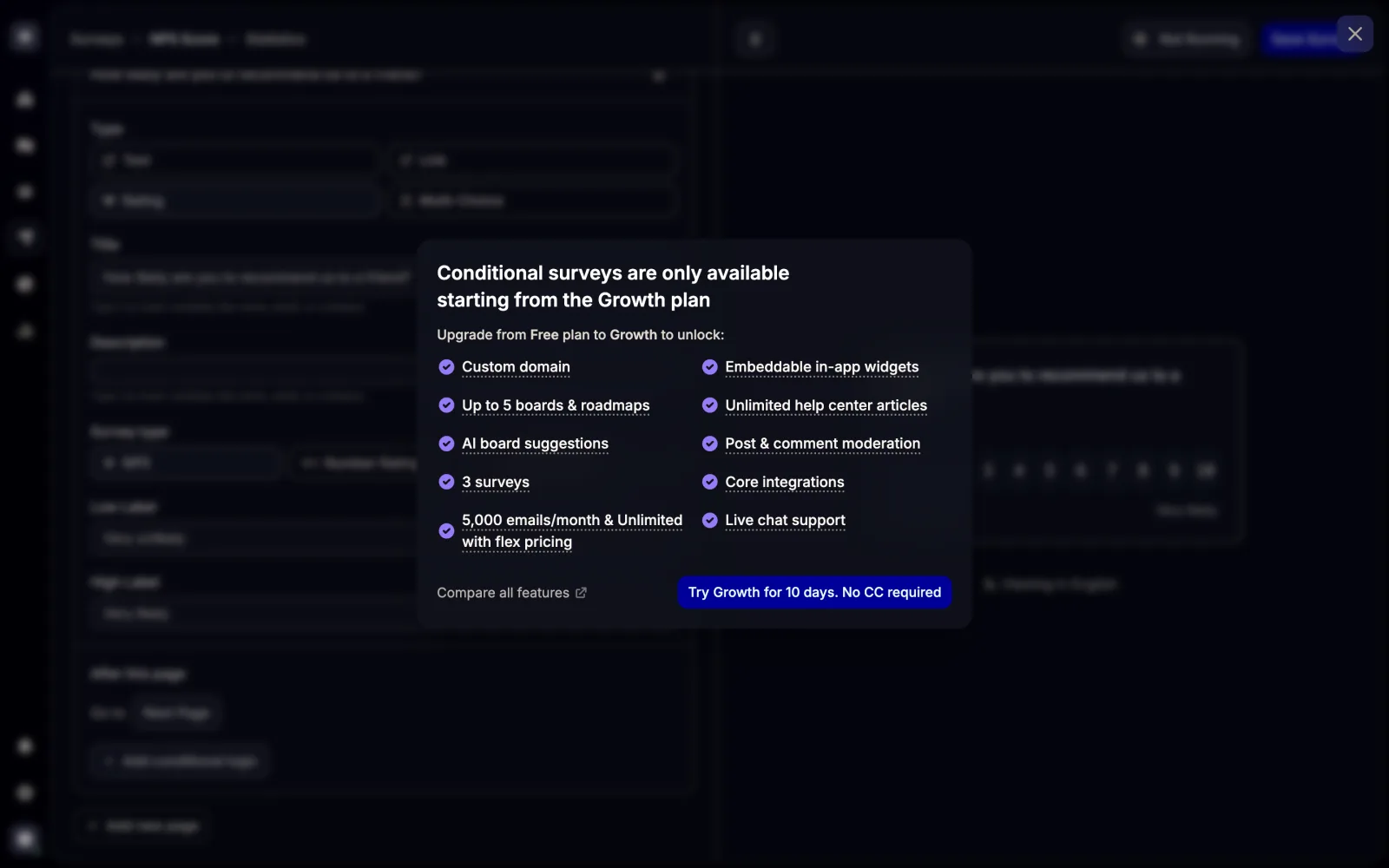
Growth is $29 per seat per month and Professional is $59, billed yearly, with cross-survey analytics on the higher of the two. That is packaging working as designed, and Featurebase has a support team and a free tier to pay for. We wrote it down because it tells you which capabilities the category treats as paid table stakes, and we wanted to decide on purpose whether we agreed. On targeting and branching we did not, so both are free in ours.
The thing we could not find
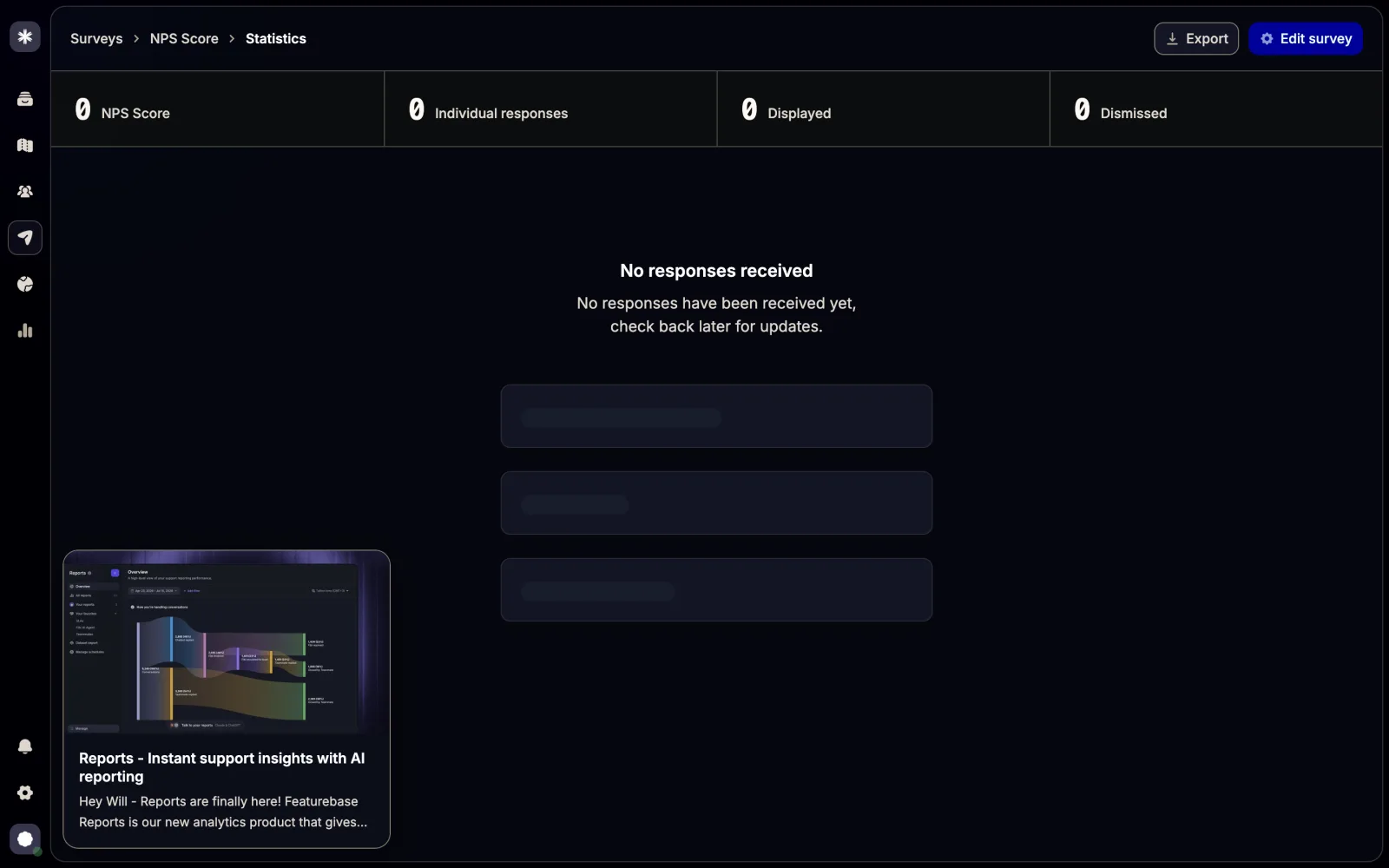
Targeting answers who and where: a segment, a URL, a CSS selector. We could not find anything that answers when. No delay, no event trigger, no frequency cap, no sampling percentage, no re-ask cadence, anywhere in the builder we could reach. Featurebase’s own help pages on running surveys cover user groups and URL and selector targeting, and say nothing about timing either.
Fair warning on that one. We were on the Free plan and Outbound was locked, so those controls may well be sitting in there. Treat it as an absence we could not disprove rather than a missing feature. We went looking for it because timing is where a popup survey goes wrong: no frequency cap and a naive install shows the same card to the same person on every page load until they answer it.
How we built ours
We built surveys on top of Forms, which we already had, and the two-systems thing above is exactly why. A survey in Usero is a Form with a couple of survey keys stamped into its settings. No Survey table, no migration, no second builder to keep in sync with the first one.
That was cheaper than it sounds. Forms already had rating and scale field types with min, max and end labels, and per-field conditional logic, and a view-to-submit funnel. So most of what Featurebase charges $29 a seat for was already sitting in our free tier under a different name. What we added on top was the gallery, five templates with their benchmark lines, the NPS, CSAT and CES score math, and a score panel on the responses tab.
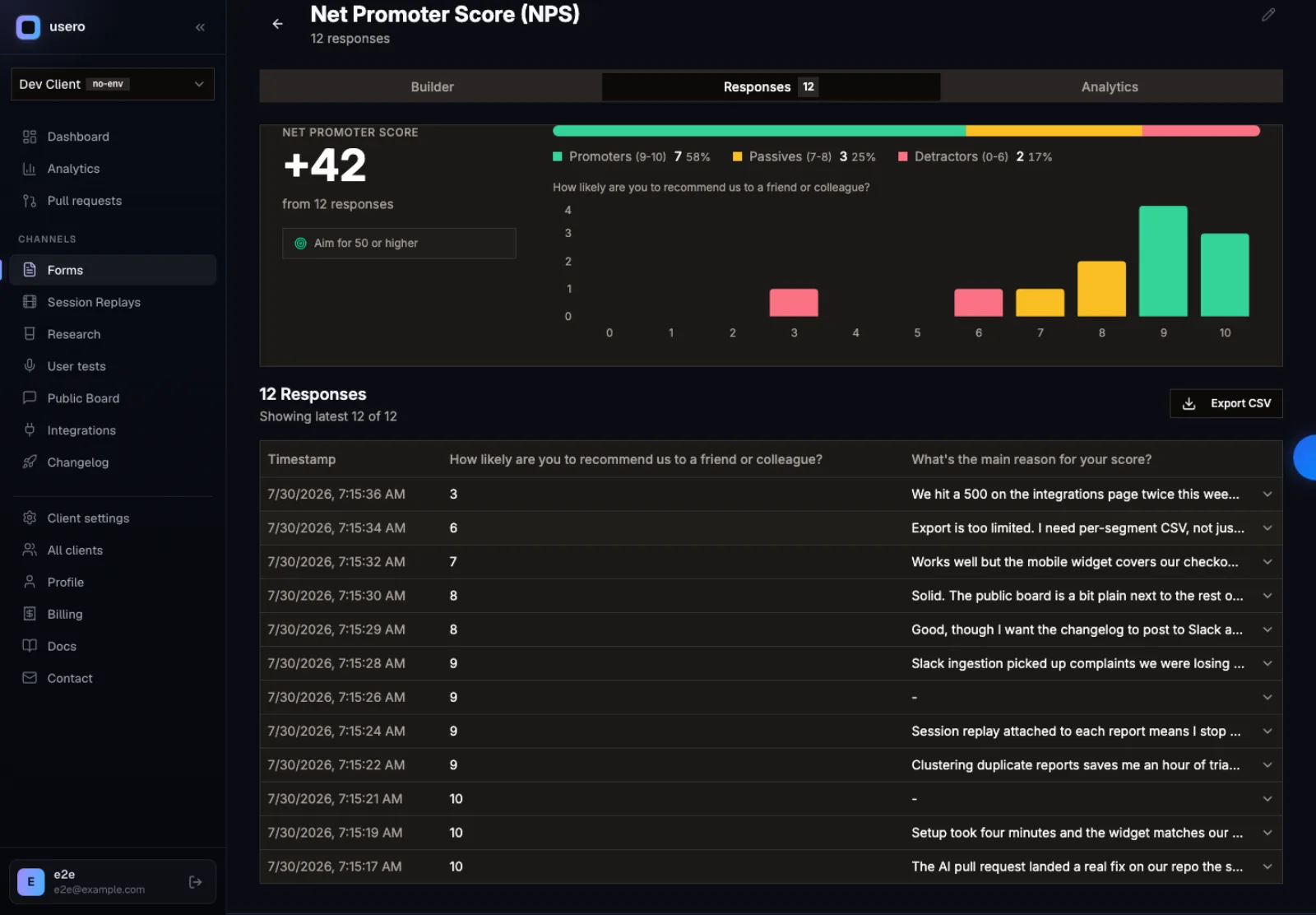
None of that is the part we care about. Where does the answer go? Every survey response is also written into the feedback inbox as a normal feedback item with source: ‘survey’. It gets embedded and clustered alongside the widget reports, the Slack captures, the forwarded support emails and the App Store reviews saying the same thing. A clustered item in Usero has a Create Pull Request button on it.
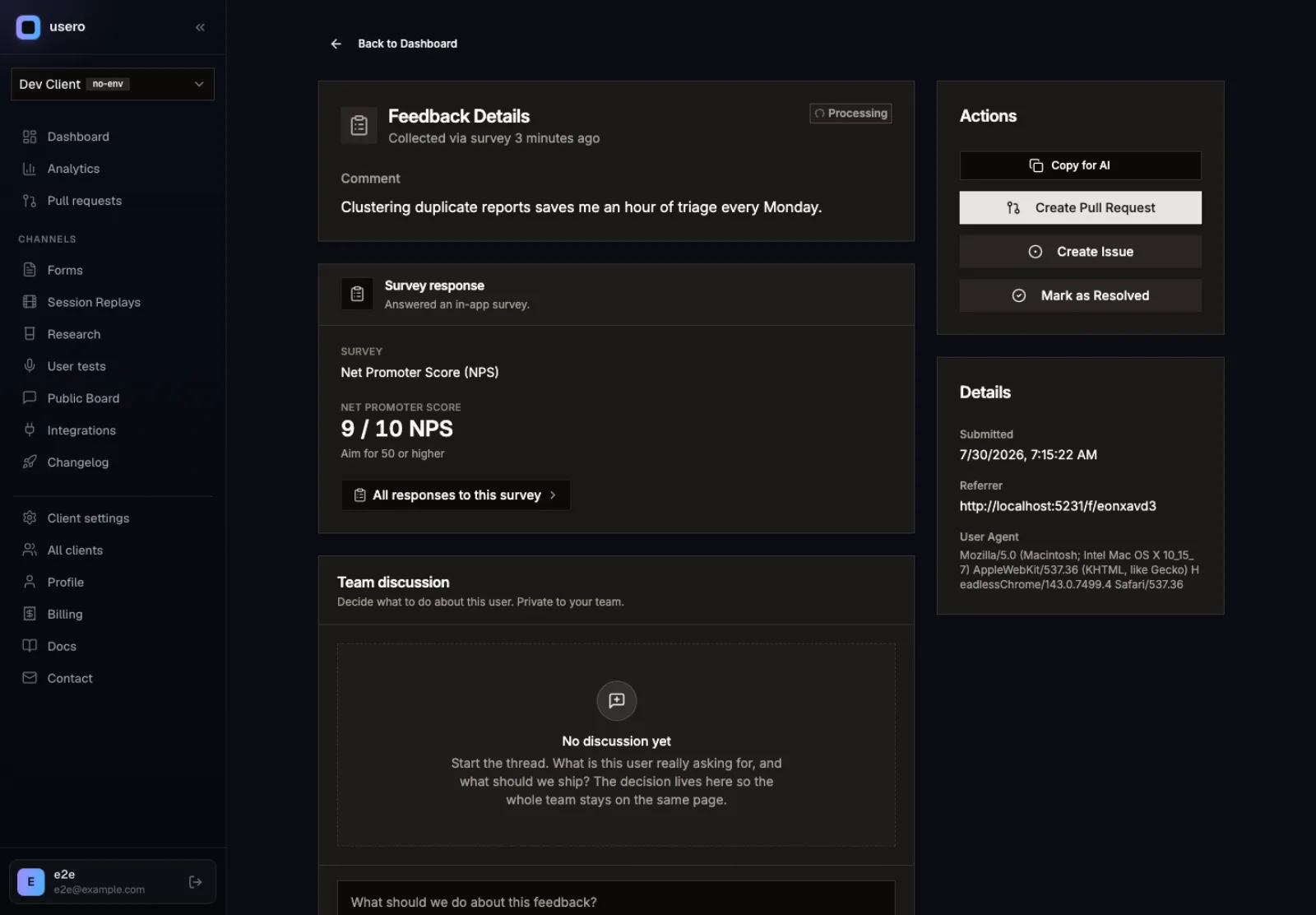
So the run we are aiming at is this. Ask 200 users what the most annoying thing about your product is, let the answers cluster, open a pull request against the top cluster. The survey finishes in a diff. That is the only version of this worth us building, because there are already forty generic survey builders and Featurebase has one of the better ones.
What we did not build
Three things, and they are the obvious three. There is no in-app rendering yet. A Usero survey lives at its public /f/:slug link, and making it pop inside your product needs work on @usero/sdk we have not done. There are no trigger or frequency rules either, so we have not fixed the gap we just spent four paragraphs on. And we have not stapled a session replay to a low score, even though we already record the sessions. A CES of 2 on its own is a number. With forty seconds of replay behind it you can watch the person get stuck.
Those are the next three tickets. Tonight was the data path, the gallery and the score.
What we took away
Render the templates live. Write the benchmark line. Featurebase got both of those right and we had them in our own product by the end of the night, which is the nicest thing you can say about someone else’s design work. The Featurebase Posts poll is the third one and we have not built our version yet. The place we would push back is putting targeting on a plan, because an untargeted survey goes to everybody, including the people it will annoy.
Next in this series is the in-app side, which is the half we skipped. If you want to poke at what we did build, sign up free and pick the NPS template, or read NPS vs CSAT vs CES first if you are still working out which number you want.
Frequently Asked Questions
Does Featurebase have in-app surveys?
Yes, and there are two of them. A standalone survey builder at /dashboard/surveys, and Outbound → Survey, which delivers the same kind of question through the messenger alongside Chats, Banners and Emails. On the Free plan you can operate the standalone one. Outbound is a Growth-plan feature, so on Free you see the card and the description and not the builder.
What do you get from Featurebase surveys on the free plan?
One page, one question, shown to everyone. Segment targeting, URL and CSS-selector targeting, conditional logic and multipage surveys are all Growth-plan features at $29 per seat per month, billed yearly. Cross-survey analytics sits one tier higher, on Professional at $59. Those numbers are from the upgrade modals and the pricing page as of 30 July 2026.
What is the "Featurebase Posts" survey question type?
It is a sub-type of the multi-choice question. Instead of typing your poll options as strings, you search your real roadmap posts and pick them, so the options are board items you can already comment on and change the status of. It is the one part of the surveys feature that is wired into the rest of the product rather than sitting beside it.
Can you control when a Featurebase survey fires?
You can control who sees it and where, through segments, URL rules and CSS selectors, all on the Growth plan. We could not find any timing control in the builder we could reach: no delay, no event trigger, no frequency cap, no sampling percentage, no re-ask cadence. Featurebase's own docs on running surveys cover targeting and are silent on timing. We are recording that as an absence we could not disprove from the Free tier, not as a certainty.
How do Usero surveys differ?
A Usero survey is a Form, so it uses the same builder, the same conditional logic and the same public link as every other form, with no second model and no upgrade wall on branching. The difference that matters is where an answer goes: each response is mirrored into the feedback inbox with source "survey", so it clusters with the organic feedback saying the same thing and can become a GitHub pull request you review and merge.
Continue reading
How to Sync User Feedback With Linear Issues, Both Ways
A one-way push to Linear creates an issue and stops watching it. Here is what two-way sync between a feedback inbox and Linear should do (create, import, status back, a direction switch), the setup steps, and the two-minute test that tells you whether it is real.
5 min read
Meta's AI Crawler Crashing My DB, and What I Did About It
Sentry said one user caused 80% of my errors in two weeks. It was Meta's AI crawler, and my code was doing five database queries to tell it 404. I don't want to block it, so I fixed the code instead.
5 min read
How to Connect User Feedback to Claude Code and Cursor With a Feedback MCP Server
Six feedback tools now ship MCP servers. Here is what a feedback MCP server gives an agent, how to wire one into Claude Code, Cursor, Claude Desktop, OpenCode or Codex over OAuth, and a worked example that ends with the agent asking the tool to open the pull request.
9 min read
Build a feedback loop your team actually uses
Usero collects, clusters, and turns user feedback into shipped fixes.
Get started free