How the AnnounceKit Email Digest Works: We Waited for the Draft That Never Came
Last night we left a timer running. On Thursday we had switched on AnnounceKit's email digest, set it to Weekly, sending Saturday, and their config panel promised a final draft in our inbox at least 12 hours before the send. Today is Saturday. This post is about what arrived, which is nothing, and about the weekly digest we built for Usero's changelog once we understood why.
Third and last night on this trial workspace before it goes read-only. The digest is the batch version of their announcement emails: one email bundling the period's posts, sent to your subscribers on a schedule. Weekly, Monthly or Yearly, a sending day, label filters, Summary or Full Post. The config covers everything we would want. And the draft mechanic is the best email idea we have seen in this series: batch email is scary, so they show you the exact email and give you 12 hours to fix or kill it before anyone else sees it.
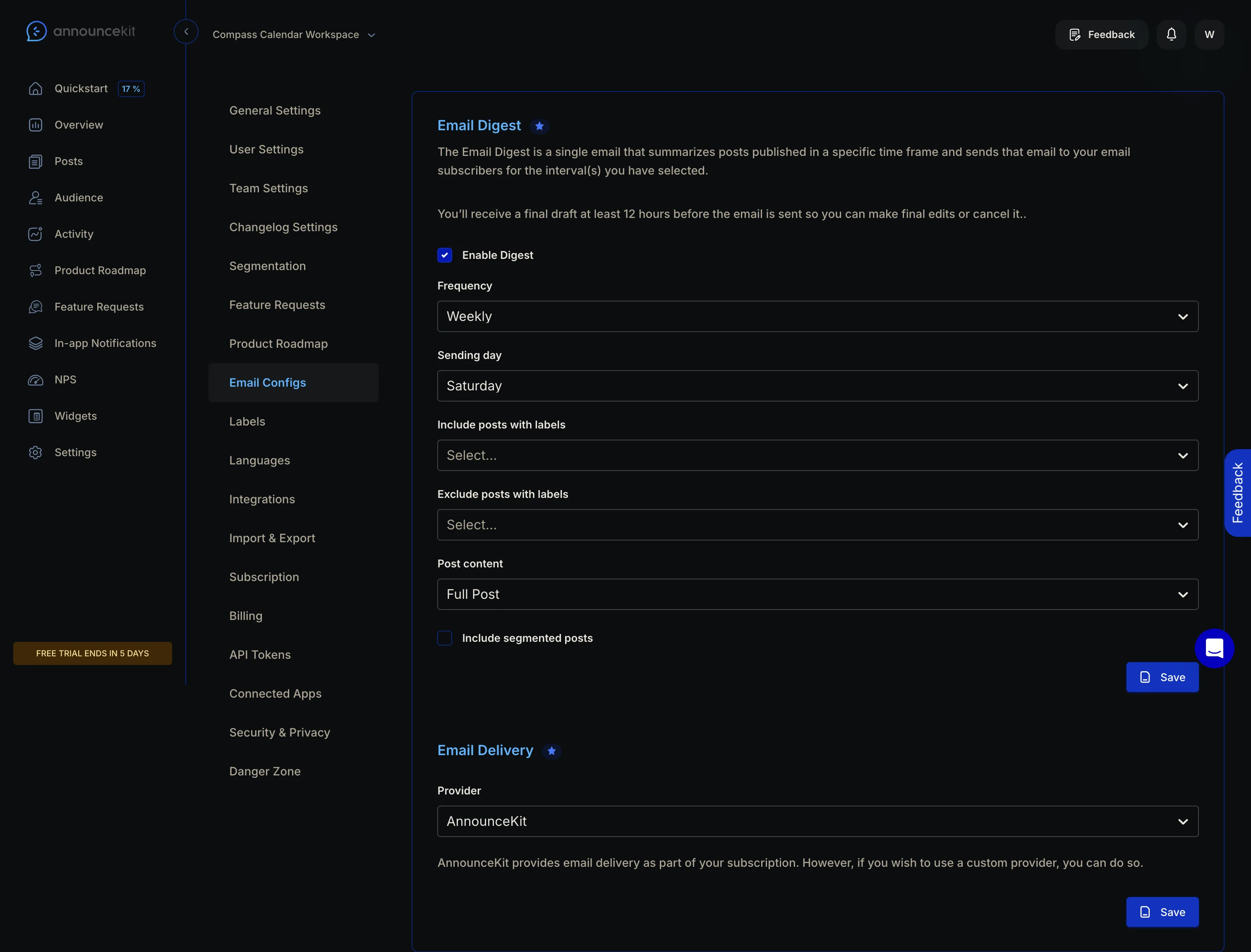
Saturday came
No draft on Friday. No digest on Saturday. And inside the product, no trace that a digest was ever considered: no draft view, no scheduled send, no banner, no “your digest had no recipients” note. We walked the whole nav looking for where a draft would live. Overview, Posts, Audience, Activity, Roadmap, Feature Requests, In-app Notifications, NPS, Widgets, Settings. There is no email outbox or send history, and no digest page. The closest things are two read-only analytics surfaces, and one of them had the answer.
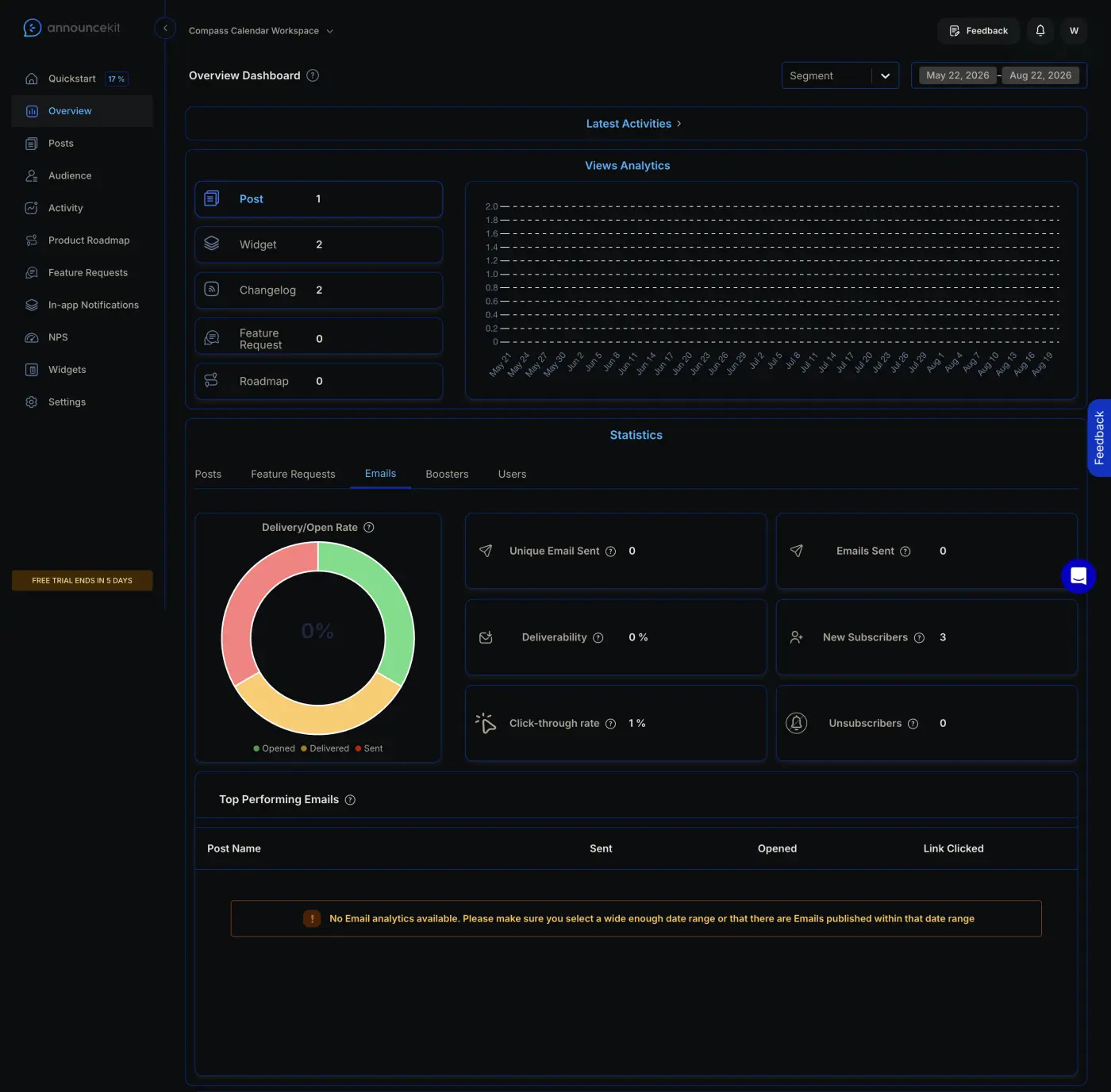
The likely cause is one we found on night two: on this workspace, every path a real reader could take to become an email subscriber fails, so the subscriber list the digest would send to is empty. Fair enough. But the product never says so. An admin who set up the digest, published all week, and waited for Saturday gets silence, and silence here is indistinguishable from “it worked and nobody opened it.” The draft email was supposed to be the safety valve. With an empty subscriber list, it never fires.
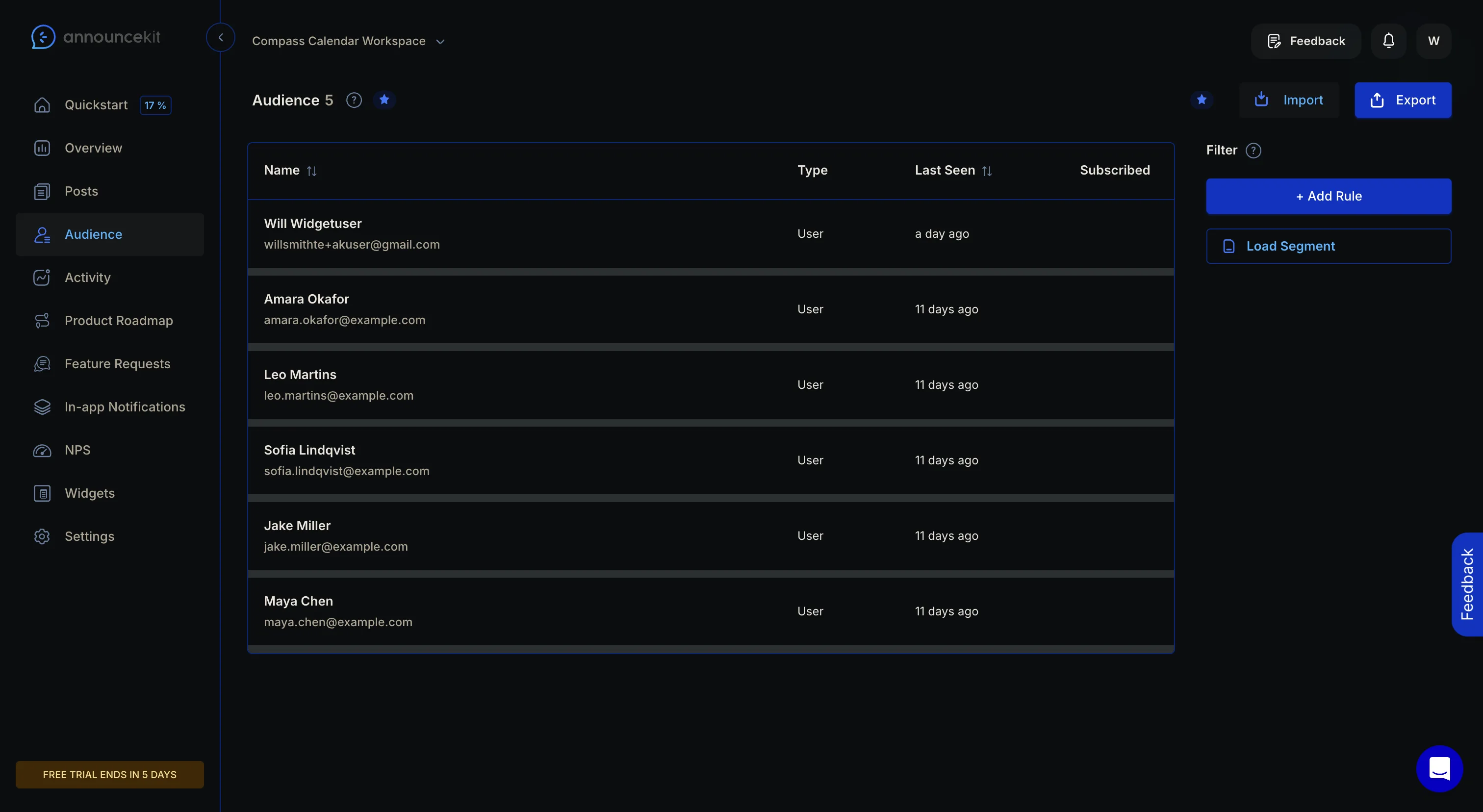
The audience table has its own version of the story. There is a Subscribed column, and it is blank for every row, including the three demo users whose own activity log says they “subscribed to workspace updates.” The activity log says subscribed and the stats tile says 3, but the table shows nothing. Before sending a weekly email to your users, the question you most want answered is “who exactly gets this,” and we could not answer it anywhere.
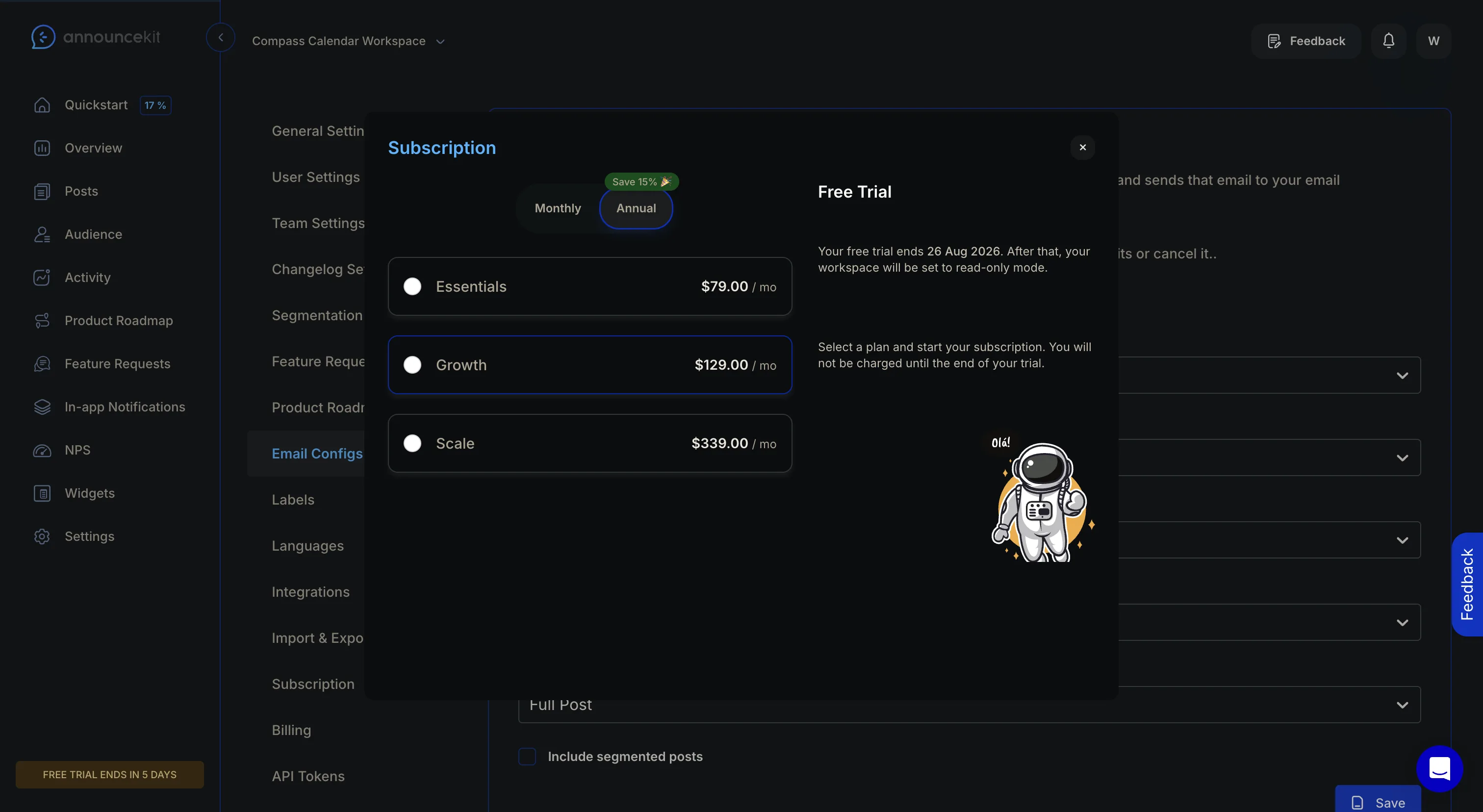
The config froze mid-trial
New since Thursday: the digest dropdowns stopped opening. The saved values still display, but clicking any of the five dropdowns, frequency, sending day, either label filter, post content, now opens the subscription modal instead of the option list. Same for the email preview eye in the post editor. So the trial let us arm a recurring email to our users and then, two days later, took away the ability to change or cancel it. The only cancel path left is the draft email, which never came.
One small thing did work, and it is worth crediting: the live-post editor says plainly, “Any edits you make will update the published version without triggering new notifications or emails.” That one sentence removes a whole category of am-I-about-to-spam-everyone fear, and most tools never write it down. The digest surfaces could use a sentence like that.
How we built ours
We shipped changelog email subscriptions for Usero two nights ago, with a working subscribe form and per-publish emails to confirmed subscribers. The digest was the obvious follow-up, and tonight's teardown decided its shape. Three decisions came straight from watching AnnounceKit's version not fire.
First, the digest is a cadence choice. A Usero changelog emails its subscribers on every publish or as a weekly digest, one or the other. AnnounceKit runs per-post emails and the digest as independent toggles against the same list, so a fully paid setup can email the same person twice about the same post. Making it one choice removes the double email entirely. People whose own request shipped still get their personal email either way; that one is the point of the product.
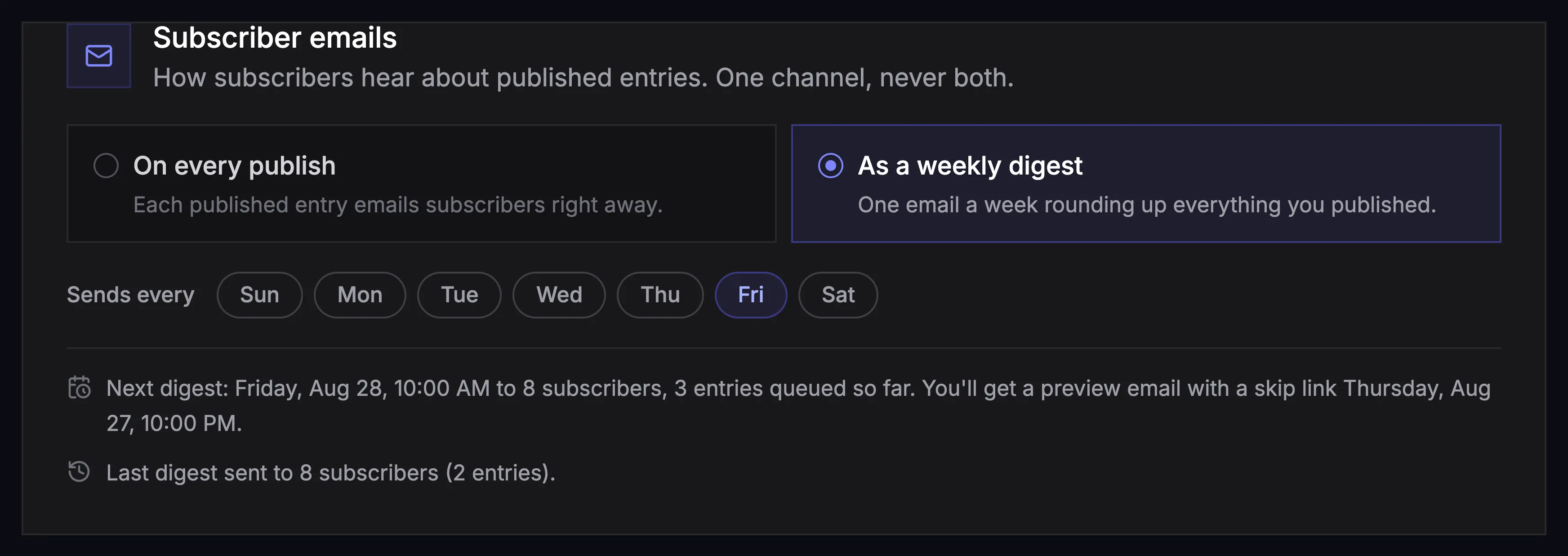
Second, the draft mechanic survives, but the product no longer depends on it. The evening before the send day, the client owner gets the digest exactly as subscribers will see it, with the recipient count and a one-click skip link. If that email gets lost, the changelog admin page still shows the next digest (send day, entries queued so far, subscriber count, when the draft goes out) and what happened to the last one. Sent to 12, skipped, or nothing to publish. We did not want the only record of a scheduled send living in an inbox.
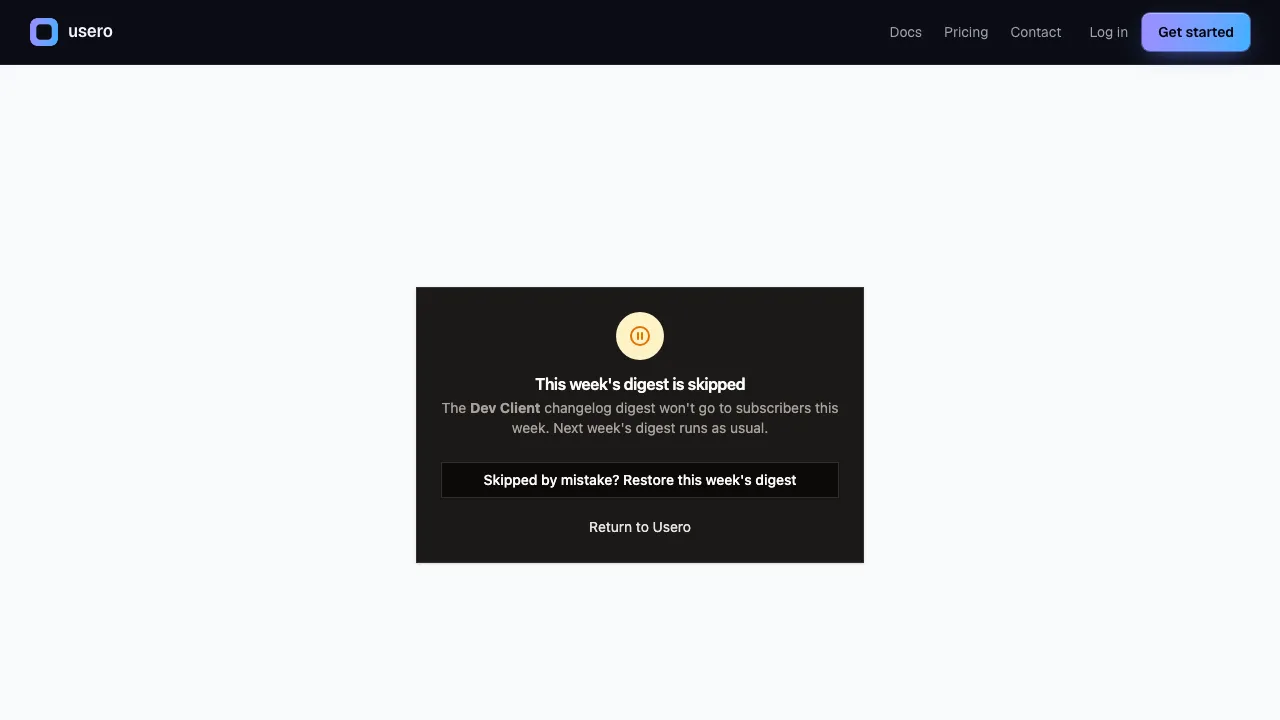
Third, empty weeks send nothing, out loud. No published entries, or no confirmed subscribers, means no draft and no digest, and the admin page says exactly that instead of going quiet. The difference between “nothing happened because there was nothing to do” and “nothing happened” is one sentence of UI, and we just spent an evening on the wrong side of it.
The mechanics underneath are deliberately boring: two columns on the client and one digest table with an atomic claim on the send, so a retried cron tick cannot double-email anyone. A skipped week stays skipped. A digest that misses its window by more than 48 hours is dropped, not sent late into Tuesday.
AnnounceKit's digest is a good idea on a $339/mo plan, wired to a subscriber list their own product could not fill, with a cancel path that exists only as a promised email. Ours ships free, and the same promise sits on a page you can always open. The draft-before-send idea was worth the three nights on its own. We just think the fallback for a missed email should be a page in the product.
Continue reading
How AnnounceKit Boosts Announcements: Four Megaphones, No Front Door
A second night inside a live AnnounceKit trial, this time on boosters and the email digest. The modal booster collects reactions and feedback right where the announcement lands, then fires again on reload at someone who already answered. The digest emails you a draft 12 hours before it sends. And every path a reader could take to become an email subscriber failed in our workspace, so the email side had nobody to send to. Plus what we built the same night: changelog email subscriptions on Usero, with a confirmation link before anyone is subscribed and requesters deduped out of the broadcast. Free on every plan.
9 min read
How PostHog Scans Session Replays with AI: A Right Score, an Invented Click, and a $15 Pull Request
We built a PostHog Replay vision scanner, fed it a session scripted to fail (17 failed save clicks, two rage bursts, an abandon), and audited every claim against their own event data. The score was right at 8/10. The reasoning also reported a button click that never happened, and the daily digest repeated it as a product finding at 100% confidence. Plus the pricing surface worth copying, the calibration diff, the Self-driving beta that drafts PRs at $15 each, and the replay scanner we built onto Usero the same night, where every claim must anchor to a real event or it gets dropped.
10 min read
How PostHog Links Session Replays to Surveys: One Event Spine, and the Button That Does Nothing
A hands-on teardown of PostHog’s replay-survey cross-linking from inside a free project we fed with real data: the event spine that stamps every survey answer with its session id, the wizard that reads its own defaults back in sentences, the honest data-loss banners, and the View recording button that silently no-oped on three surfaces while the recording provably existed. Plus the person profile page we built onto Usero the same night: a requester’s feedback, replays, and the merged PRs that shipped because they asked.
10 min read
Build a feedback loop your team actually uses
Usero collects, clusters, and turns user feedback into shipped fixes.
Get started free