How AnnounceKit Boosts Announcements: Four Megaphones, No Front Door
AnnounceKit can push one announcement through four channels at once: an email to subscribers, a modal, a pop-up, and a bar across the top of your app. We spent our first night with their widget studying how announcements collect feedback. This second night was about the other direction, how an announcement reaches people who never open the widget. The short version: the push surfaces are well made, and we could not find a single working way for a reader to subscribe to the emails underneath them.
Same setup as last time: a live trial workspace for a fictional calendar app, five days before the trial goes read-only. Their trial emulates the top Scale plan ($339/mo), where boosters, the email digest and custom SMTP live, so everything here is the paid experience. Anything we could not observe first-hand is marked as coming from their docs.
Four toggles on every post
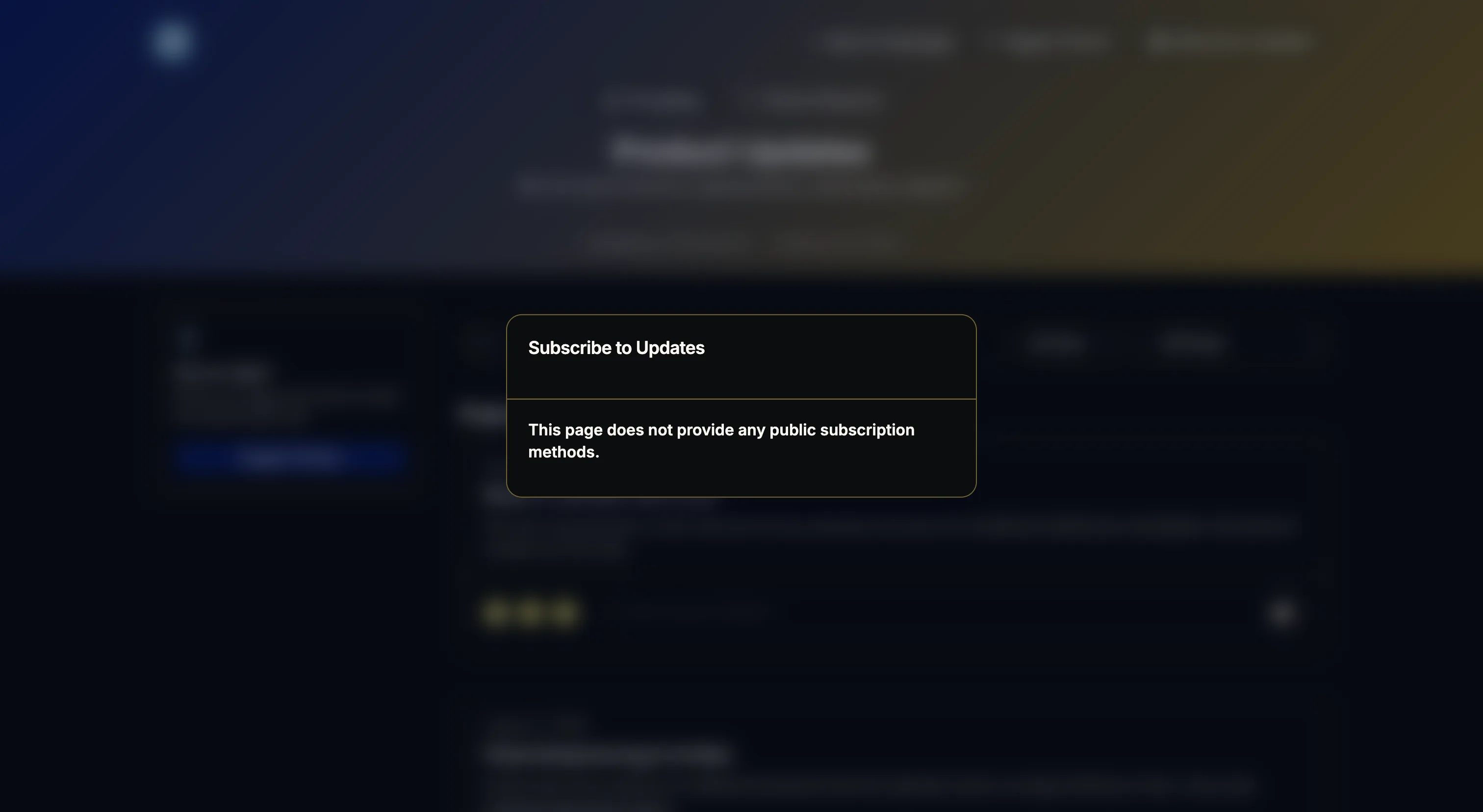
The post editor has a Boosters panel with four switches: Send Email, Modal, Pop-up, Bar. Styling for each lives in the widget editor, position, colors, show delay, an optional hide timeout for the bar. That is a useful amount of control: a routine fix ships to the widget feed only, a big release gets the modal. The editor even offers merge fields (user name, email, country, language) so a booster can address the reader directly.
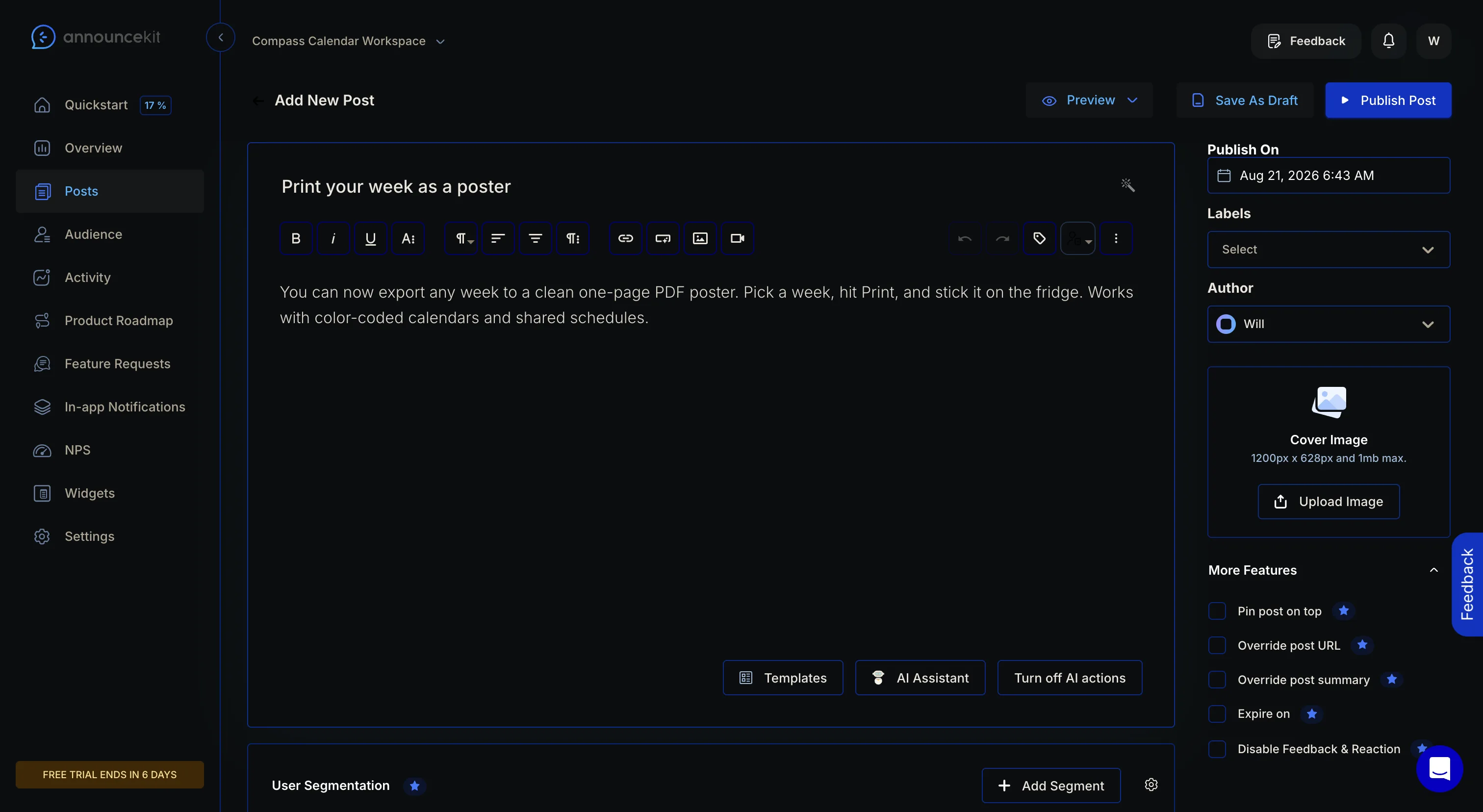
We published a test post with modal, pop-up and bar enabled, then loaded a page embedding the widget. All the enabled boosters fired on the same pageview: the bar across the top, the modal front and center. And the modal is the best screen of the night, it carries the same emoji reaction row and inline feedback box as the widget feed, so a reader can react without ever opening the widget. Submitting feedback from it even shows “Thanks for your feedback!”, a confirmation the widget feed itself still lacks. Someone fixed it in one surface and not the other.
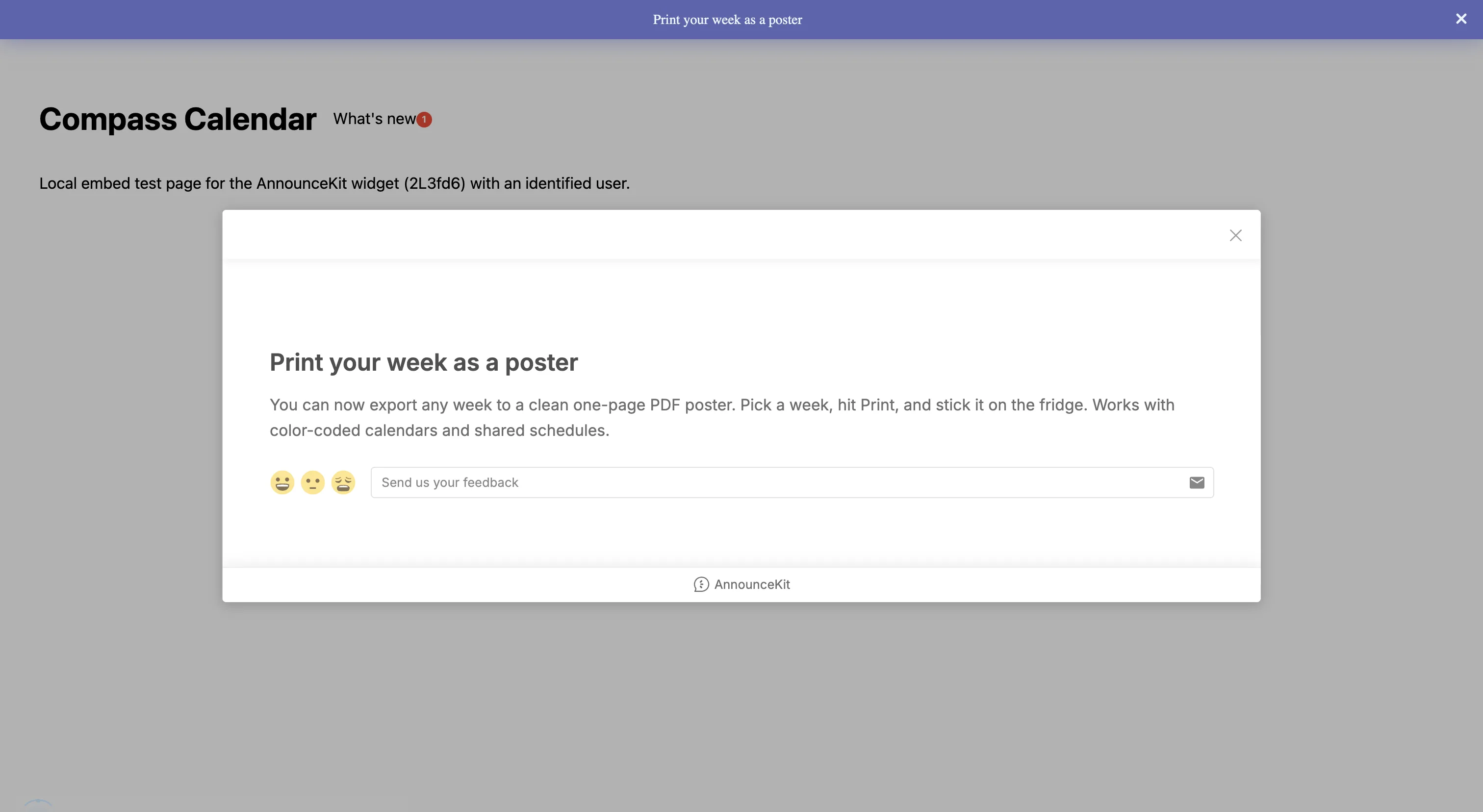
Reload, same modal again
Then we reloaded the page. The modal fired again, at the same user who had already submitted feedback through it, and this time the pop-up joined it in the corner. We went looking for a frequency cap, a “show once” rule, anything, and found nothing in the widget config or the post editor. The bar is the one surface with a memory: it has a seen-state and did not come back. The pop-up has an optional hide timeout, which hides it after n seconds on each visit rather than remembering anyone.
The email machine has no front door
The Send Email toggle stayed disabled the whole night. No tooltip, and the plan badge next to it renders as an empty chip, so the editor never says why. We think we know why: there was nobody to send to, and we could not create anybody.
We tried every path a reader could take to become an email subscriber. All four failed.
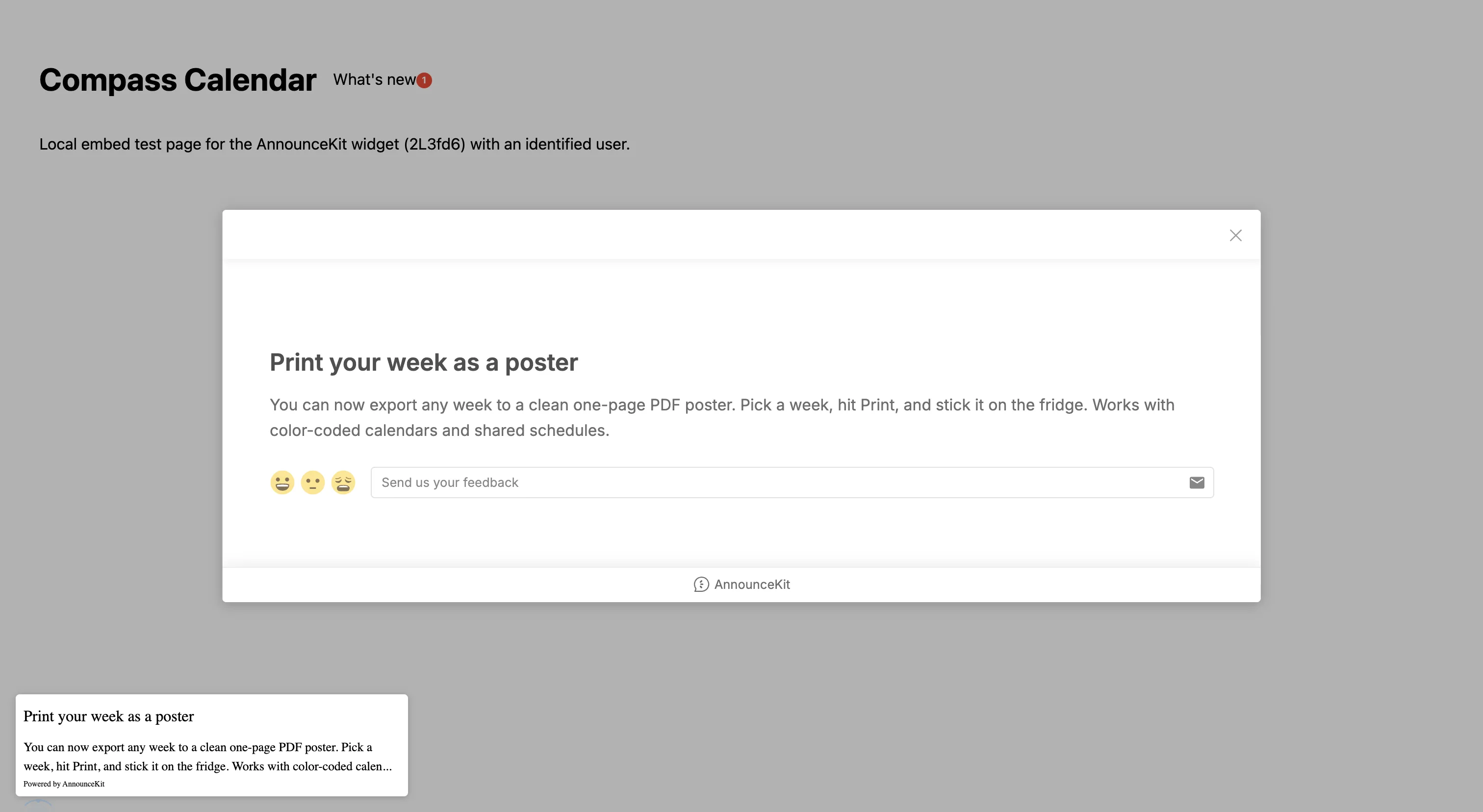
The public changelog page renders a Subscribe to Updates button. Clicking it opens a modal that says: “This page does not provide any public subscription methods.” That is with email subscriptions switched on in workspace settings, on a trial emulating their top plan. The widget’s Home tab has its own card, “Subscribe to Updates, get new updates delivered to you!”. Clicking it does nothing. No dialog, no state change, nothing in the dashboard. Their developer docs offer subscribeToProject(email) on the widget SDK; calling it returned “Not Found.”. And the audience CSV import accepted our one-row file, walked us through a four-step mapping wizard, then sat at 0% forever. The user never appeared.
The import wizard did teach us one thing on the way through: a banner warns that imported users can only be emailed if you connect your own SMTP or Mailgun. So even when import works, AnnounceKit’s own delivery never covers a list you bring. The subscriber base has to grow organically, through subscribe flows that, in our workspace at least, do not respond. We may be missing a setting somewhere, but we went looking for it as a motivated admin and did not find it, and their help center did not turn one up either.
The digest, and the 12-hour draft
The email digest config is honest and complete: Weekly, Monthly or Yearly frequency, a sending day, include and exclude by label, Summary or Full Post content. The best mechanic in the whole feature is written right under the toggle: a final draft is emailed to you at least 12 hours before the send, so you can edit or cancel it. Batch email that lets you read it before your users do. We enabled it, Weekly, Saturday, and it saved and persisted fine.
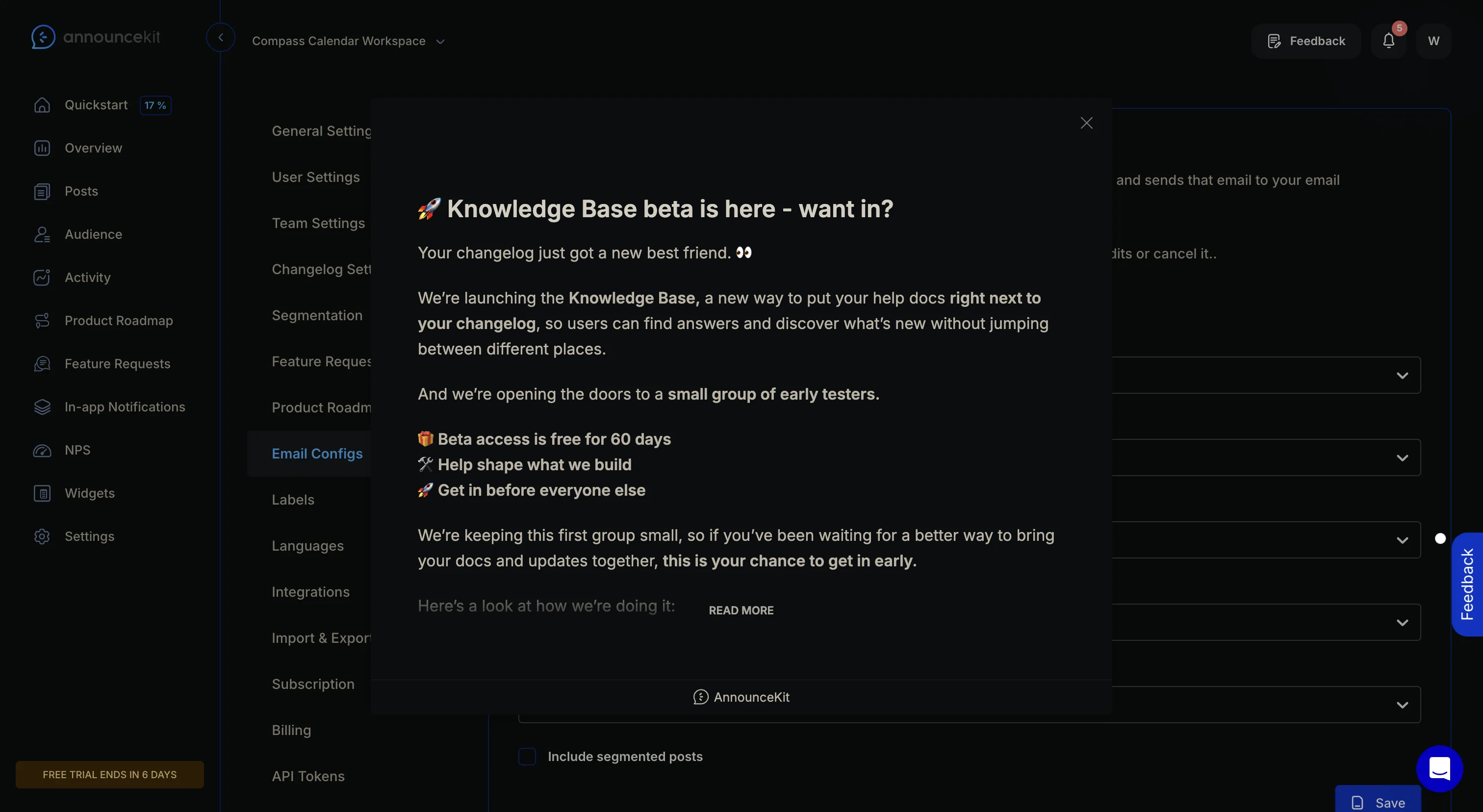
Which brings the two halves of the night together. The digest we enabled and the email booster we could not enable both send to “your email subscribers”, and the product gave us no working way to have any. The whole email side of the plan waits on a list we could not put anyone on.
A side note on identity
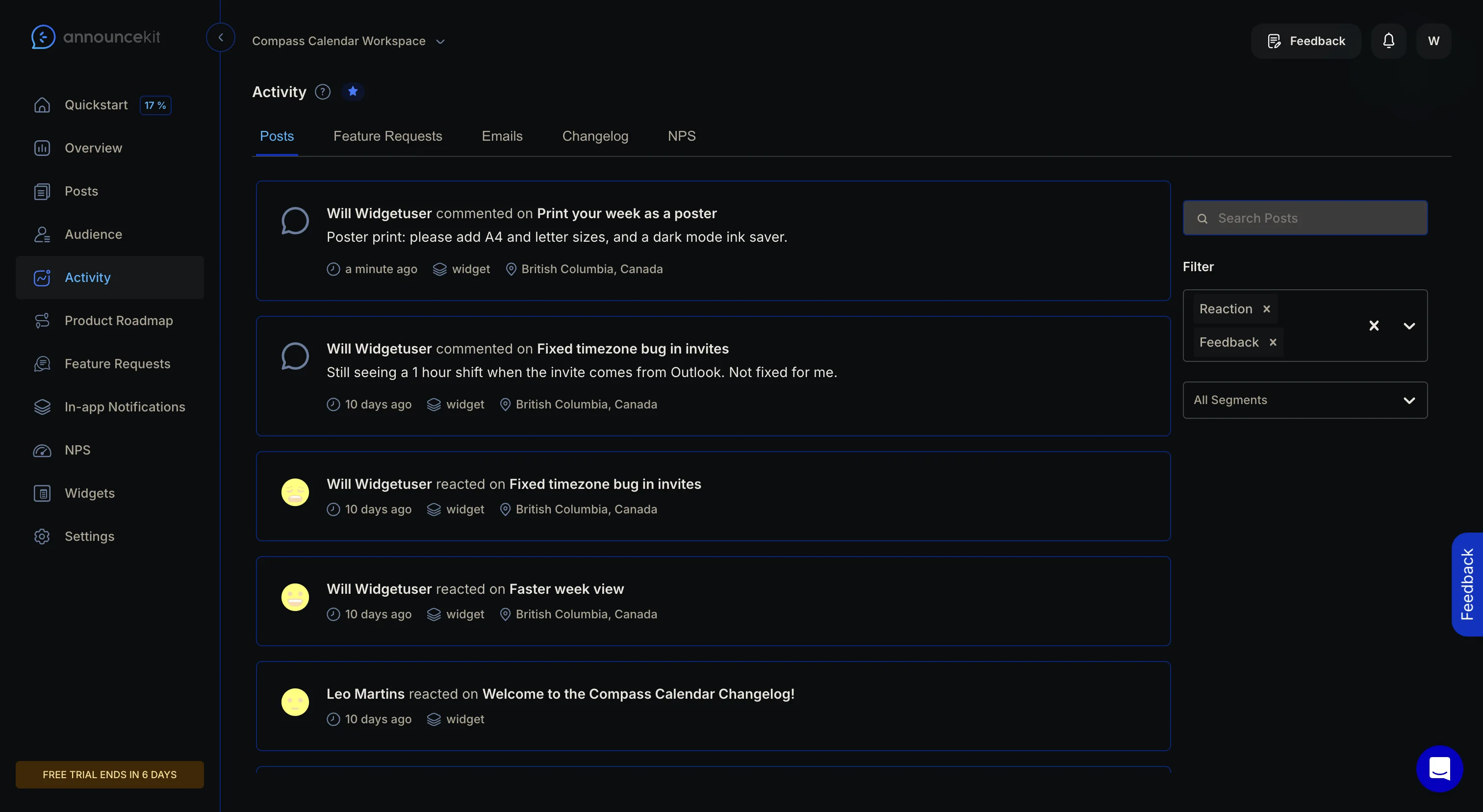
One more observation, because it surprised us. To test user tracking we embedded the widget with an identified user. Within a minute that user appeared in the Audience, fine so far. But the activity stream also rewrote its own history: the anonymous “Someone commented” entries from our first night, ten days earlier, same browser, now carry that user’s name and email. Identity is assigned by device cookie, backwards in time. Clever for continuity, and a little unsettling: on a shared machine, ten days of someone else’s anonymous feedback would become yours.
What we built the same night
We did not build boosters. Our widget’s What’s new panel is still in review, and modal-over-your-app surfaces deserve their own night once it lands. We built the part AnnounceKit is missing: a subscribe path that works.
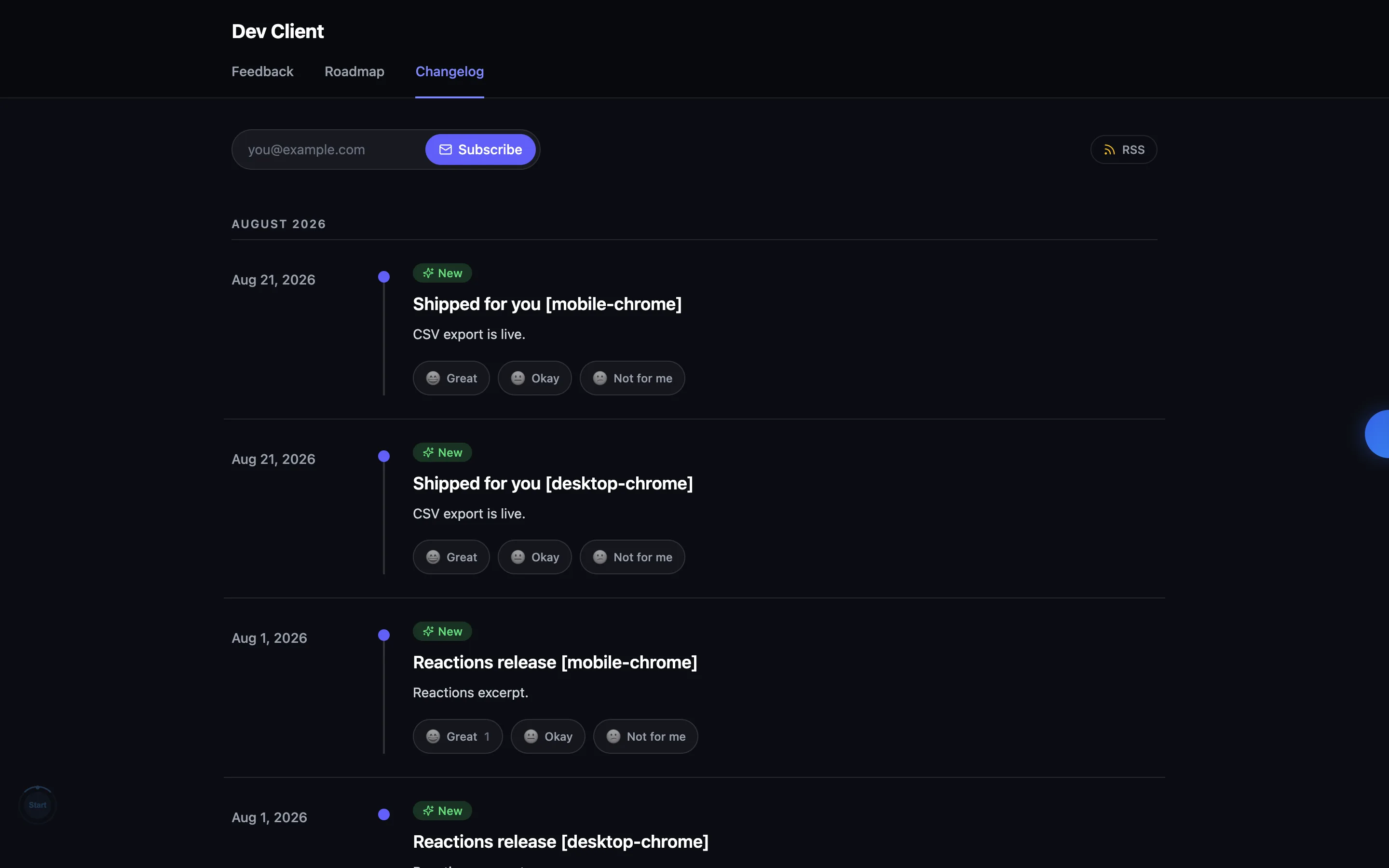
The public changelog page now has an email field. Type an address, press Enter, and you get a confirmation email with one link. Click it and you are a subscriber, on a page that names the changelog you subscribed to. When an entry is published, confirmed subscribers get the entry by email with a one-click unsubscribe in the footer. The unsubscribe is one click on a page that offers resubscribe, in case it was a misfire. If a workspace has end-user notifications switched off, the form does not render at all. No dead buttons.
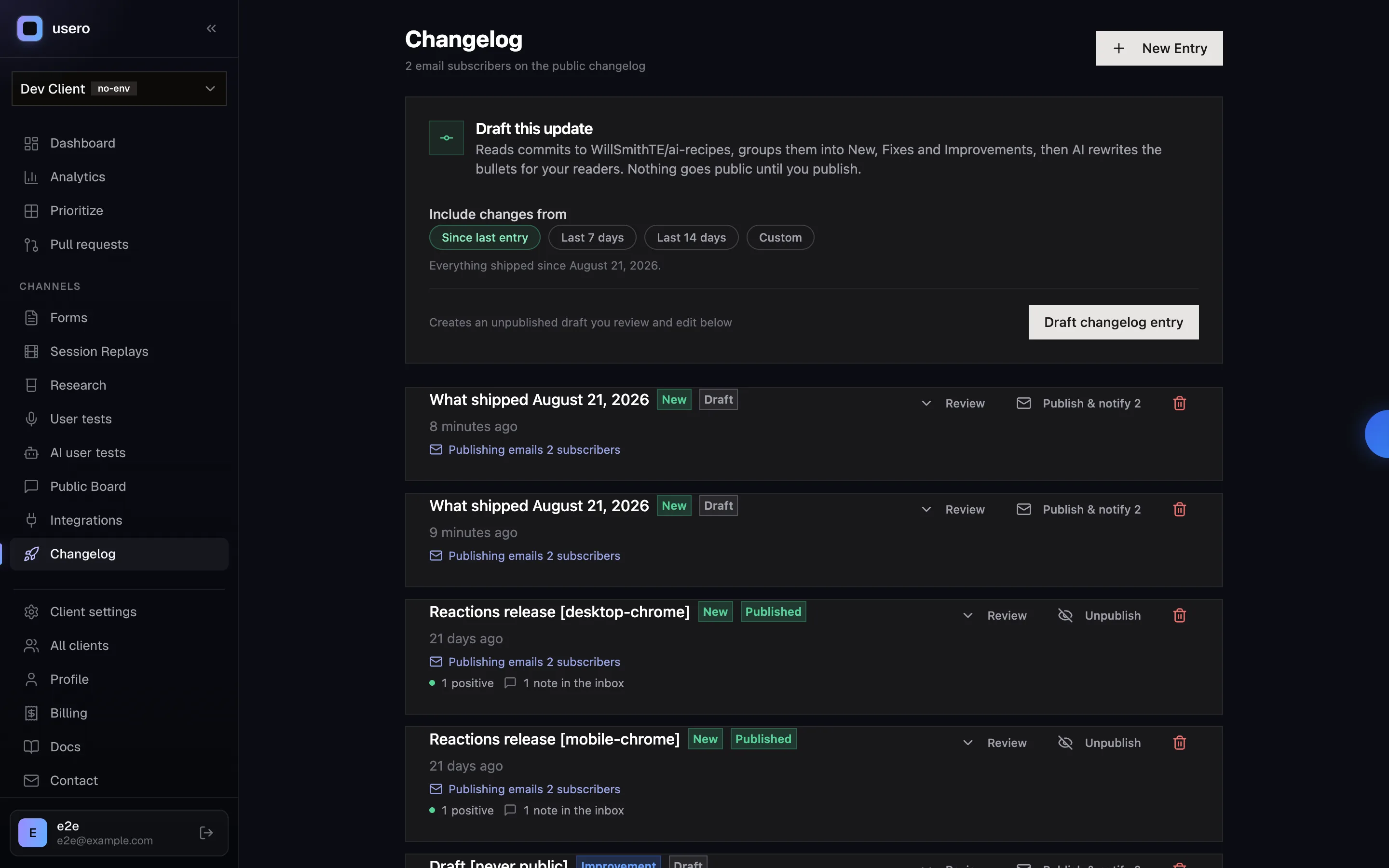
The part we care most about is the dedupe. Usero already emails requesters when a changelog entry ships the thing they asked for, that is the personal “your request shipped” email, with their own words quoted back. Subscribers get the broadcast. One person never gets both: if you asked for the fix and also subscribed, you get the personal one. The admin sees the split before committing, the publish button reads “Publish & notify N” with the requester and subscriber counts side by side.
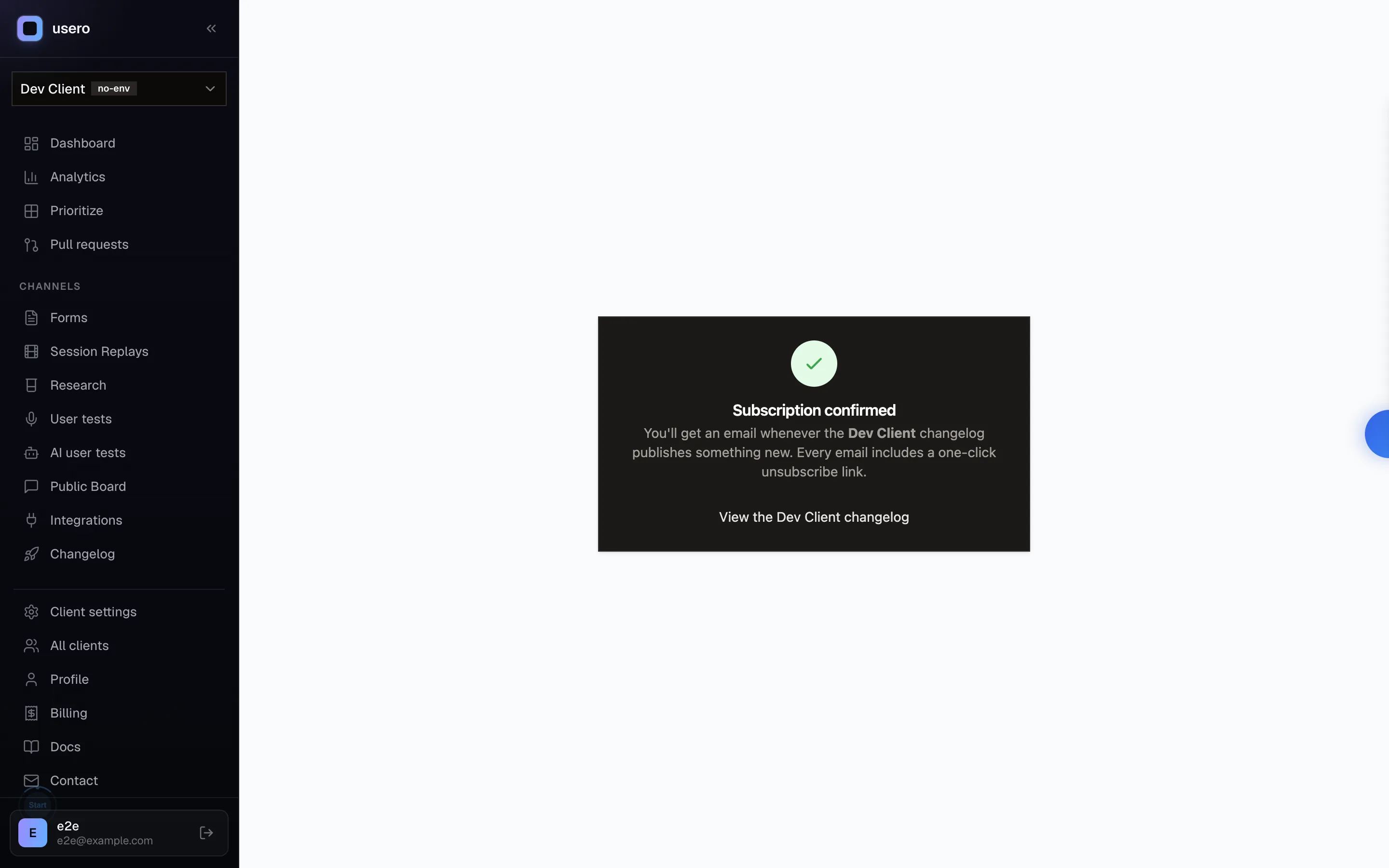
All of it ships free. AnnounceKit’s email starts at $79/mo and the digest at $339/mo, and both wait on a subscriber list the product would not let us build. Ours starts with a form that works. The digest is the part of their feature we want next, their 12-hour draft mechanic is the right way to do batch email, and it goes on the list for a night of its own once subscriptions have some mileage.
Product update emails are old, boring plumbing, and the details are most of the work: the form has to respond when someone types an address, and nobody should get mail they did not confirm. We are students of anyone who does those well. This night the lesson was mostly in what was missing.
If you want the loop that goes the other way, feedback in, shipped code out, that is the part of Usero we lead with. The changelog email is how you tell everyone else.
Continue reading
How the AnnounceKit Email Digest Works: We Waited for the Draft That Never Came
We enabled the AnnounceKit email digest, set it to send Saturday, and came back on Saturday. No draft, no digest, and nothing in the product showing whether it ran: no draft view, no send history, and a config that froze into upgrade modals mid-trial while staying armed. Plus the weekly digest we built for Usero the same night: a cadence choice instead of a second channel, a draft-preview email with a one-click skip, and an admin page that always shows the next digest and what happened to the last one. Free.
8 min read
How PostHog Scans Session Replays with AI: A Right Score, an Invented Click, and a $15 Pull Request
We built a PostHog Replay vision scanner, fed it a session scripted to fail (17 failed save clicks, two rage bursts, an abandon), and audited every claim against their own event data. The score was right at 8/10. The reasoning also reported a button click that never happened, and the daily digest repeated it as a product finding at 100% confidence. Plus the pricing surface worth copying, the calibration diff, the Self-driving beta that drafts PRs at $15 each, and the replay scanner we built onto Usero the same night, where every claim must anchor to a real event or it gets dropped.
10 min read
How PostHog Links Session Replays to Surveys: One Event Spine, and the Button That Does Nothing
A hands-on teardown of PostHog’s replay-survey cross-linking from inside a free project we fed with real data: the event spine that stamps every survey answer with its session id, the wizard that reads its own defaults back in sentences, the honest data-loss banners, and the View recording button that silently no-oped on three surfaces while the recording provably existed. Plus the person profile page we built onto Usero the same night: a requester’s feedback, replays, and the merged PRs that shipped because they asked.
10 min read
Build a feedback loop your team actually uses
Usero collects, clusters, and turns user feedback into shipped fixes.
Get started free