How Hotjar Ties Feedback to Session Recordings: One Click to the Replay, Nobody Jumps to the Moment
Hotjar attaches a session recording to feedback: someone complains through the widget, and the response in your dashboard carries a Play recording button that opens the replay of what they were doing. We pair replays with feedback too, so this is the closest head-to-head in this series. We spent an evening inside their version to see what years of shipping have taught them. By the end of the night we were back in our own codebase, fixing something we should have caught months ago.
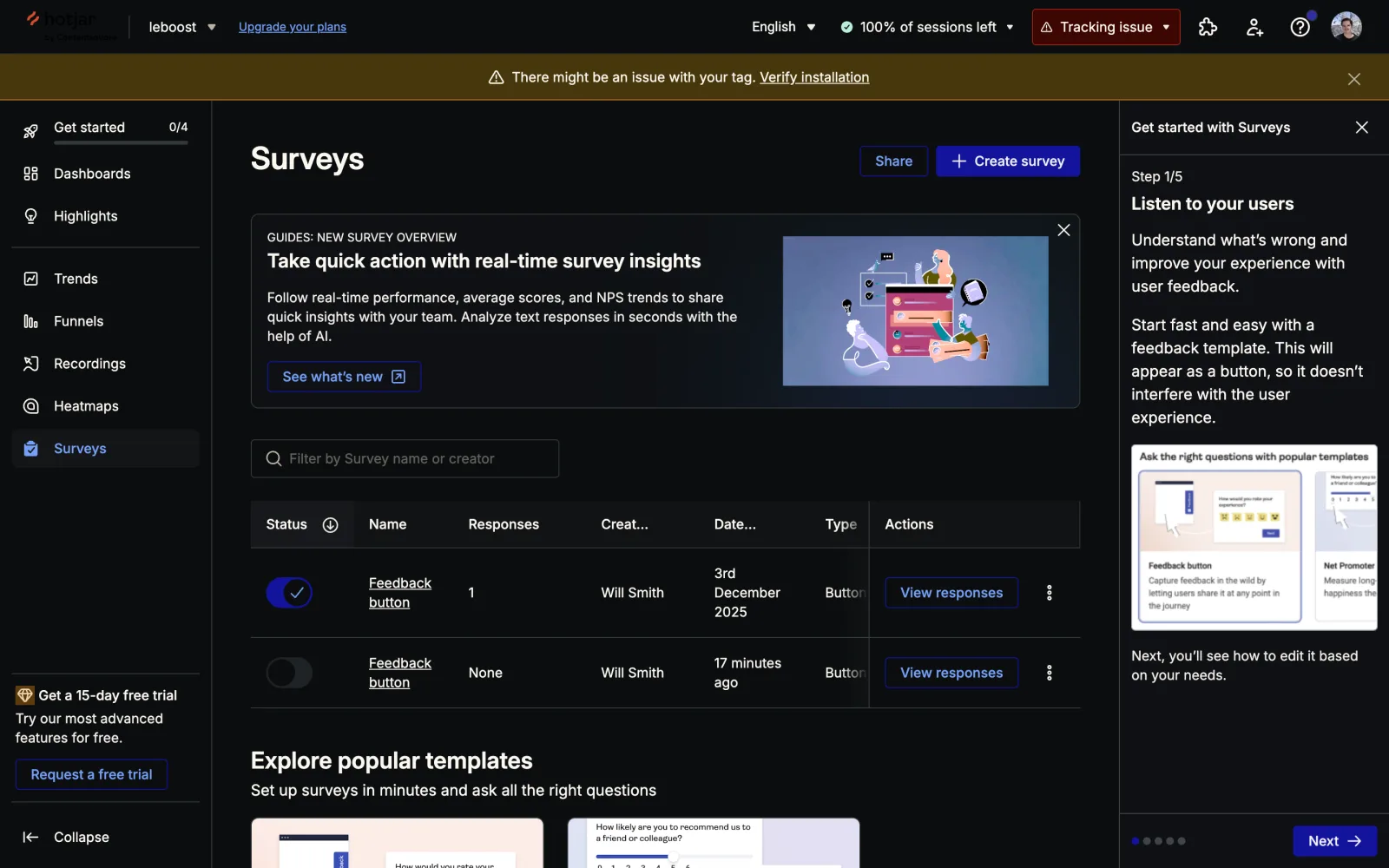
The setup: a free Basic account on a site we’d tagged before. The Hotjar snippet ran on the leboost dashboards through January 2026, so the account came with real history: 46 recordings, 1,400 feedback-button impressions, and one real response to study. First surprise, before touching anything: there is no Feedback tool in the left nav anymore. Since the Contentsquare consolidation it’s Dashboards, Highlights, Trends, Funnels, Recordings, Heatmaps, Surveys. The feedback button we came to study is now a survey template, type “Button”, with three default questions: a 1 to 5 reaction, a long text box, an optional email.
The whole feature is one dropdown
We built a fresh feedback button through the full wizard to find where the recording link lives. It’s a single setting in the Appearance step: “Connect responses with Hotjar tools. Combine responses with recordings, user attributes, location, and more.” A dropdown with three modes: Automatically, Ask for consent, Never. Defaults to Automatically. Free plan.
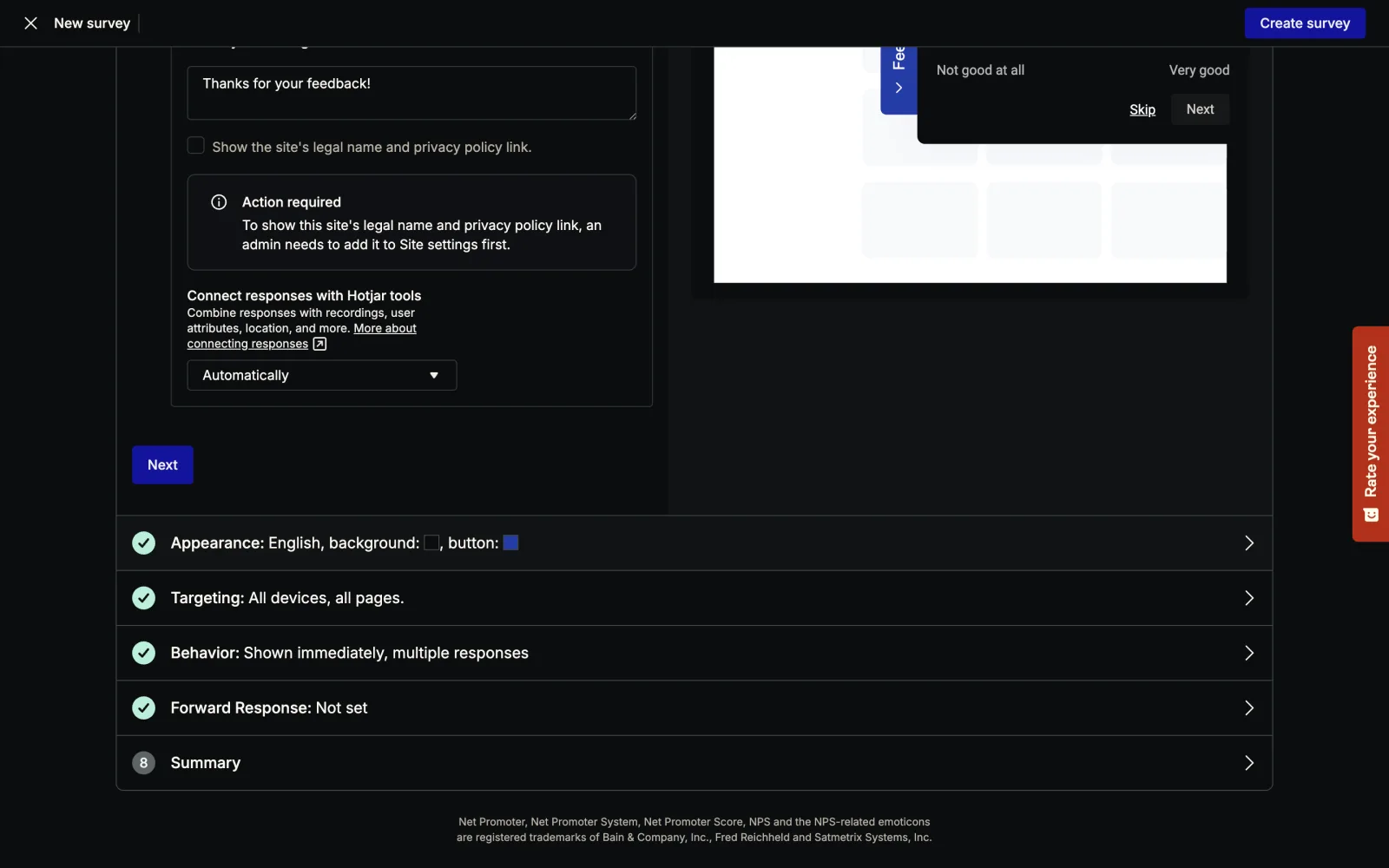
I admire this. Where most tools would bury consent in a legal page, Hotjar puts a three-mode dropdown in the setup flow, in plain language, and lets the site owner decide whether to attach the session or ask the visitor first. Elsewhere in the wizard, the Behavior step has a toggle to include a viewport screenshot with each response, also free. Neither is the kind of thing you bolt on later.
Then the wizard bit us. We clicked “Create survey” and our new button saved as inactive. The status toggle in the surveys list sat off, the old December button kept rendering on the site, and nothing at creation time said so. A founder who builds their feedback button and walks away has a dead widget and no responses.
Being the frustrated visitor
To see the link built end to end we needed a fresh session with a recording and a complaint in it. So we built a sandbox page carrying the site’s tag, played the visitor in a clean browser profile, rage-clicked a deliberately broken Export button until the error stopped being fun, opened the feedback pill, rated 2 out of 5, wrote the complaint, left an email, hit send.
Getting the widget to appear at all took a detour. The tag refuses plain HTTP: the loader fetches and then does nothing, and the only diagnosis is a console line reading “For security reasons, Hotjar only works over HTTPS.” Fair policy, but if you’re not watching the console you get nothing. We stood up a local HTTPS server to proceed. An ad blocker kills the loader outright too, which is why our visitor ran in a clean profile. The site owner debugging “why is my feedback button not showing” sees a blank page in every one of these cases.
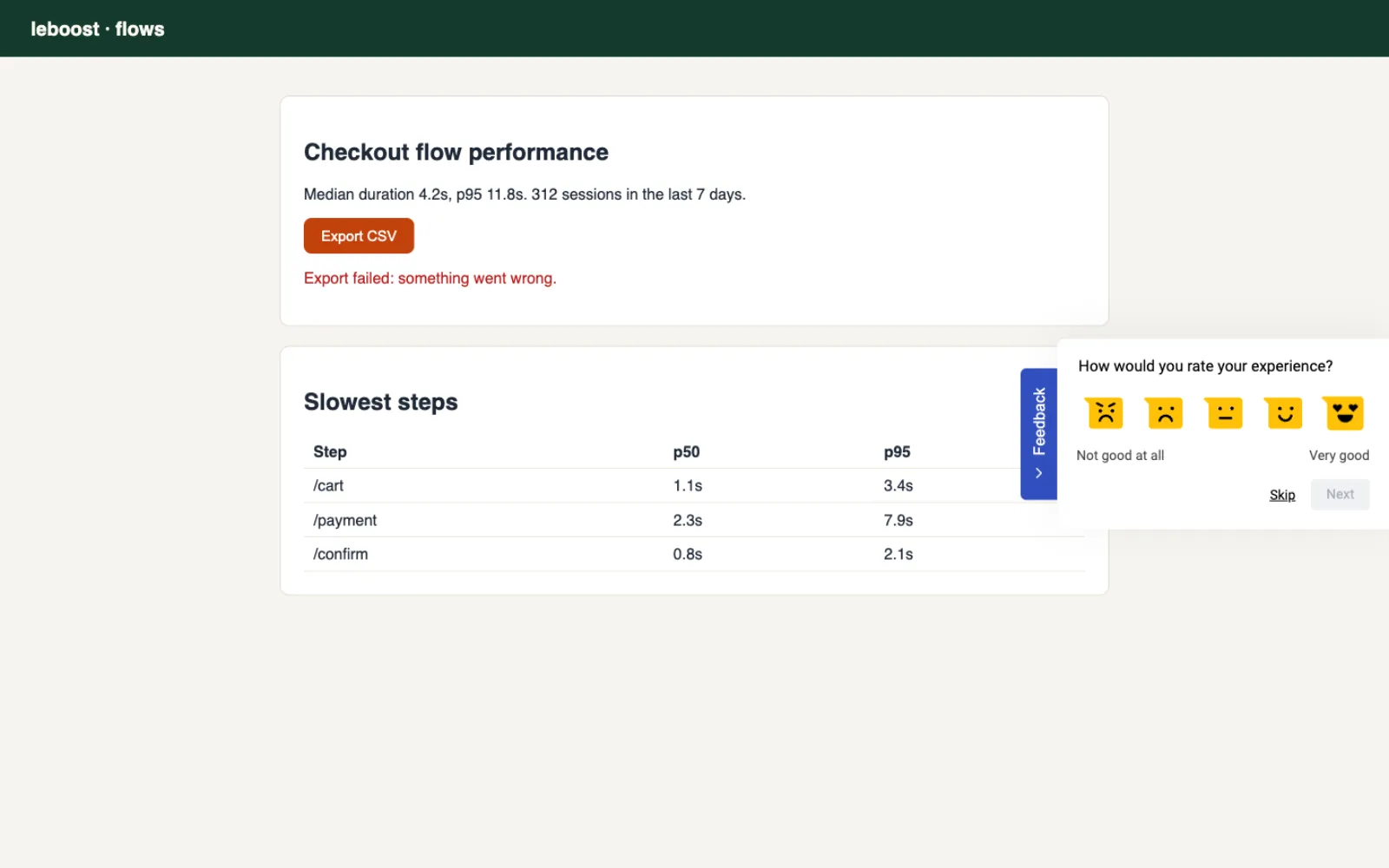
The widget itself is clean and quick. Emoji scale, text box, email, thanks. Every step skippable. We couldn’t find anything to criticise. For a widget, that’s rare.
The response modal earns its screenshots
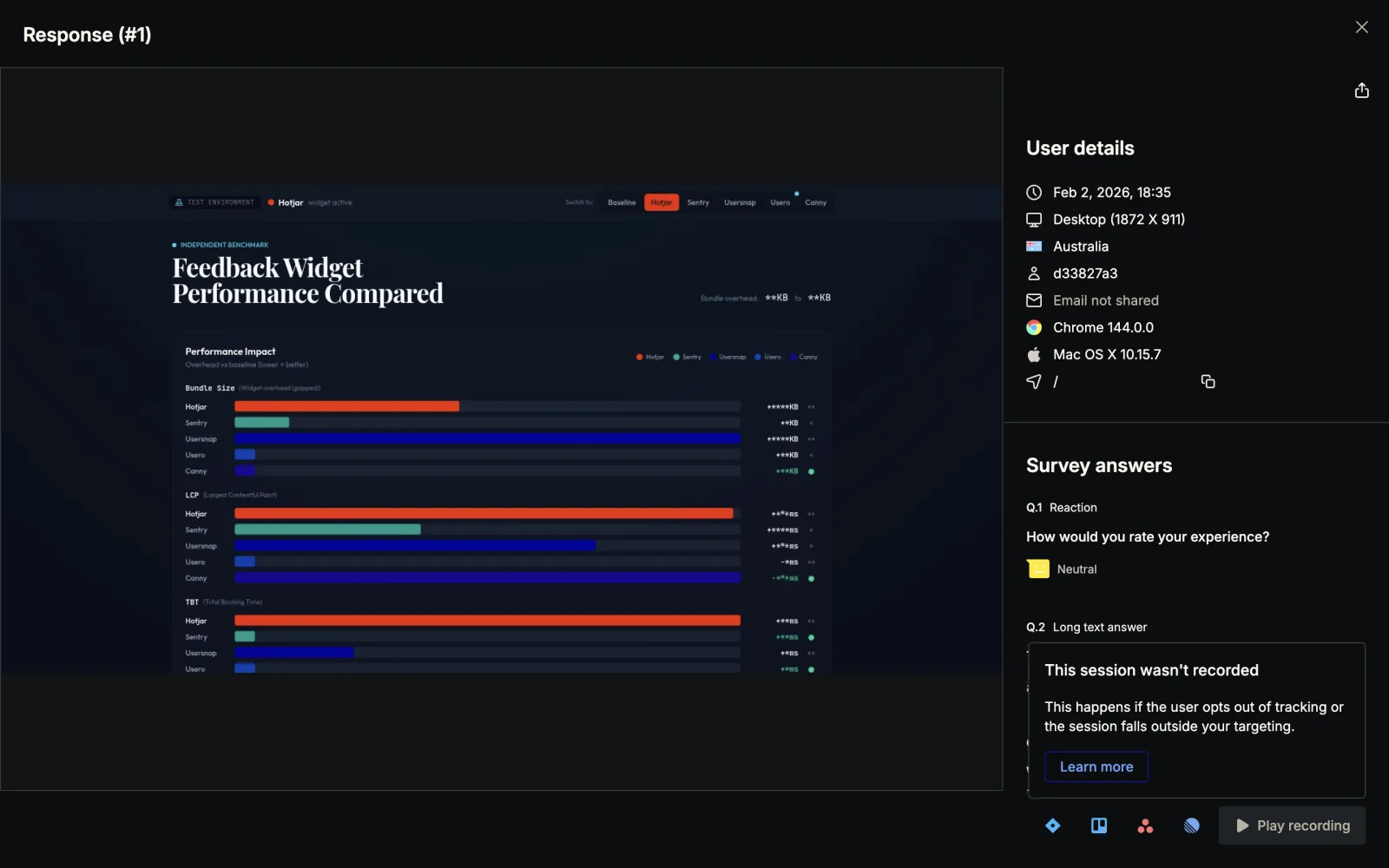
The admin side is better. A response opens in a full-screen modal: the auto-captured screenshot of what the user saw fills the left, and the right column stacks identity (timestamp, device and viewport, country, user id, email or “Email not shared”, browser, OS, page) above the survey answers. Bottom-right, the button we came for: Play recording. Everything about one response in one place, no clicking around.
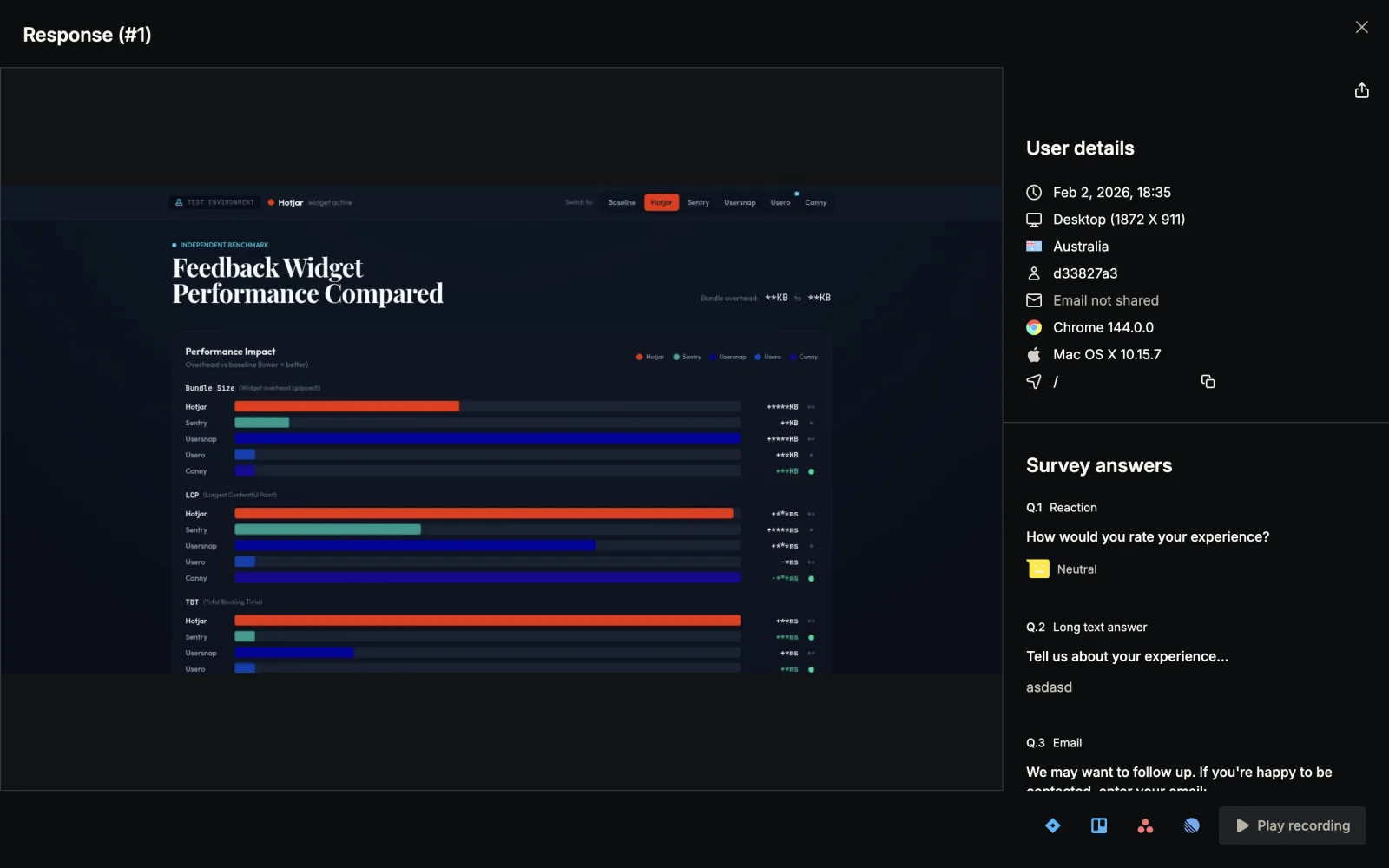
The response we’re looking at there is the real one from December, and its Play recording button is disabled. Hover it and you get a tooltip: “This session wasn’t recorded. This happens if the user opts out of tracking or the session falls outside your targeting.” The recording expired or was never sampled, the feedback survived, and the product says so instead of 404ing. More honest than I expected.
The cross-link runs both directions: the responses filter bar has a Recording filter, and the recordings list can filter to sessions that produced feedback. The player itself is a mature piece of software, with clicks, rage clicks, u-turns and errors counted per session and a skip-inactivity control our 46 old leboost recordings gave us plenty of use for.
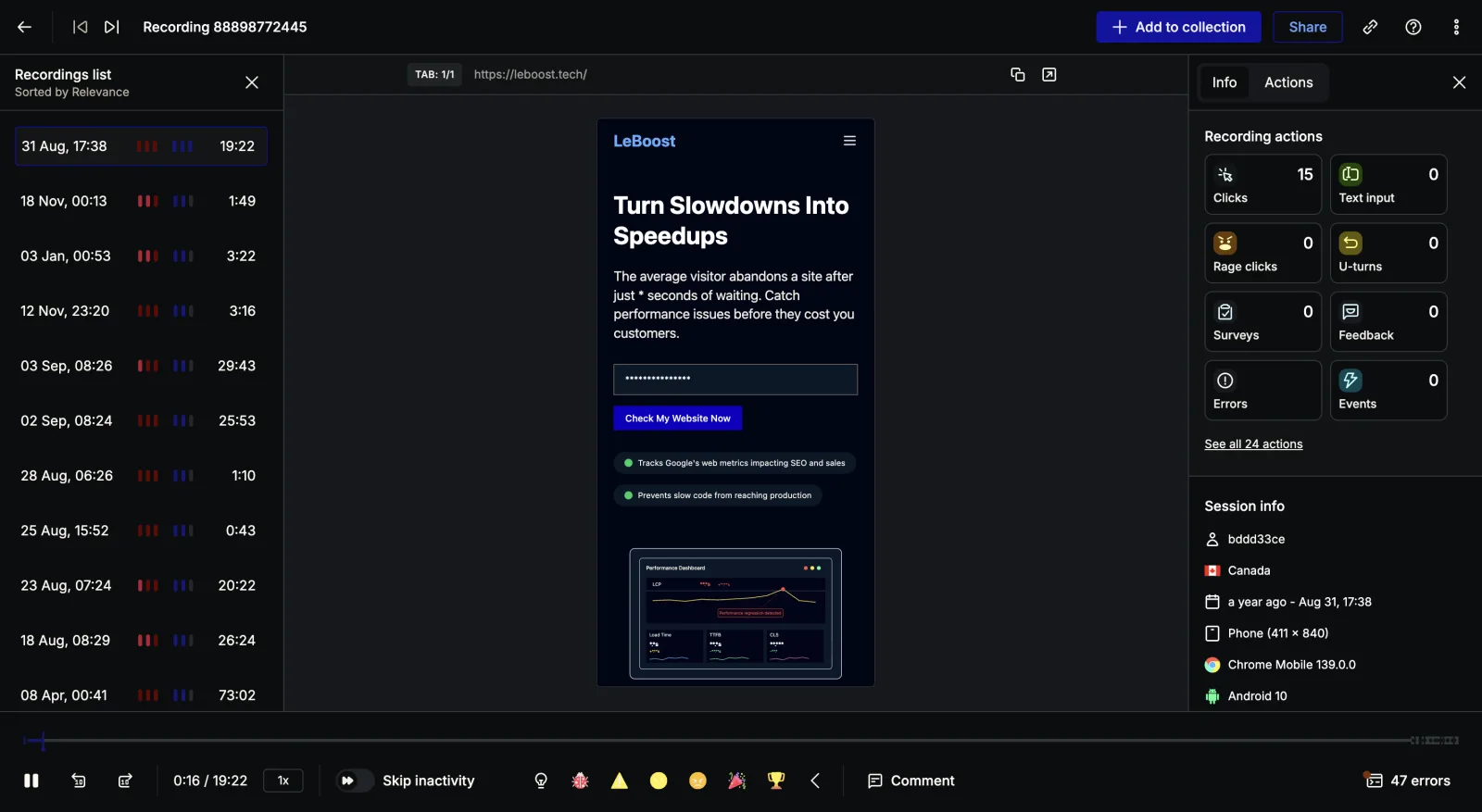
One caveat on our method: we never got to click an enabled Play recording on a fresh response (the next section explains why). The enabled flow is documented from the product’s own UI. The disabled state, the tooltip, the player and the Recording filter we exercised directly.
The 200 that went nowhere
Our fresh submission never arrived. The widget POSTs each answer incrementally as you move through the steps, re-posting the same response UUID after every question, and every one of those POSTs returned 200. The widget said “Thanks for your feedback!”. We then checked the dashboard repeatedly for over an hour: no response, no recording.
The likely cause is ours: the visitor session ran on https://localhost with a self-signed certificate, and a spam or origin filter quietly discarding that is a fair guess (the historical leboost data on the same site processed fine, so ingestion works). But whatever the cause, look at the failure itself. The client was told “accepted”, the admin side has no quarantine or rejected view, and so a response can vanish between the 200 and the dashboard with nothing to inspect on either end. We wrote that sentence down and then remembered our own widget also returns 200 before anyone has looked at anything.
The mirror moment
Hotjar’s Play recording opens the replay of the session. It does not open it at the moment the feedback happened. For a 19-minute session you land at the start and scrub, hunting for the few seconds where the person got annoyed enough to type.
Easy to smirk at, until we opened our own product to compare. Our SDK stamps every widget submission with replayOffsetMs, the exact millisecond into the recording when the user hit send. Our schema stores it on the feedback row. And our dashboard threw it away: the feedback detail loader never selected the column, the player never seeks to it, and the session player’s marker system was hardcoded to user-test notes, so a replay containing feedback showed a static banner instead of a marker. We had spent months recording the one number Hotjar doesn’t have, and rendered none of it. Neither product jumped to the moment. Theirs because the data isn’t there, ours out of neglect. Ours is worse.
How we built ours
So that became the night’s build. No migration and no SDK release, since the data had been flowing the whole time. The work was making the dashboard stop ignoring it.
Markers became a real typed concept in the player instead of a user-test hack: a marker is a labelled point on the replay timeline with a kind, and feedback submissions and user-test notes now render through the same code path. On a feedback detail page, the inline replay opens seeked to the submit moment, with a Submitted at 0:42 chip in the header and a marker on the scrubber.
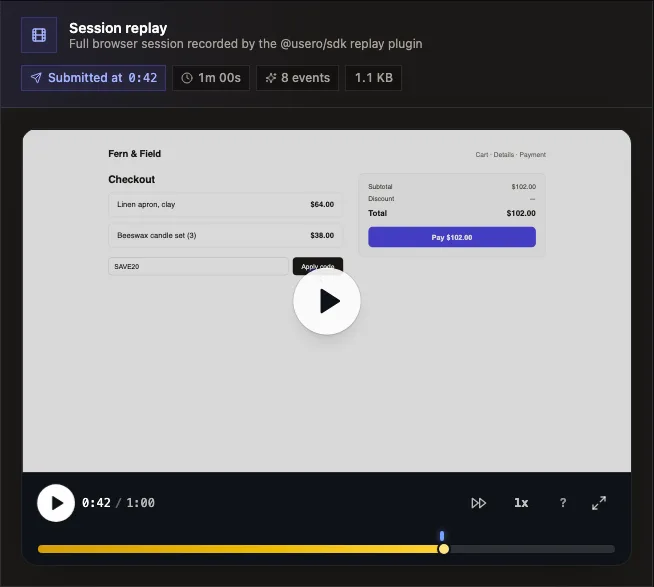
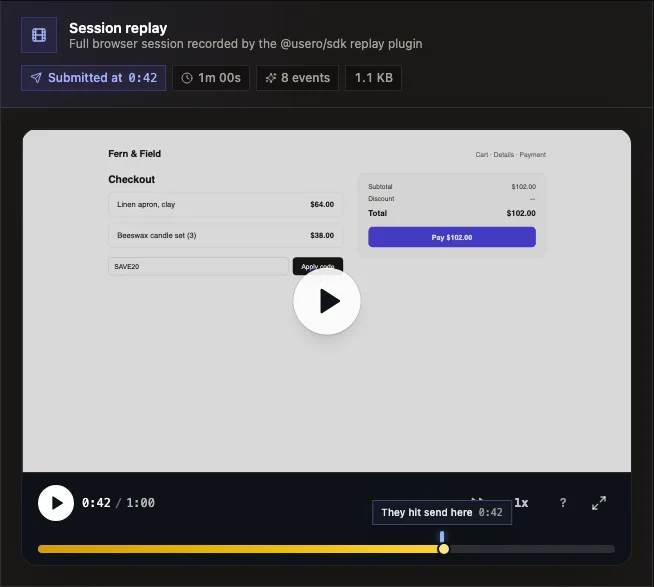
The standalone sessions player got the reverse view: a Feedback moments list above the recording. Each submission made during that session is a row with its timestamp and text, the timestamp seeks the player, and Open feedback jumps to the full row in the inbox. That replaces the static “this session has feedback” banner, which told you something existed and helped you find none of it.
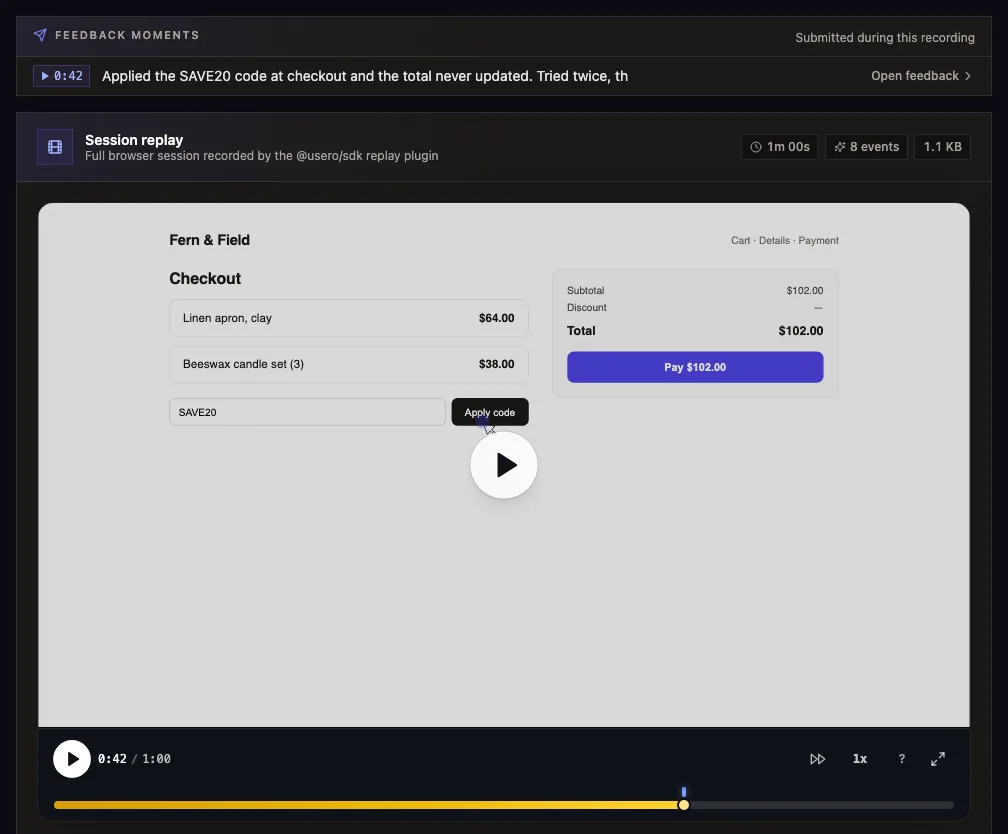
And we stole the disabled tooltip. When a feedback row has no linked recording, the detail page now shows a quiet one-liner: replay capture wasn’t enabled when this feedback was submitted, so there’s no recording of the moment. Their instinct, our wording. It cost one paragraph of JSX.
What we took away
Hotjar’s pairing is real and mostly free, and the consent dropdown, the per-response screenshot and the honest disabled state are all worth copying. Feedback and recordings are still two systems glued by session id, the glue fails silently through sampling, quotas, opt-outs and targeting, and when it holds, the reward is watching. Nothing turns the complaint into a tracked fix.
Our lesson was humbler: we’d built the better link and then not looked at it. The offset our SDK records is the difference between opening a recording and opening a moment, and it took an evening in a competitor’s product to notice we were sitting on it. If you want the version where the replay opens at the second they hit send and the feedback can end in a drafted pull request, sign up free or read the session replay page for how the recording side works.
Frequently Asked Questions
How does Hotjar link a feedback response to a session recording?
Through one setting in the survey wizard. The Appearance step has a "Connect responses with Hotjar tools" dropdown with three modes: Automatically, Ask for consent, or Never. It defaults to Automatically and is available on the free plan. When a recording of that visitor exists, the response modal shows a Play recording button that opens the session replay, and the responses list can be filtered to rows that have a recording.
What happens when the recording for a response is missing?
The Play recording button is disabled, with a hover tooltip that reads "This session wasn't recorded. This happens if the user opts out of tracking or the session falls outside your targeting." The feedback itself survives with its session context (device, viewport, country, browser, OS, page), and the auto-captured screenshot still shows what the user saw. The replay is just gone.
Is Hotjar’s replay-linked feedback free?
The core loop is. On the free Basic plan we got the feedback button, session recordings (35 daily sessions), the auto-screenshot per response, the connect-responses setting, and forwarding to Slack, Teams and email. Business gates question images, the "Buddies" reaction style, specific-user targeting and webhooks. Traffic coverage percentage is Plus, and the Responses API is Scale.
Does Hotjar still have a standalone Feedback tool?
No. Since the Contentsquare-era consolidation the left nav is Dashboards, Highlights, Trends, Funnels, Recordings, Heatmaps and Surveys. The feedback button is now a survey template (type "Button") with three default questions: a 1 to 5 reaction, a long-text answer and an optional email, plus a thank-you step.
How is Usero’s replay link different from Hotjar’s?
Two ways. First, the moment: Usero’s SDK stamps every widget submission with the offset into the recording where the user hit send, so the player opens at that second with a marker on the timeline, instead of at the start of the session. Second, what happens after watching: the feedback row that owns the replay clusters with duplicates and can go to an AI-drafted pull request, where Hotjar’s response modal ends at forwarding the text to Slack or Trello.
Continue reading
Release Notes Tool: How to Pick One (and Keep Writing)
Changelogs die because writing one means reconstructing what shipped from memory, on a Friday, from a blank field. What separates a real release notes tool from a hosted page, and the loop almost none of them close: telling the people who asked.
8 min read
The Notion Integration Every Feedback Tool Promised
Notion is the most requested integration on the feedback boards of Canny (249 votes, Under Review since August 2019), Featurebase (196 votes, Planned for three years with a slipped Q2 ETA), and Sleekplan, and none of the four tools we studied ship it. A read through six years of public request threads, why the gap survived, and the one-way Notion database push we built in a night on the 2025-09-03 API.
9 min read
How Featurebase Forwards Feedback to Issue Trackers: The Threshold That Never Fired
A hands-on teardown of Featurebase issue tracker forwarding: the upvote-threshold request their own team filed three years ago (200 upvoters, still Planned), the push-all toggle and manual flow behind the $29 per seat gate, the GitHub app that can only file issues, and the demand-threshold auto PR we built the same night.
9 min read
Build a feedback loop your team actually uses
Usero collects, clusters, and turns user feedback into shipped fixes.
Get started free