How Canny’s Changelog Works: It Knows Who Asked, and It Never Tells Them
Canny’s changelog knows which requests each release answers. You attach the board posts to the entry, the entry shows you their vote counts, and the posts know who voted. Then you hit publish and none of those people hear about it.
We spent an evening in a live Canny workspace on the free plan, writing an entry from scratch and shipping it, to watch where the announcement goes. It goes to the changelog page. That’s the whole distribution.
Start with the part we liked, because it’s most of it.
The create screen is three panes. Linked posts, Type and Labels down the left, a live preview of the public entry in the middle, and the markdown editor on the right with a toolbar for headings, bold, italic, links, inline code, lists, images and video. You type on the right and watch the reader’s version assemble in the middle. No publish-and-check cycle. It’s the best screen in the feature and the one we’d steal.
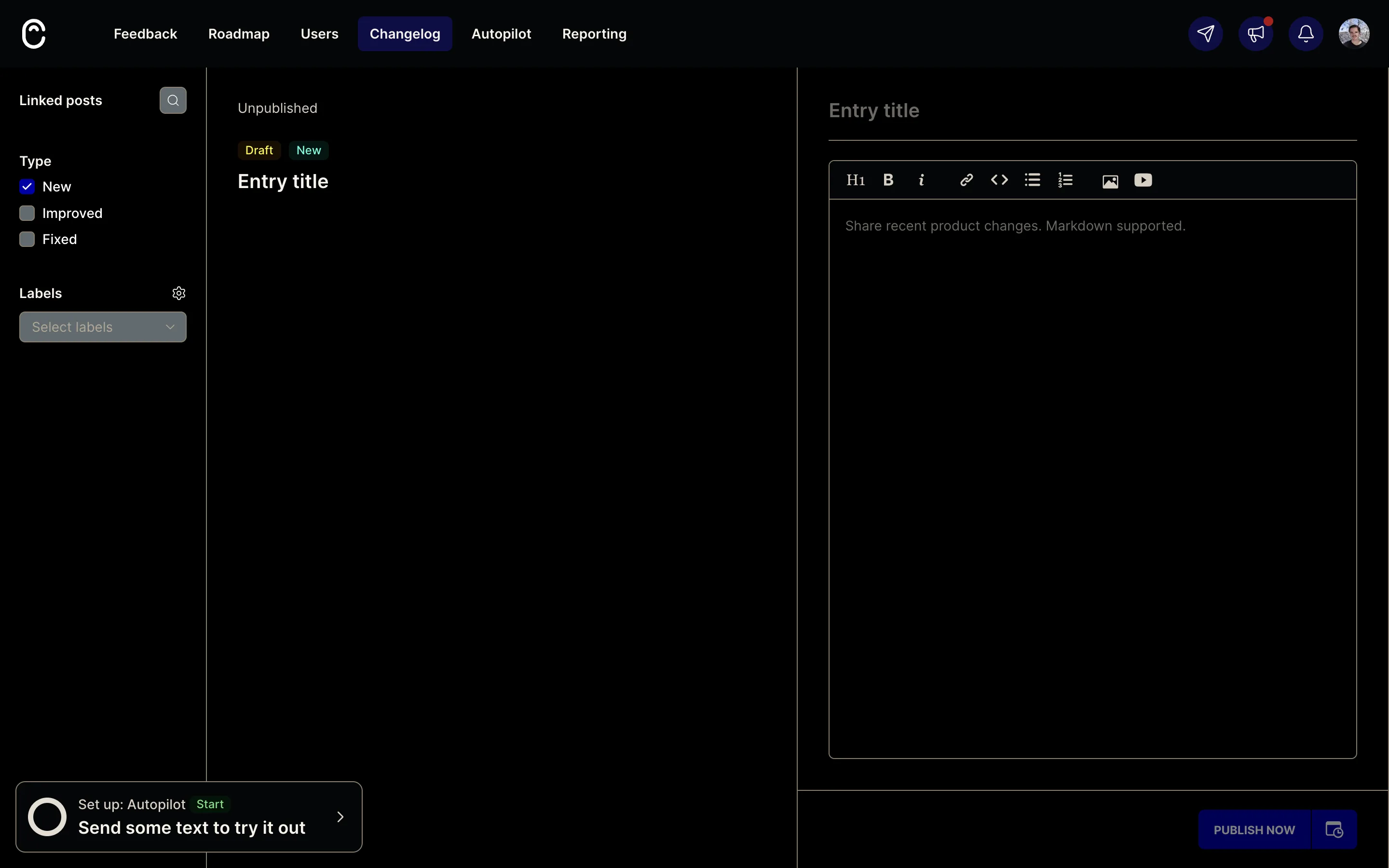
That checkbox detail is a small good call. A release that adds one thing and fixes another is one entry with two badges instead of two entries or one wrong label. There’s no Save button anywhere either; the draft exists the second you type a title. Labels are the odd one out. They’re configured on a separate settings page and start empty, so the public Filters control that reads them ships filtering nothing.
Then the rail that matters. Linked posts opens a typeahead, “Add feedback by title…”, against your board. Each suggestion carries its vote count and which board it came from, so you know you’ve got the right post before you attach it. Attach it and the rail shows the post with its live status.
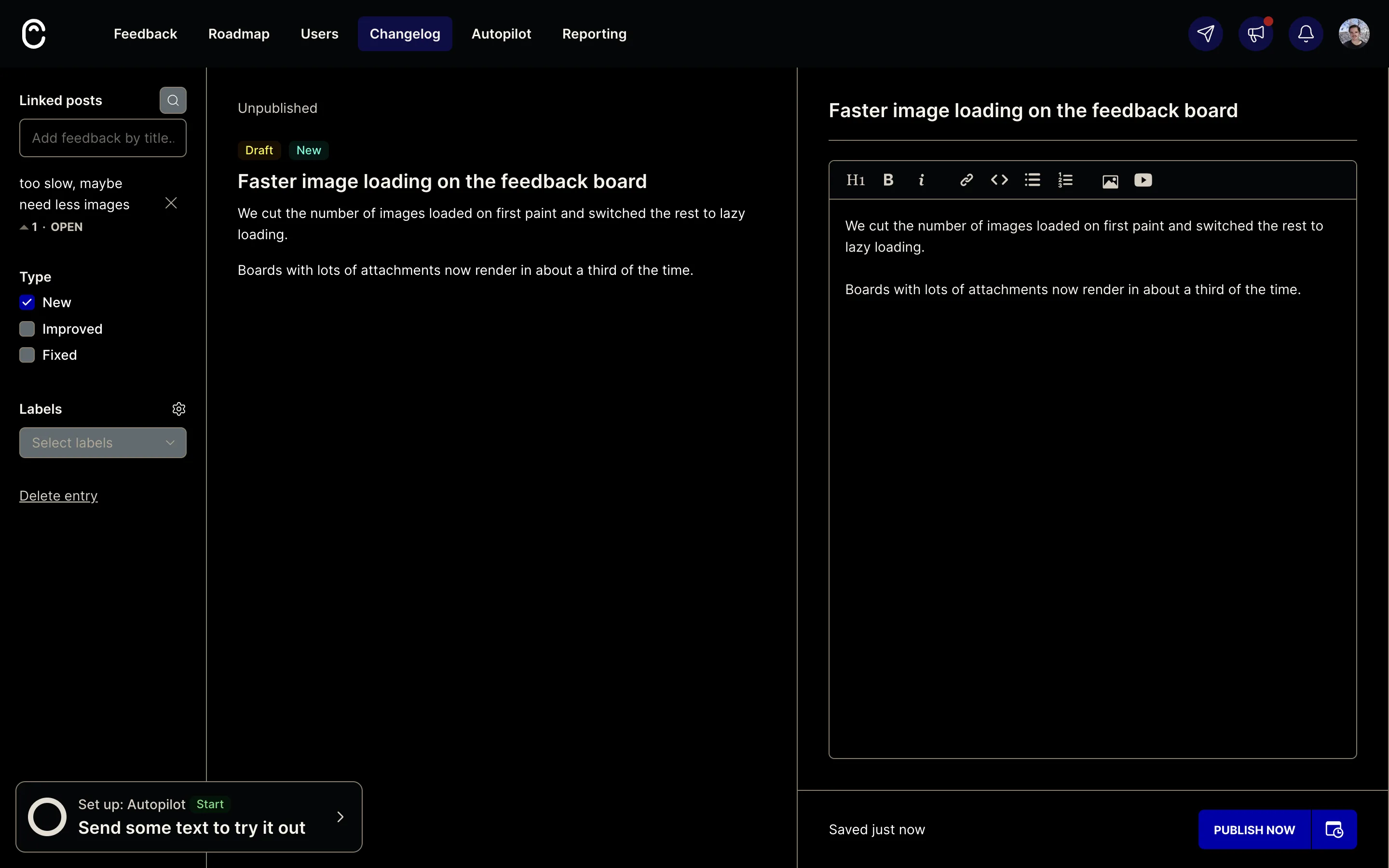
Down in the footer there’s PUBLISH NOW and a calendar button for scheduling, with a date, a time and a timezone. We clicked publish.
“Are you sure you’d like to publish this entry now?” Cancel. Yes.
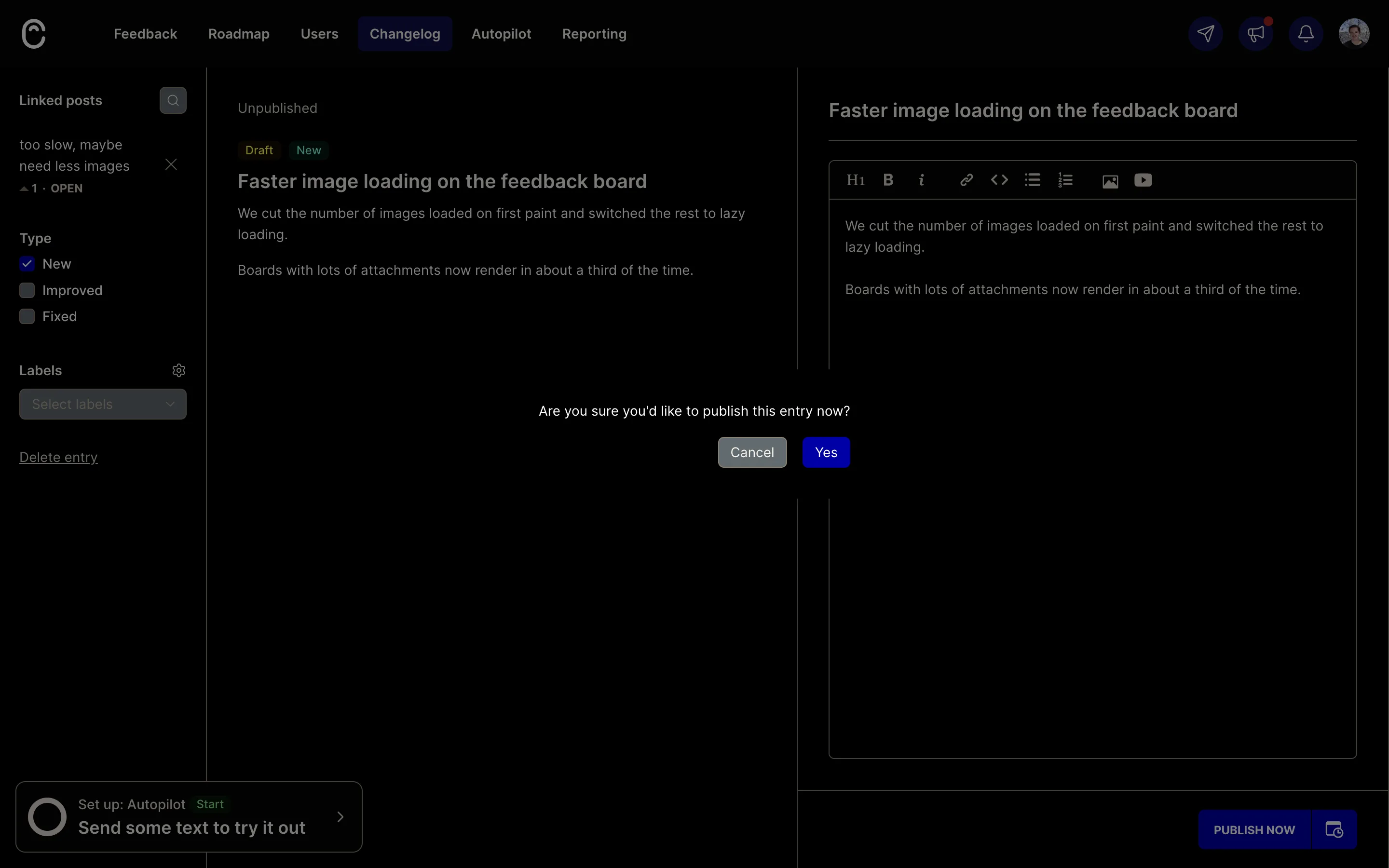
One pane to the left, Canny is holding the post that this release answers, and that post knows who voted for it. The dialog asks whether you’re sure, about nothing.
So we went looking for where the email lives. Settings → Notifications gives end users exactly one option, “New posts (weekly)”, and that’s a digest of new board posts. Settings → Changelog → Privacy has the real one: “Allow users to subscribe to changelog updates”, off by default. Toggling it raises a Canny Pro paywall.
Which explains the bare dialog. There’s nothing to offer to notify when the only thing that could be notified is switched off behind a paywall. Canny’s docs say that with subscriptions turned on, publishing does grow a “Notify subscribers” checkbox. So the confirm isn’t permanently empty. It’s empty on the plan we were on.
Say you pay for it, then. A subscriber list still doesn’t do this job, and Canny’s own help centre is precise about who those emails go to: anyone who subscribes to your changelog. Not the voters on the posts you linked. Everyone who opted in gets every entry, so the person who filed the request eight months ago and never subscribed isn’t on the list, and the person who did subscribe gets your entire release history whether or not any of it was their idea. That’s a newsletter. The loop closes when the person who asked gets told their thing shipped.
What the requester gets is a card on their own post, which appeared the moment we published and vanished when we deleted the entry: “Visit our changelog to read the official release notes 🎉”, with a Learn more button.
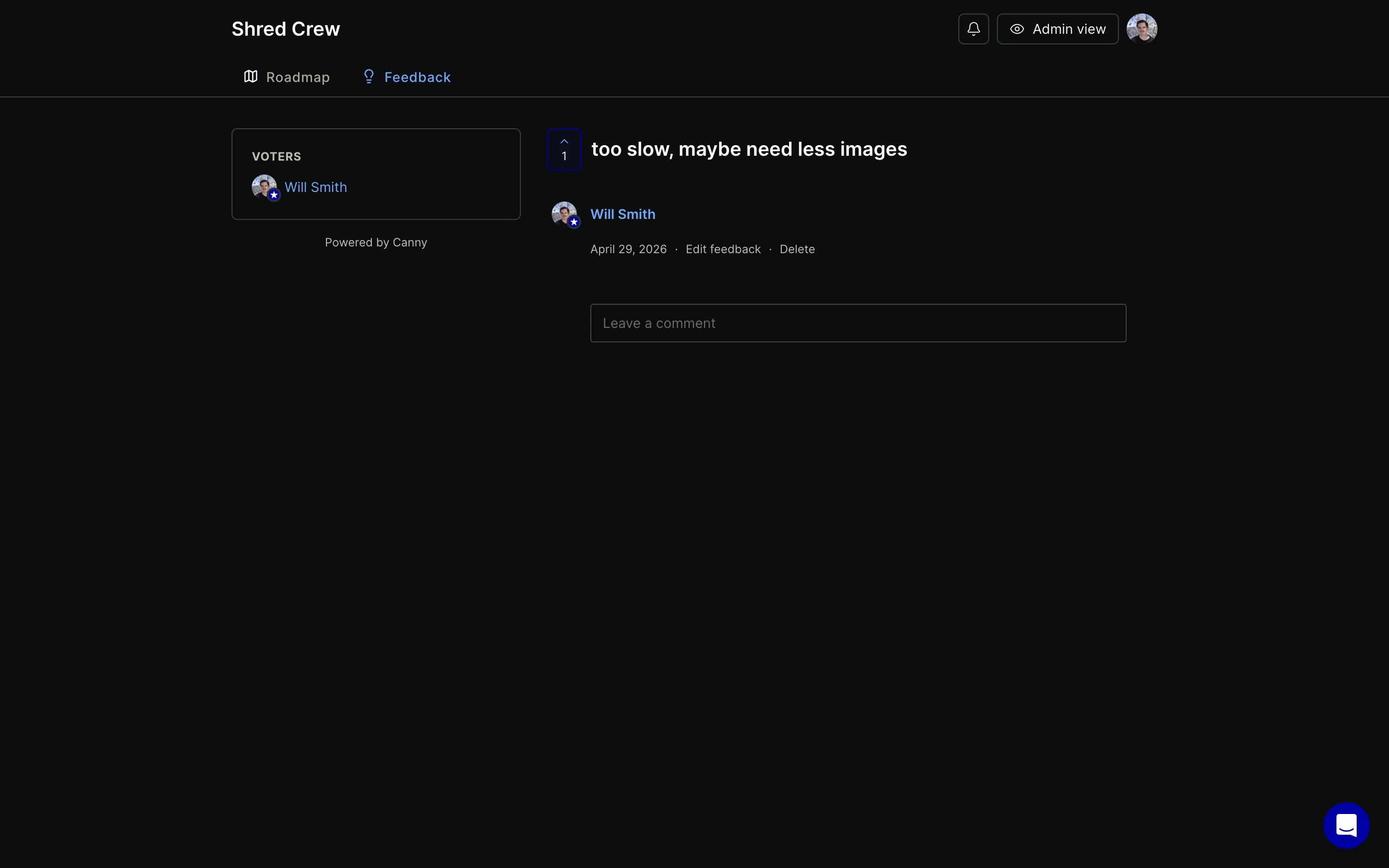
Two things are wrong with that card. They have to think to return to a post they filed months ago, on their own, with no prompt. And the card says visit our changelog. It doesn’t say the thing you asked for shipped.
Publishing also left the post Open. That’s the part that stayed with us, because of what sits behind a status change. Canny emails the voters when a post’s status moves, and the status editor carries a “Notify all voters” checkbox that their docs tell you to leave ticked. The thing we spent the evening looking for exists, with a checkbox, one nav item away. The changelog doesn’t use it. An admin has to remember to go and flip the status by hand afterwards, in a second place, and that second action is the one that reaches a person.
On price they’re being generous and it deserves saying plainly. RSS, scheduling, linked posts, labels, multi-select type and the entire public changelog are free. The feed at /api/changelog/feed.rss is a proper RSS 2.0 document with the entry type as a category, handed over with no gate at all. The single thing behind Pro is email subscriptions. Charging for the ability to push announcements at people is a defensible place to draw the line. It also happens to be the weakest part of the feature.
What we did with it
Our changelog entries are drafted from merged pull requests, and our pull requests carry the feedback row that caused them. So the chain Canny stops short of was already sitting in our schema: entry, to pull request, to feedback, to the person who submitted it. Canny’s chain ends at a vote count.
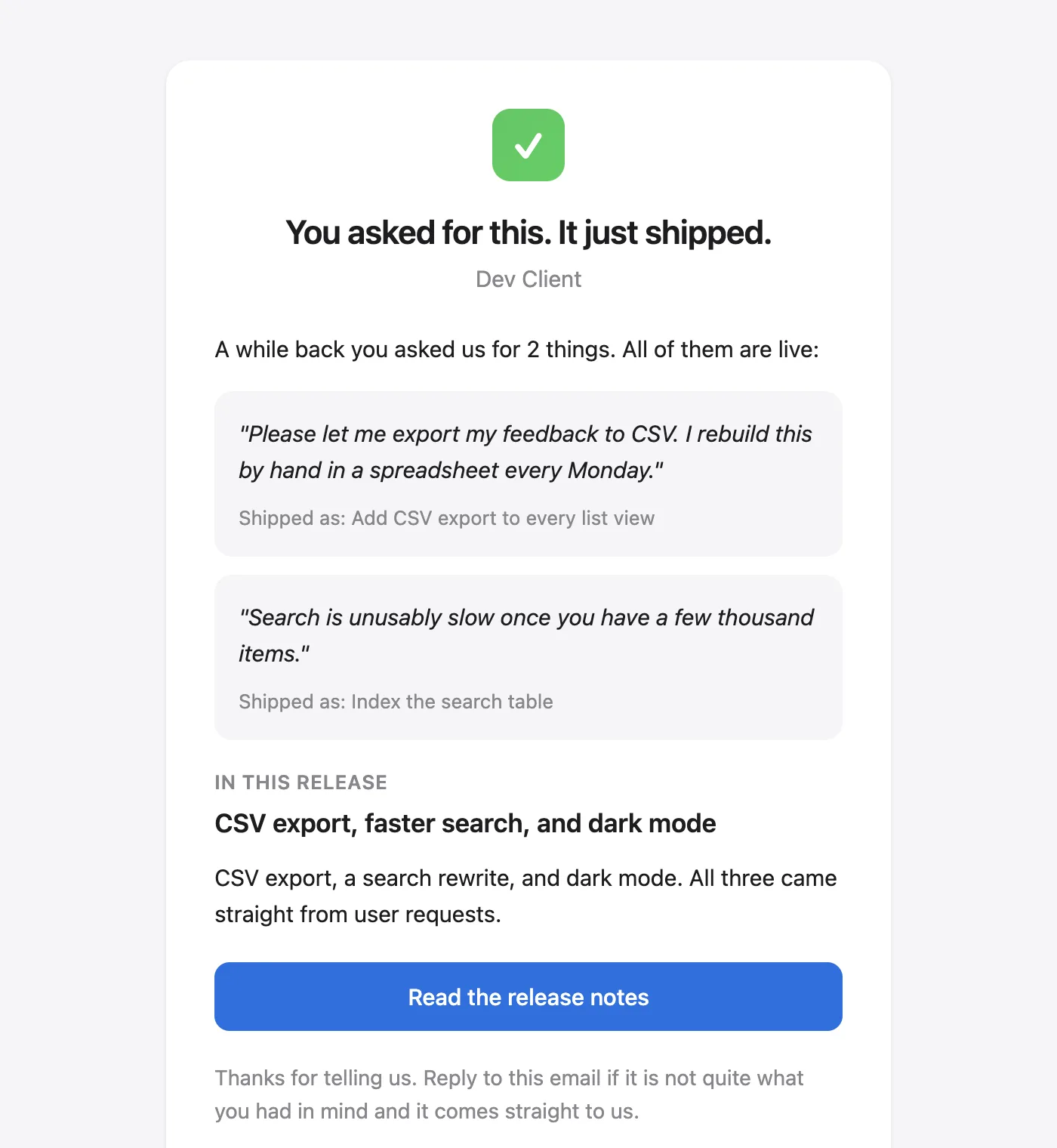
So we used it. When an entry publishes, we email the specific people whose feedback produced the pull requests in it, quoting their own words back to them. The subject is what they want to know: you asked for this, it just shipped. Under it, each of their requests in their own words, and next to each one the change that answered it. Someone who filed three of the shipped items gets one email listing all three, not three emails.
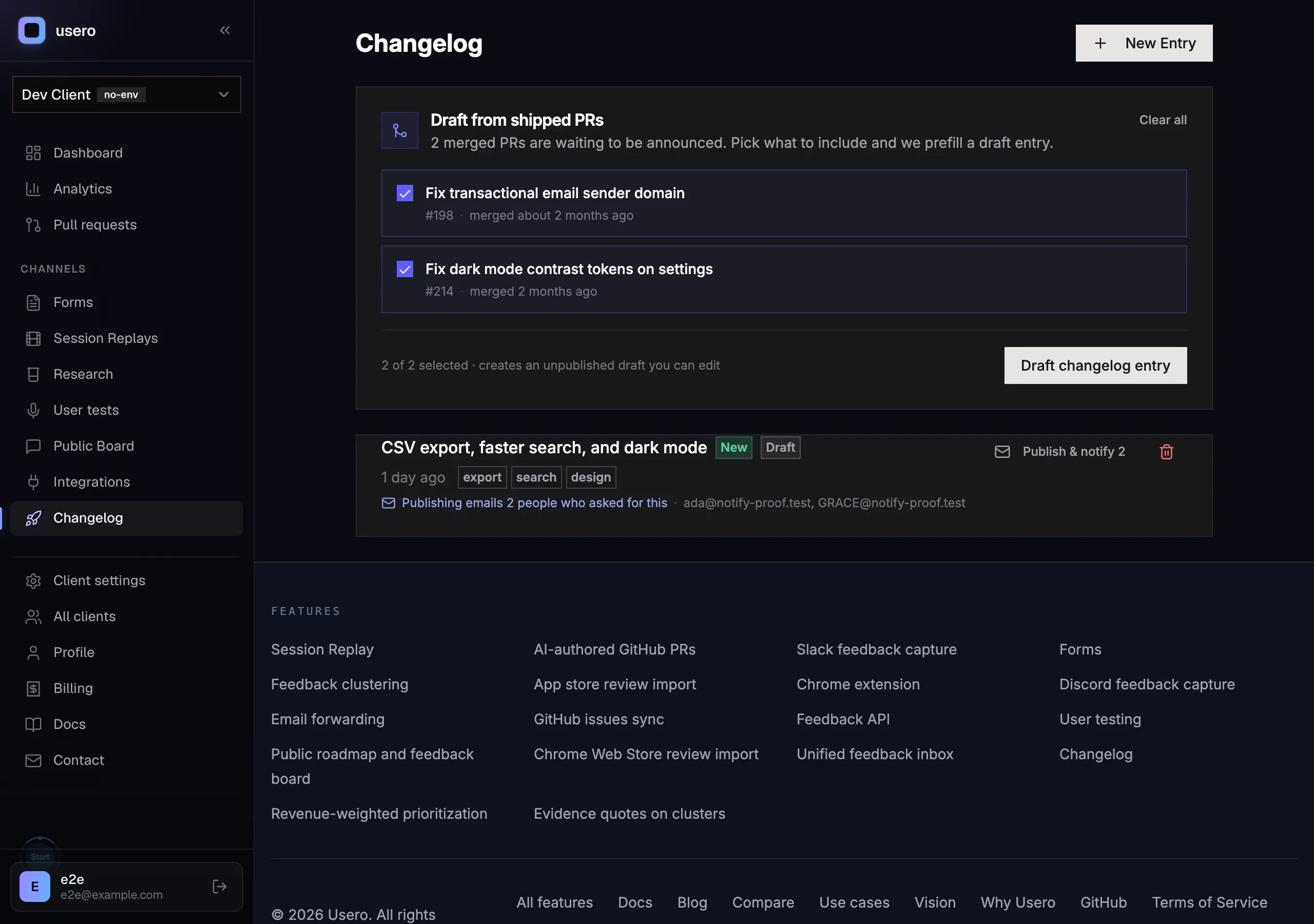
And the publish button says who is about to hear from you. Not “are you sure”, but Publish & notify 2, with the addresses listed under the entry. You know the blast radius before you click it.
Two guards, because this is email. Republishing an entry never sends a second time, and a feedback row that has already been announced in one entry won’t be announced again in the next. A row with nobody contactable behind it is skipped rather than counted.
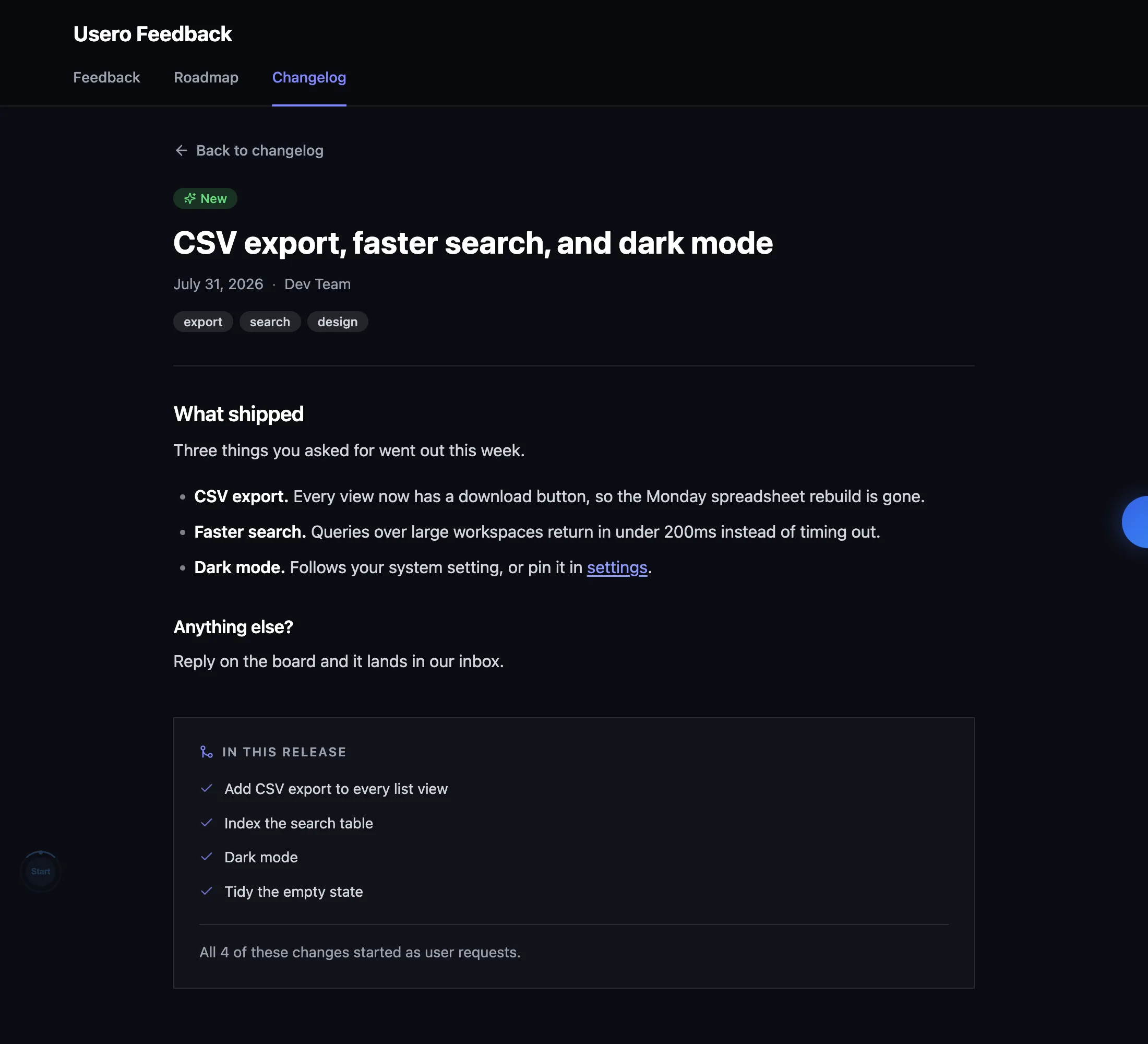
The dive caught one of ours by comparison, too. Our admin field is labelled “Body (Markdown)” and the public entry page was printing it as plain text, hashes and asterisks and all. Canny’s renders. Ours does now, through a renderer that treats raw HTML in an entry as text and allows only http, https and mailto links. We also shipped the RSS feed we didn’t have, which Canny has been giving away free the whole time.
What we didn’t copy is the opt-in subscriber list.
Thanks to the Canny team. The linked-posts typeahead is a nicer piece of design than most of what we’ve built, and that live preview is going to turn up in ours eventually. They built the whole run from a request to a release and then left the last hop to a banner. We only noticed because we sat in their editor for an evening and clicked the last button.
Continue reading
How Sleekplan’s Satisfaction Module Works: They Were Right and We Were Wrong
A hands-on teardown of Sleekplan’s NPS and CSAT module from inside a live workspace: an analytics page that opens on a trend chart, a nine-preset range picker, a plain-English sentence under every chart, the qualitative band word next to the score, and the timing controls that are the best-engineered part of it. Plus the survey score over time we built the same night, with merged AI-authored pull requests drawn on the line.
8 min read
How Featurebase In-App Surveys Work: The Screen We Copied, and the One We Did Not
A hands-on teardown of Featurebase in-app surveys from inside a live workspace: two survey systems in one product, a template gallery where every card is a live render, benchmark lines on the templates, the Featurebase Posts poll type, and what the Free plan stops you doing. Plus how we built Usero surveys on Forms so answers land in the feedback inbox and can become a pull request.
8 min read
How Savio Pulls Feedback Out of Intercom, Zendesk, and Help Scout
We spent an evening inside a live Savio trial studying how it pipes support conversations into a feedback inbox: the OAuth handoff, the single feedback tag, the Zendesk subdomain wrinkle, the note-as-feedback trick, and the pricing tier that charges Zendesk shops double. The best decision in the feature looks like a limitation, and it exposed something broken on our side.
8 min read
Build a feedback loop your team actually uses
Usero collects, clusters, and turns user feedback into shipped fixes.
Get started free